
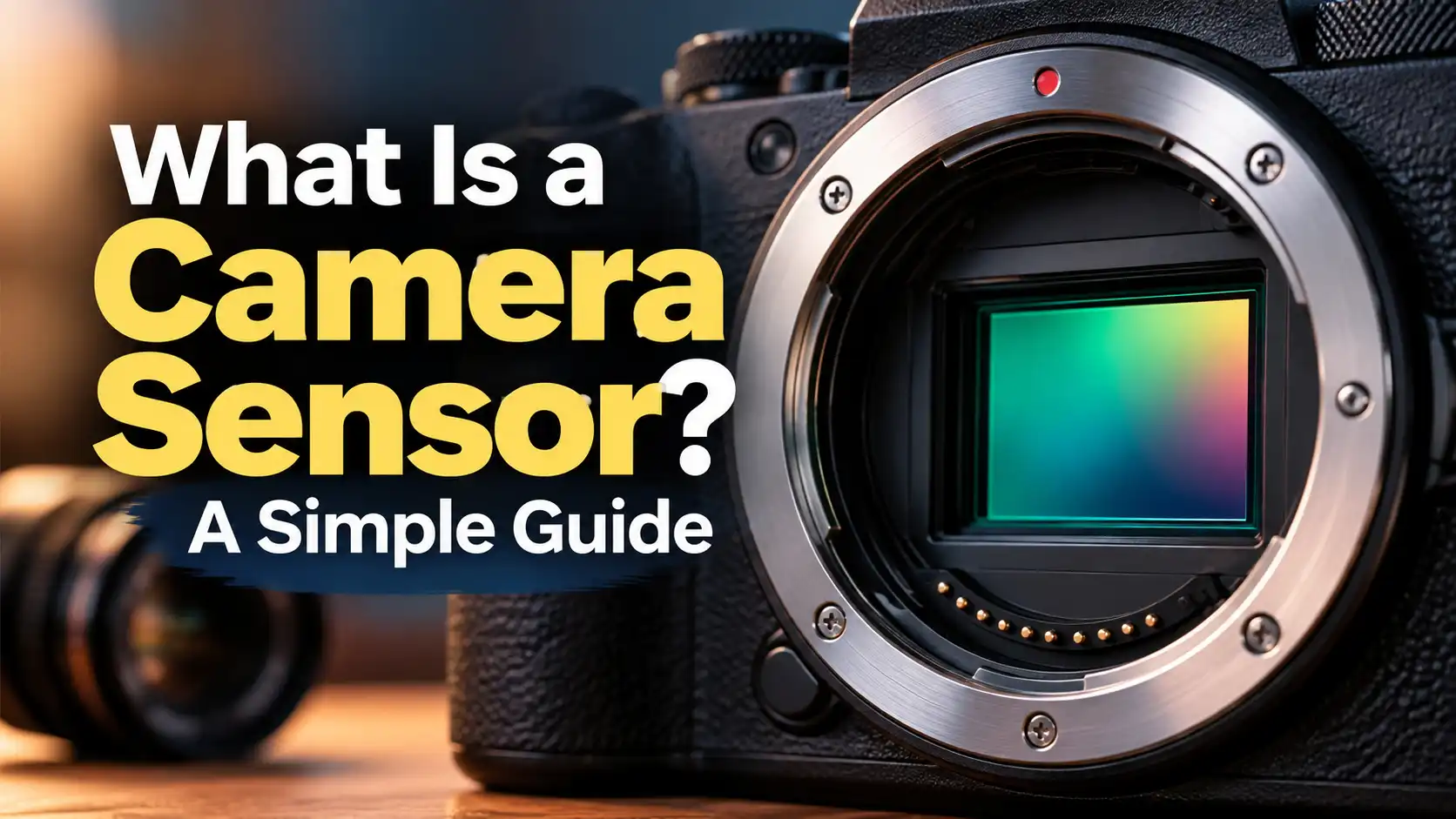
A camera sensor is the heart of your camera gear. It sits inside the camera body and catches the light. When I press the shutter, this part makes the final picture.
Before digital cameras, we used film to take photos. Today, the digital sensor does that exact same job. You will learn how it works and why it matters below.
Let us start with a basic look at this vital part.
What Is a Camera Sensor?
A camera sensor is a flat chip inside your camera. It rests right behind the lens mount. When light hits this chip, it creates a digital picture.
I love showing new shooters this part of the camera. It looks like a small shiny mirror at first glance. This small part does all the heavy work for your photos.
It has a few key parts. Here is a quick look at its main jobs.
| Part Name | Main Job | My View |
| Pixels | Catch light | Very vital |
| Glass Filter | Block bad light | Keeps colors true |
| Base Board | Hold the chip | Sturdy and safe |
These basic parts work hard to make your photos look great. The sensor takes all that light and builds your image file. Next, we will see how it works in real time.
The way this chip works is quite simple to grasp.
How Does a Camera Sensor Work?
Think of the sensor as a grid of tiny buckets. These tiny buckets catch light when the shutter opens. More light means a brighter and clearer picture.
When I shoot outside in the sun, the buckets fill up fast. The camera reads how full each bucket is. Then, it turns that data into an image on my screen.

This fast process happens in a flash. I am always amazed by how quick it works. It turns basic light rays into digital art instantly.
You can find these chips in a few main sizes.
Types of Camera Sensors
Not all cameras use the exact same chip size. Big cameras have big chips inside them. Small cameras and phones have very tiny chips.
In my daily work, I use two main types of chips. Full frame chips are big and catch lots of light. Crop chips are smaller but cost much less money.
There are a few main choices. This chart shows the common sizes you will see.
| Chip Type | Size Rank | Common Use |
| Full Frame | Very large | Pro work |
| APS-C | Medium | Hobby work |
| Micro Four Thirds | Small | Travel video |
Knowing your chip size helps you pick the right lenses. A big chip needs a big lens to work best. A small chip can use much smaller and lighter lenses.
The size of your chip changes how your pictures look.
Why Sensor Size Matters
A big camera sensor gives you a cleaner photo. It has larger light buckets to catch more details. When I shoot big events, I always use a big chip.
Smaller chips are still very good for most daily tasks. They keep your camera bag light and easy to carry. But they can struggle a bit when the sun goes down.

Image Prompt: A single large full-frame camera sensor held carefully by a photographer wearing black gloves, bright studio lighting, sharp focus on the glass surface, dark blurred background, professional tech vibe.
You must pick the size that fits your own needs. I tell my friends to start with a medium chip. It gives great results without breaking the bank.
Let us talk about those tiny dots called megapixels.
Megapixels and Image Detail
Megapixels tell you how many light buckets your chip has. One megapixel equals one million tiny buckets. More buckets can mean more details in your photo.
I often print my photos on large paper. For big prints, a high pixel count is very nice. It keeps the edges sharp and the colors very rich.
I test many pixel counts. Here is how I view them.
| Pixel Count | Best For | File Size |
| 12 to 16 MP | Web posts | Small |
| 20 to 24 MP | General use | Medium |
| 40+ MP | Big prints | Very large |
You do not always need the most pixels to win. Too many pixels can fill up your memory cards fast. I find that twenty megapixels is perfect for most people.
Shooting in the dark is a true test for any camera.
Low Light Performance
When the sun sets, your camera chip has to work harder. A bigger chip handles dark rooms much better. It catches faint light without making the picture look grainy.
When I shoot night sky photos, my big chip shines. The large pixels drink in the starlight with ease. A small phone chip just sees pitch black in that same spot.
This chart helps explain it. See how chip size changes low light shooting.
| Chip Size | Dark Room Quality | Noise Level |
| Full Frame | Great | Very low |
| APS-C | Good | Medium |
| Phone Chip | Poor | Very high |
I always watch my ISO settings in the dark. High ISO makes the chip more quick to see light. But it also adds grainy dots to your final photo.
Your chip size also changes how close things appear.
Crop Factor Basics
A smaller camera sensor zooms in on your scene. We call this the crop factor effect. It cuts off the edges of your wide view.
When I use a medium chip, my lens looks longer. A standard lens acts like a mild zoom lens. This is great for shooting sports or shy wild animals.
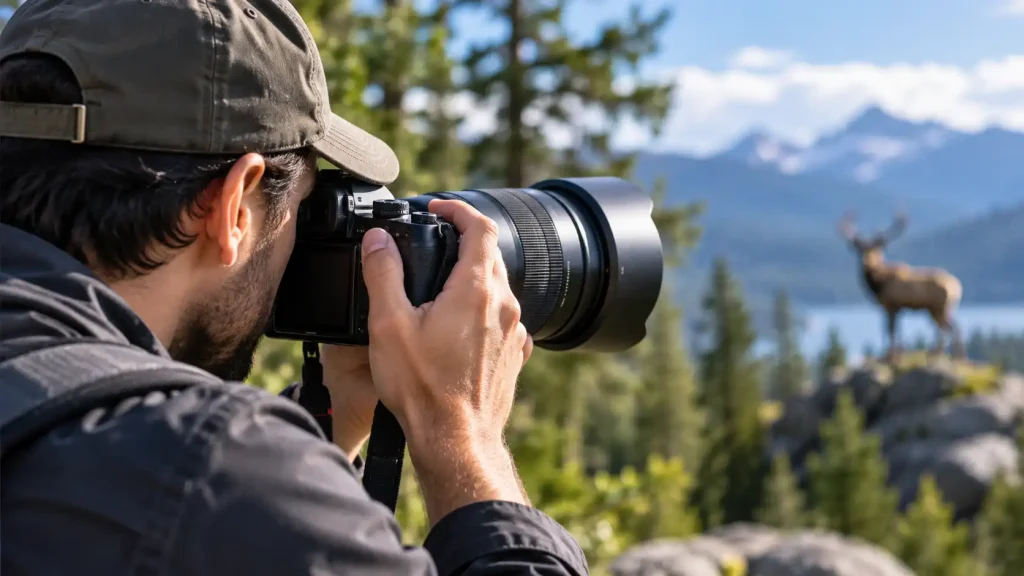
You have to keep this in mind when buying lenses. A wide lens might not look very wide on a small chip. I always check the math before I buy new glass.
Every camera chip needs help to see true colors.
Color Filters on the Sensor
The light buckets can only see in black and white. So, a tiny color filter sits on top of them. This filter uses red, green, and blue squares to sort light.
I find this part of the design very cool. The camera brain mixes these colors to make your final shot. Without this grid, all our photos would look gray.
The grid works fast to grab the exact shades you see. This is how I get such rich greens in my nature shots. It is a very smart piece of tech.
Many new chips use a quiet digital shutter.
Electronic Shutters Explained
This means the chip turns on and off very fast. No physical parts have to move inside the camera. It just reads the light in total silence.
I use this silent mode at quiet events all the time. It lets me shoot without making a single click sound. The chip just scans the scene and saves the file.
This mode is great but it has some flaws. If you pan too fast, straight lines can look bent. I always watch out for this warped effect on fast moving objects.
Keeping your chip clean is a very big deal.
Taking Care of Your Gear
Your camera sensor is easy to break and gets dirty fast. Dust spots on the chip show up as dark marks on photos. I hate fixing those spots later on my computer.
You must be careful when you change your lenses. I always point the camera down to block falling dust. Never touch the shiny glass chip with your bare hands.
You need good gear for this. Here are the tools I use to clean my chip.
| Cleaning Tool | Safety Level | Cost |
| Air Blower | Very safe | Low |
| Sensor Swab | Safe if careful | Medium |
| Pro Shop Clean | 100% safe | High |
You should follow some basic rules to keep things clean. They help prevent damage to your gear.
-
Blow out the dust first.
-
Use special wet swabs only.
-
Keep your battery full.
-
Work in a clean room.
Cleaning your own chip takes a bit of brave practice. If you feel scared, just let a pro shop do it. It is worth the small fee to keep your gear safe.
Let us look at how chips handle moving pictures.
Video Recording and Sensors
A good camera sensor is vital for shooting clean video. It has to scan the light many times a second. This constant work can make the camera get quite hot.
In my video work, I rely on fast chips. They reduce the wobbly look you see in fast pans. A fast scan rate makes all the motion look very smooth.
I love how modern chips handle deep video colors. They give me lots of room to edit the colors later. This makes my home movies look like a real film.
Here are some common questions I hear from new shooters.
Frequently Asked Questions
Can a bad camera sensor be fixed?
In my past work, a bad chip is very hard to fix. If it gets a deep scratch, you must replace it. This fix often costs as much as a brand new camera.
Does a camera sensor lose quality over time?
I have used cameras for many years without quality drops. The chip itself does not fade or wear out from light. Only heat and dirt can cause real harm to it.
How do I know my camera sensor is dirty?
I take a photo of a clear blue sky. Then I zoom in tight on my viewing screen. Dark spots in the same place mean the chip has dust.
Can I clean my camera sensor with water?
Never use tap water on your camera chip. Tap water leaves hard white spots on the glass. You must use special pure fluid made just for cameras.
Let us wrap up this guide with a final thought.
Conclusion
Your camera sensor is the most vital piece of your gear. It turns the light around you into a lasting memory. Treat it well, keep it clean, and it will serve you for years.

2 thoughts on “What Is a Camera Sensor? A Simple Guide”