
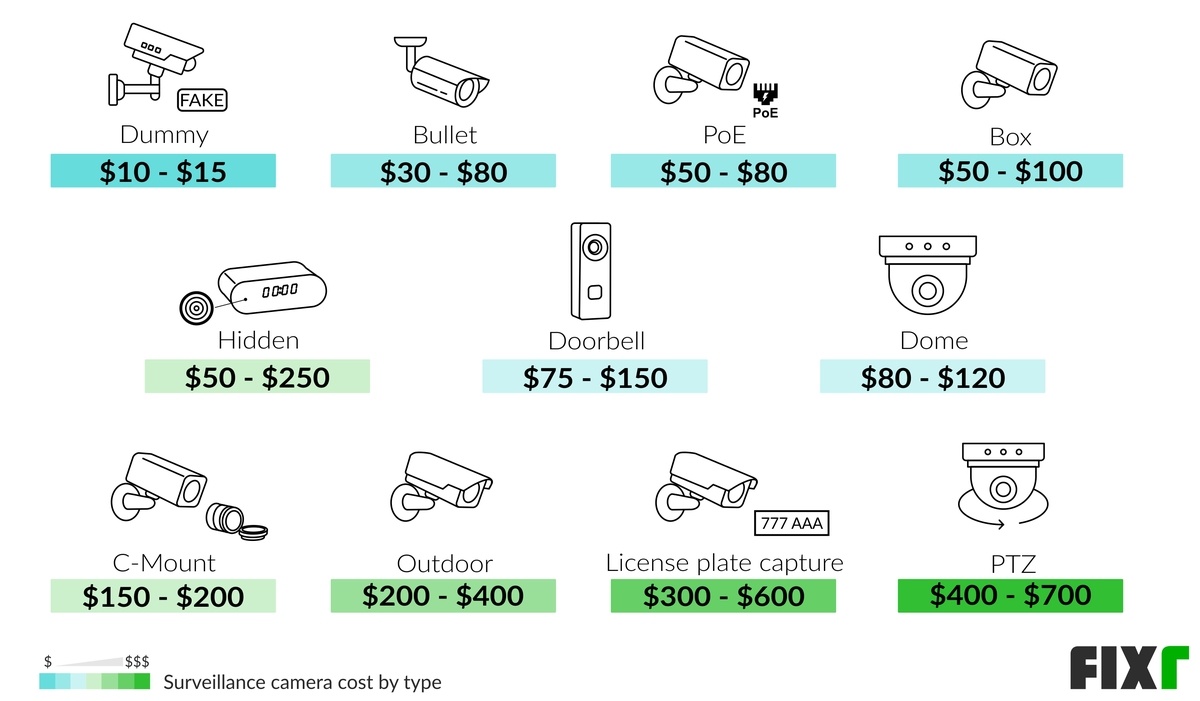
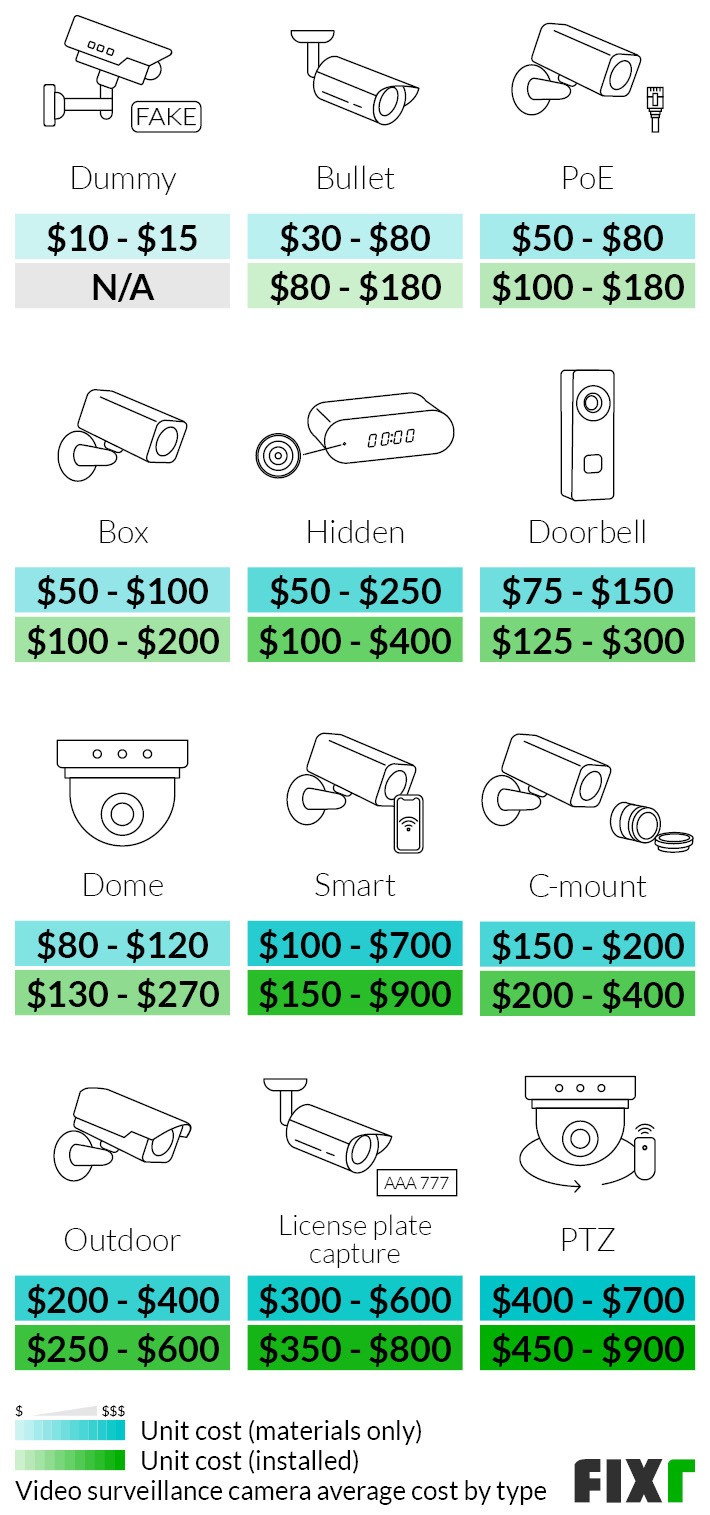
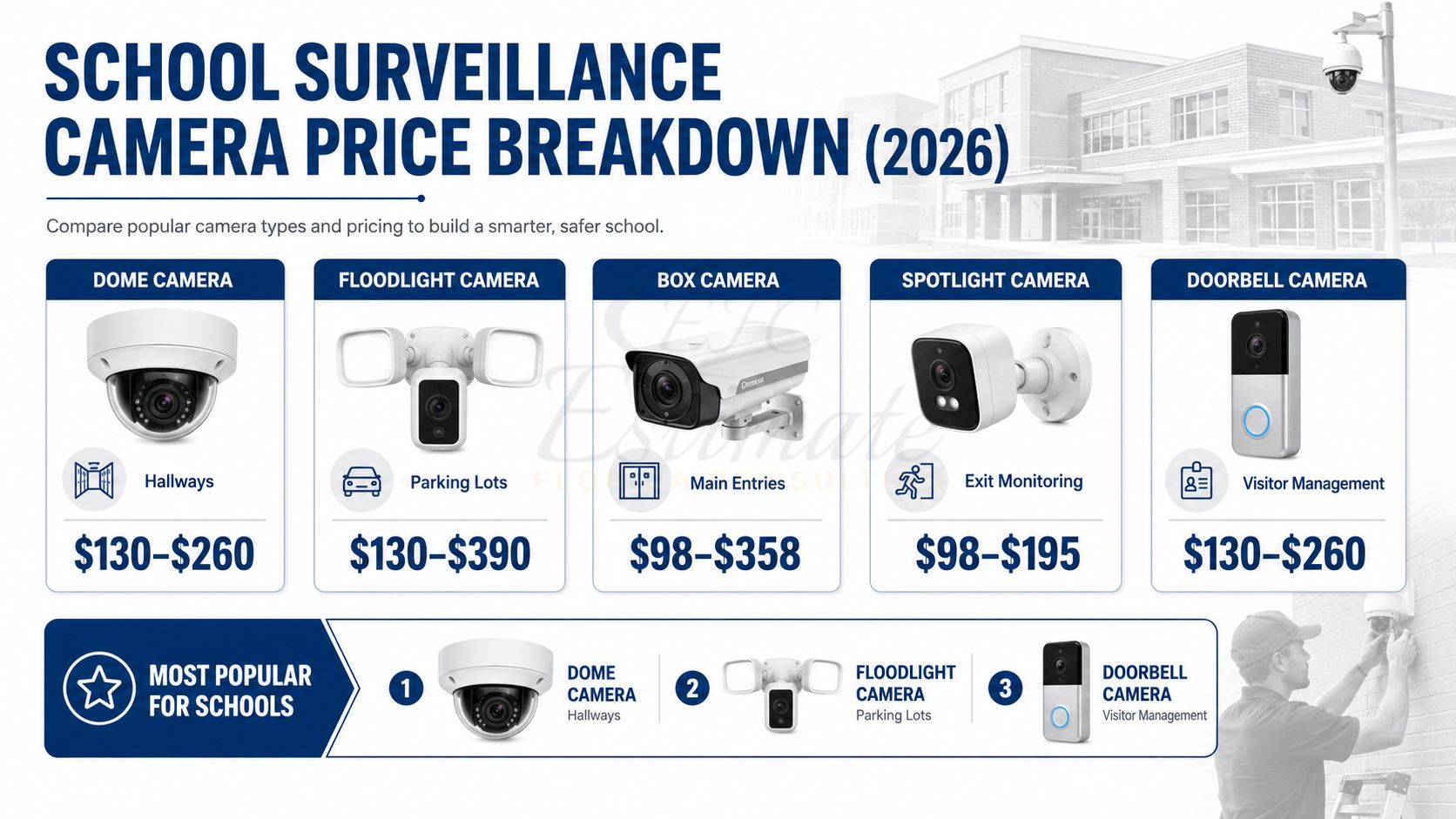
A security camera typically costs $30 to $500 per camera in the United States, depending on image quality, connectivity, storage, durability, and smart features. A complete home security camera system commonly costs $150 to $2,500, while professional installation can add $100 to $300 per camera or more.
The purchase price is only part of the budget. You may also pay for cloud video storage, a local recorder, accessories, replacement batteries, monitoring, internet service, and ongoing maintenance. For many U.S. households, a realistic total budget is:
- Basic DIY setup: $150–$500
- Mid-range system for a typical home: $500–$1,500
- Premium or professionally installed system: $1,500–$5,000+
- Commercial or large-property system: $3,000–$20,000+
Prices vary by brand, region, property size, installation difficulty, and whether the system uses cloud storage or local recording.

Source: Bing
Security Camera Cost at a Glance
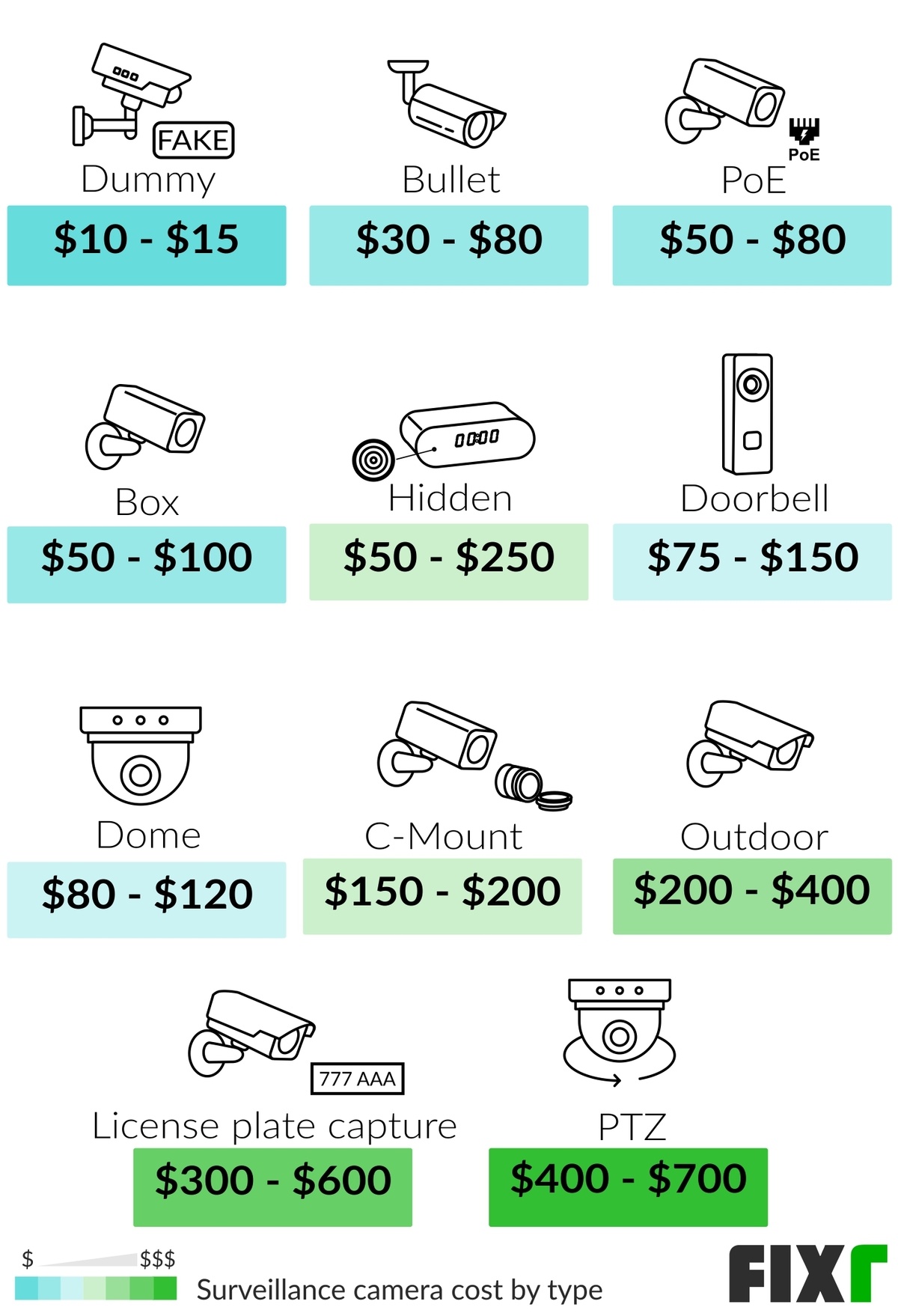
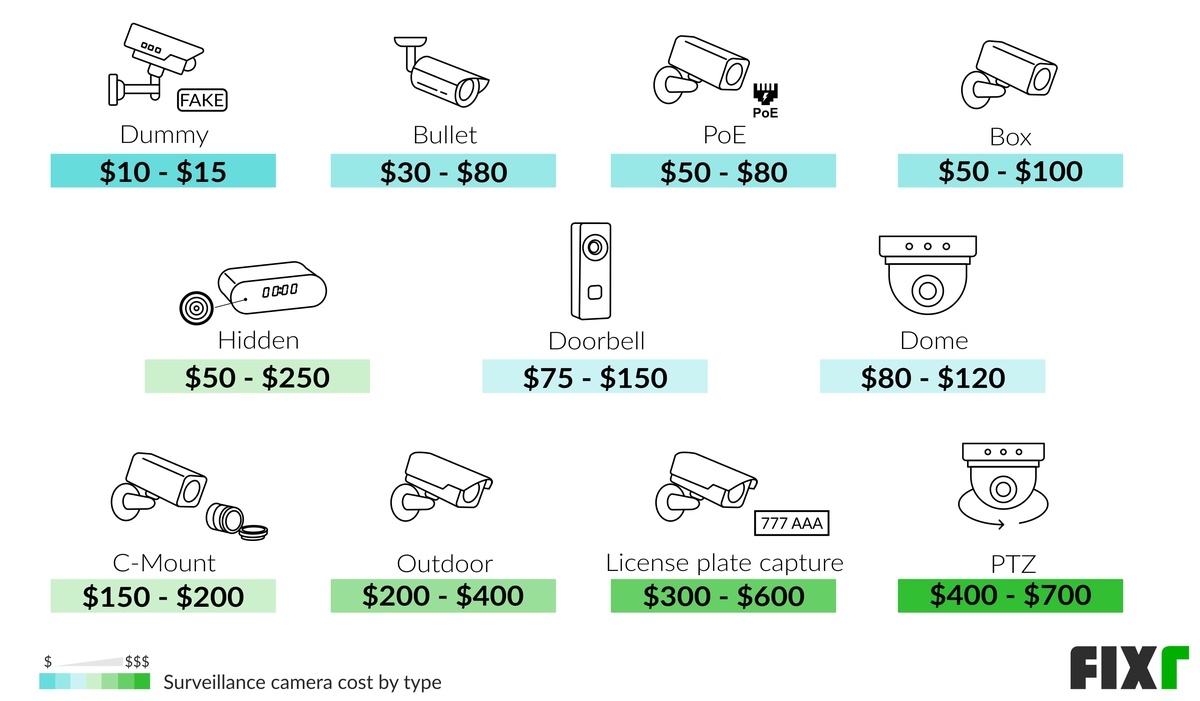
The camera itself often represents less than half of the total ownership cost. Use the table below to estimate the equipment budget before installation and subscriptions.
| Security camera type | Typical U.S. camera price | Common use |
|---|---|---|
| Basic indoor Wi-Fi camera | $25–$75 | Bedrooms, living rooms, pets |
| Standard outdoor Wi-Fi camera | $50–$150 | Doors, driveways, patios |
| Battery-powered camera | $75–$250 | Locations without convenient wiring |
| Video doorbell | $50–$300 | Front-door monitoring |
| Pan-tilt-zoom camera | $100–$500+ | Larger indoor or outdoor areas |
| Wired IP camera | $75–$300 | Reliable home or business surveillance |
| 4K or high-resolution camera | $150–$600+ | Detailed identification over greater distances |
| Professional commercial camera | $200–$1,000+ | Retail, office, warehouse, and industrial use |
A basic camera may be inexpensive to buy but costly to operate if it requires a subscription for recording, advanced detection, or extended video history. Conversely, a more expensive camera may reduce long-term costs if it supports local storage and does not require a monthly plan.
Typical total system costs
| System size and setup | Equipment estimate | Installation estimate | Possible recurring cost |
|---|---|---|---|
| One indoor camera | $25–$150 | $0–$150 | $0–$15 per month |
| One outdoor camera | $50–$300 | $0–$300 | $0–$15 per month |
| Two- to four-camera DIY system | $150–$800 | Usually $0 | $0–$30 per month |
| Four-camera wired system with recorder | $500–$2,000 | $500–$2,000 | Usually $0–$20 per month |
| Professionally installed home system | $1,000–$5,000+ | Often included or separately priced | $0–$60+ per month |
| Small commercial system | $2,000–$10,000+ | $1,000–$10,000+ | Varies by software and monitoring |
These are planning ranges rather than guaranteed quotes. Labor rates, construction materials, camera placement, and the distance between cameras and recording equipment can change the final price substantially.
Source: Bing
What Determines the Cost of a Security Camera?
The largest price differences come from the camera’s recording method, installation requirements, image quality, and smart features.
Camera connection
Wi-Fi cameras are usually the least expensive and easiest for homeowners to install. They send video through a wireless network and generally need only power, an app, and a stable internet connection.
Their limitations include:
- Dependence on Wi-Fi coverage
- Possible signal loss through concrete, brick, or metal
- Continued need for household internet service
- Greater exposure to network configuration problems
- Battery charging requirements for wireless models
Power-over-Ethernet, or PoE, cameras use one Ethernet cable to carry both power and data. They generally cost more to install because cable must be routed through walls, ceilings, attics, or crawl spaces. However, PoE can provide a more stable connection and centralized recording.
Analog cameras use coaxial cable and a digital video recorder. They may be economical when upgrading an existing system, but they are less convenient for new installations unless the property already has compatible wiring.
Power source
A camera’s power method affects both installation and maintenance costs.
- Plug-in cameras are inexpensive, but they must be installed near an outlet.
- Battery cameras are easier to place but require periodic charging or battery replacement.
- Solar-assisted cameras can reduce charging work in suitable locations, although they cost more and may perform poorly in shaded areas or during extended cloudy weather.
- Hardwired cameras provide dependable power but may require an electrician or low-voltage installer.
A camera advertised as “wireless” may still need a power cable. In most consumer products, “wireless” refers to the data connection, not complete freedom from wiring.
Video resolution and night vision
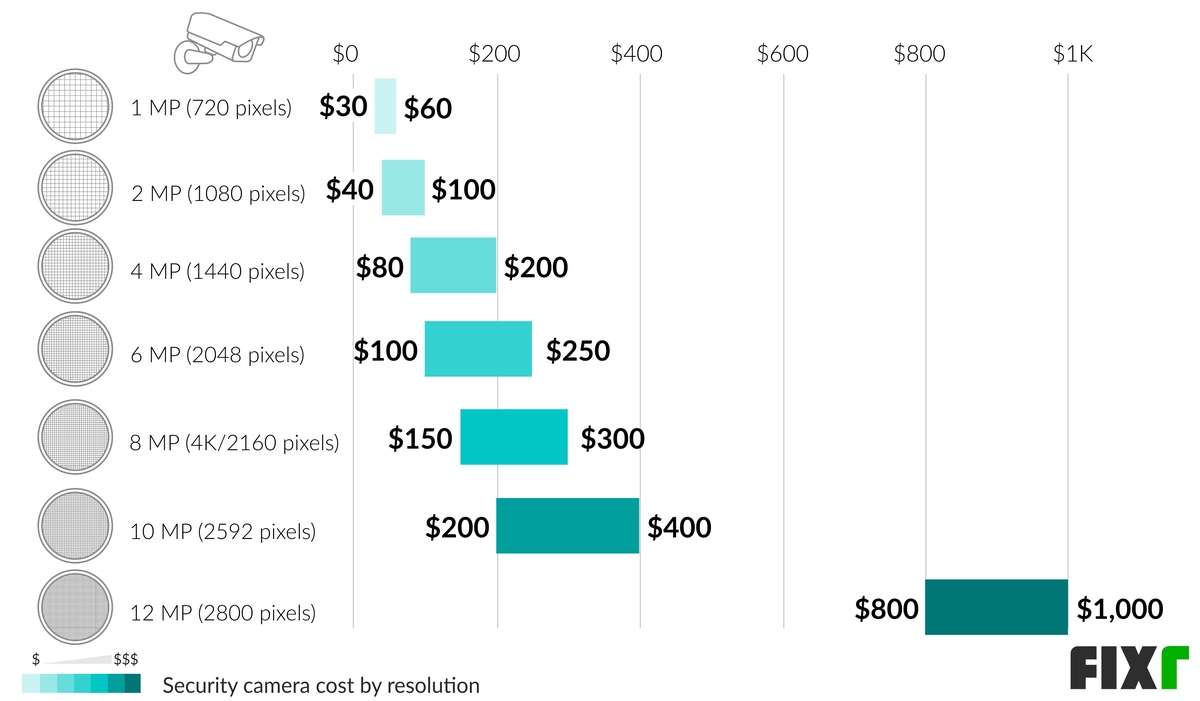
Higher resolution usually raises the purchase price and storage requirements. Common categories include:
- 1080p: Usually sufficient for general awareness and identifying familiar people nearby
- 2K: Provides more detail and is common in mid-range systems
- 4K: Useful when you need to inspect distant areas, license plates, or fine details, subject to lighting and camera placement
Resolution alone does not guarantee useful evidence. A poorly positioned 4K camera may perform worse than a properly installed 1080p camera. Field of view, lens quality, lighting, compression, motion blur, and night-vision range also matter.
Infrared night vision is common. Color night vision may require ambient light or an integrated spotlight, which can increase cost and may affect neighbors or passersby.
Indoor or outdoor construction
Outdoor cameras generally cost more because they need protection from rain, dust, temperature changes, and impacts. Look for a documented ingress-protection rating, such as IP65 or IP66, when comparing outdoor products. The rating describes resistance to dust and water under specified test conditions; it does not make a camera indestructible.
Outdoor installation may also require:
- Weatherproof junction boxes
- Conduit
- Longer cables
- Exterior-rated power supplies
- Mounting hardware for brick, stucco, or masonry
- Protection from direct sunlight or snow
Smart detection features
Many cameras can detect motion, people, vehicles, packages, or animals. Advanced detection may require a subscription or a higher-priced device with onboard processing.
Smart alerts can reduce unnecessary notifications, but they are not perfect. Lighting, camera angle, weather, insects, tree movement, and partial obstructions can cause missed or incorrect detections. Treat automated alerts as assistance, not as a guaranteed security response.
Storage method
Storage has a major effect on the long-term cost.
Cloud storage stores footage on the provider’s servers. It is convenient for remote access and may protect recordings if someone steals the camera, but it commonly involves a monthly or annual fee.
Local storage saves footage to a microSD card, network video recorder, digital video recorder, or other local device. It can reduce subscription costs, but you are responsible for storage capacity, device security, backups, and replacement when hardware fails.
Hybrid storage uses both local and cloud recording. It may offer better resilience but can cost more.

Source: Bing
How Much Does Professional Security Camera Installation Cost?
Professional security camera installation often costs $100 to $300 per camera for straightforward work. Complex installations can exceed that range, especially when technicians must run cable through finished walls, attics, crawl spaces, brick, concrete, or commercial ceilings.
A quote may include:
- Camera mounting
- Cable routing
- Power or network connections
- Configuration of the mobile app
- Recorder setup
- Camera aiming
- Firmware updates
- Basic user instruction
Some companies charge a flat project rate rather than a per-camera price. A small residential job might cost $300 to $1,500, while a multi-camera wired system with extensive cable work can cost several thousand dollars.
When DIY installation makes sense
DIY installation is often practical when:
- The camera is plug-in or battery-powered
- The mounting surface is easy to access
- Wi-Fi coverage is strong
- You do not need cable hidden inside walls
- The camera is installed at a safe, reachable height
- You are comfortable configuring accounts and privacy settings
When to hire a professional
Professional help is preferable when:
- Wiring must pass through walls, ceilings, or exterior surfaces
- The camera requires new electrical work
- The installation involves a tall ladder or roofline
- You need PoE cabling throughout a building
- The system must integrate with an access-control or alarm system
- You need reliable coverage for a business or high-value property
- You are uncertain about local electrical or building requirements
Do not attempt electrical work beyond your training. A licensed electrician may be necessary for new line-voltage circuits, outdoor receptacles, or other electrical changes. Low-voltage camera work can still require careful drilling, sealing, grounding, and code compliance.
Source: Bing
Monthly and Long-Term Security Camera Costs
The ongoing cost of a security camera can range from $0 to more than $50 per month, depending on the number of cameras and the features you use.
Cloud storage subscriptions
Cloud plans may include:
- Video history
- Person, vehicle, or package detection
- Extended recording length
- Video downloads
- Sharing controls
- Professional monitoring
- Cellular backup
- Multi-camera support
A basic plan may cost a few dollars per month, while advanced plans for multiple cameras or monitored systems can cost $20 to $60 or more monthly. Plans and features change frequently, so verify the current price, retention period, camera limit, and cancellation terms before purchasing.
Local storage expenses
Local storage can lower recurring fees, but it is not free in every situation. You may need:
- A microSD card: approximately $10–$40
- A network video recorder: approximately $150–$1,000+
- Hard drives: approximately $75–$300 or more
- Replacement storage after wear or failure
- Backup storage for important footage
- A surge protector or uninterruptible power supply
A recorder’s advertised capacity does not equal a fixed number of days of footage. Retention depends on resolution, frame rate, compression, motion activity, and whether the camera records continuously or only when it detects movement.
Power and battery maintenance
Battery-powered cameras may need charging every few weeks or months, depending on activity, temperature, settings, and battery size. Cold weather can reduce battery performance. If a camera is mounted high on a wall, maintenance may require a ladder or service visit.
For a system with several cameras, hardwired power may cost more initially but reduce routine maintenance.
Replacement and upgrade costs
Budget for eventual replacement. Outdoor exposure, battery degradation, storage failure, discontinued apps, and changing wireless standards can shorten a camera system’s useful life. Avoid choosing a system based only on its initial sale price if its app, storage plan, or replacement parts are difficult to obtain.
Source: Bing
Security Camera Cost by Use Case
The right budget depends on what you want the system to accomplish.
One front-door camera
A video doorbell or outdoor camera usually costs $50 to $300, with installation ranging from free for a plug-in or battery model to several hundred dollars for hardwired work.
A front-door camera should cover:
- The approach to the door
- Packages placed below the lens
- Faces at a practical distance
- The area immediately around the entry
- Nighttime conditions
A wide field of view can be useful, but excessive fisheye distortion may make identification more difficult.
Two- to four-camera home system
A small home system commonly costs $150 to $1,500 before professional installation. A typical layout may include the front door, driveway, backyard, and a secondary entrance.
For this size system, compare:
- Whether one subscription covers all cameras
- Whether the cameras can record locally
- Wi-Fi coverage at each location
- Indoor and outdoor temperature ratings
- Alert customization
- Whether footage can be exported without a paid plan
Larger property
A larger home, acreage, or multi-building property may need $1,500 to $5,000 or more. The key cost drivers are cable length, network infrastructure, lighting, camera count, and the need for specialized lenses or pan-tilt-zoom cameras.
Long distances may require additional network switches, wireless bridges, fiber, weatherproof enclosures, or separate power sources. A site survey is often more useful than simply adding more cameras.
Small business
A small business surveillance system can cost $2,000 to $10,000 or more, depending on the number of cameras, recorder capacity, installation, remote access, and retention requirements.
Businesses should also consider:
- Employee and customer privacy
- Audio recording laws
- Signage
- Access permissions
- Evidence export procedures
- Retention and deletion policies
- Cybersecurity and user account management
- Insurance or industry requirements
For commercial installations, obtain itemized quotes that separate equipment, labor, licensing, networking, taxes, and recurring software fees.

Source: Bing
How to Calculate the Total Cost of a Security Camera System
Use this formula:
Total first-year cost = camera equipment + accessories + installation + storage or monitoring fees + taxes
Then calculate the longer-term cost:
Three-year cost = first-year cost + recurring fees for years two and three + expected replacements or upgrades
Example: DIY three-camera system
This hypothetical example shows how to build a realistic budget:
- Three outdoor Wi-Fi cameras at $100 each: $300
- Memory cards and mounting accessories: $60
- Optional cloud plan at $10 per month: $120 per year
- DIY installation: $0
- Estimated tax and miscellaneous supplies: $35
Estimated first-year cost: $515
If the cloud plan continues for three years, the estimated three-year cost becomes approximately $755, excluding replacement equipment and changes in subscription pricing.
Example: Professionally installed wired system
A hypothetical four-camera PoE installation might include:
- Four cameras at $175 each: $700
- Network video recorder and storage: $500
- Ethernet cable, connectors, and mounting hardware: $250
- Professional installation at $200 per camera: $800
Estimated project total: $2,250, before tax or unexpected construction work.
The same system may have little or no monthly storage cost, but the owner remains responsible for recorder maintenance and data security.

Source: Bing
Ways to Lower Security Camera Costs Without Sacrificing Useful Coverage
The most effective savings usually come from reducing unnecessary equipment and recurring fees rather than buying the cheapest camera.
- Prioritize entry points. Cover doors, garages, driveways, and other high-value areas before adding broad views of low-risk spaces.
- Use motion recording where appropriate. Continuous recording requires more storage and may require a larger recorder.
- Compare three-year costs. A cheap camera with a required subscription may cost more than a pricier camera with local storage.
- Use a mixed system carefully. Indoor cameras can be less expensive than outdoor models, but confirm that they use the same app and storage plan if integration matters.
- Improve lighting. A motion-activated light may improve nighttime identification more economically than upgrading every camera.
- Avoid unnecessary 4K. Higher resolution can increase equipment and storage costs without helping if the subject is too far away or poorly lit.
- Install during related work. Running cable while renovating can cost less than opening finished walls later.
- Secure the network. Strong, unique passwords and multifactor authentication help protect the system without adding hardware costs.
Do not remove weather protection, electrical safety equipment, or secure mounting solely to reduce the price.
Source: Bing
Privacy, Legal, and Security Considerations in the United States
Security camera laws vary by state and situation. Federal and state rules can treat video and audio differently. Audio recording is especially sensitive because some states require consent from one or more parties before recording private conversations.
Before installing cameras:
- Check your state’s audio-recording and privacy laws.
- Avoid aiming cameras into areas where people have a reasonable expectation of privacy.
- Review lease, condominium, HOA, workplace, or landlord rules.
- Use privacy zones to block neighboring windows and private areas.
- Tell household members and workers about monitoring where required.
- Secure accounts with unique passwords and multifactor authentication.
- Update camera firmware and the recording device.
- Limit access to people who need it.
- Protect exported footage because it may contain personal information.
For a workplace, rental property, shared building, or camera that records audio, consult a qualified attorney or the relevant property authority before installation. General online guidance cannot determine whether a specific recording is lawful in your location.
Source: Bing
Common Security Camera Buying Mistakes
Comparing only the camera price
A $40 camera may become expensive if it needs a monthly subscription, specialized mounting hardware, or frequent battery charging. Compare the first-year and three-year costs.
Assuming wireless means maintenance-free
Wireless cameras still need power, reliable Wi-Fi, firmware updates, and account management. Battery models also need charging.
Buying more cameras than the network can support
Several high-resolution cameras can consume substantial bandwidth. Check your router, upload speed, Wi-Fi coverage, and the camera maker’s requirements.
Ignoring evidence export
Before buying, confirm that you can download clips in a usable format, preserve timestamps, and share footage when necessary. A camera that records but makes exporting difficult may be unsuitable for incident documentation.
Installing cameras too high or too far away
Height can protect a camera from tampering, but excessive height may reduce facial detail. Test the view during daytime and nighttime before permanently sealing mounts and cable penetrations.
Treating alerts as a guaranteed security service
A camera notification does not equal emergency response. If you need police, fire, or professional intervention, evaluate a separately monitored alarm service and understand its verification and dispatch limits.
Source: Bing
Key Takeaways
- A security camera usually costs $30–$500, depending on features and construction.
- A complete U.S. home system commonly costs $150–$2,500.
- Professional installation often adds $100–$300 per camera, with complex jobs costing more.
- Cloud storage can add recurring monthly or annual fees.
- Local storage may reduce subscriptions but requires equipment maintenance and security.
- The least expensive useful system usually covers priority entry points first.
- Check privacy, audio-recording, rental, HOA, and workplace rules before installation.
- Compare total ownership cost over at least three years, not just the purchase price.
Frequently Asked Questions
Is it cheaper to install security cameras yourself?
Usually, yes. DIY installation can eliminate several hundred dollars in labor, especially for battery-powered or plug-in cameras. Professional installation may be worthwhile when cables must be hidden, cameras are difficult to reach, new power is required, or reliable coverage is important.
Are security cameras worth the monthly fee?
A subscription may be worthwhile if you need cloud backups, long video history, advanced detection, cellular backup, or professional monitoring. If those features are unnecessary, a camera with local storage may reduce ongoing costs. Review what remains available if you cancel the plan.
How many security cameras does a house need?
Many homes start with two to four cameras covering the front door, driveway, backyard, and secondary entrance. The correct number depends on blind spots, building layout, lighting, and the level of detail required. More cameras do not automatically provide better coverage if their views overlap or lack useful lighting.
Do security cameras use a lot of electricity?
Most consumer cameras use relatively little electricity individually, but continuous recording, infrared illumination, spotlights, and multiple cameras increase total consumption. Battery models avoid a constant wired connection but require charging and may reduce recording frequency to preserve power.
Can I use security cameras without Wi-Fi?
Some cameras can record locally without continuous internet access, particularly wired systems connected to a digital or network video recorder. Remote viewing, cloud storage, app notifications, and some smart features generally require internet access.
What is the cheapest effective security camera setup?
A practical low-cost setup may consist of one or two properly positioned cameras, local or limited cloud storage, strong account security, and adequate lighting. Do not sacrifice safe electrical installation, weather protection, or privacy controls to reach the lowest possible price.
Conclusion
For most U.S. homeowners, a realistic security camera budget is $150 to $1,500, depending on the number of cameras, storage method, installation needs, and desired features. A single basic camera can cost less than $100, while a wired, professionally installed system can cost several thousand dollars.
Start by identifying the areas that need coverage, then compare camera equipment, installation, storage, maintenance, and subscription fees together. Before purchasing, verify Wi-Fi or cable compatibility, nighttime performance, export options, privacy controls, and the total three-year cost.
