
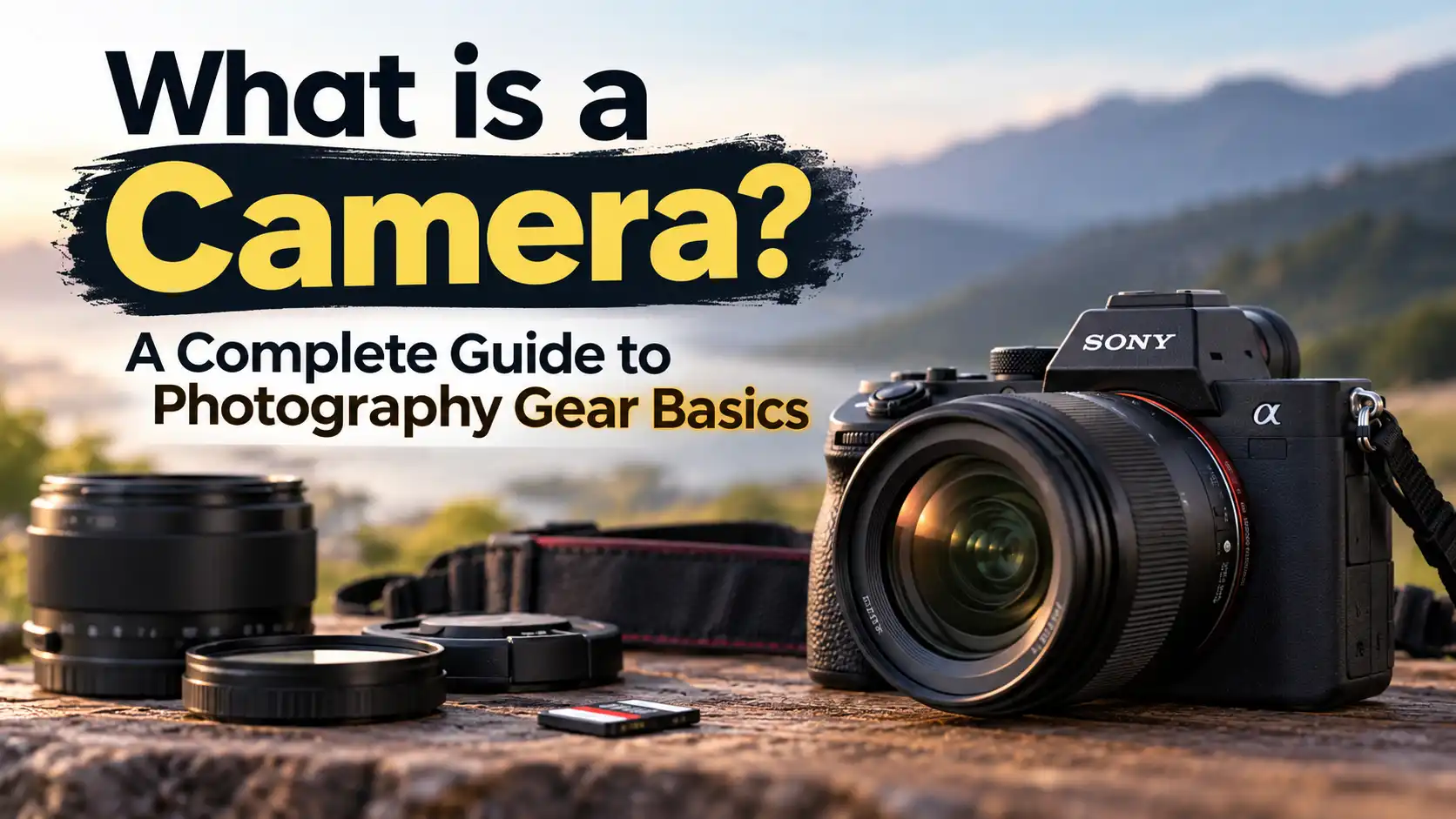
Stepping into the world of photography can feel overwhelming when you are surrounded by technical jargon, endless gear choices, and conflicting advice. Before you invest hundreds or thousands of dollars in a new lens, body, or accessory, it is essential to understand the core tool you are using.
If you are just starting out and find yourself asking exactly what is a camera, you are in the right place. Understanding the basic mechanics of your gear is the first step toward taking better photos, making smarter purchasing decisions, and troubleshooting problems when they arise.
In this guide, I will break down the camera definition, explore essential camera components, and explain exactly how these devices capture light to freeze a moment in time. By the end, you will have a solid foundation to help you confidently choose, use, and maintain your next piece of photography gear.
Quick Answer
A camera is an optical device used to capture and record visual images or video. It works by gathering light through a glass lens and directing it into a dark, lightproof box. Inside, the light strikes a digital sensor or piece of film to create a permanent visual record of a specific moment.
The Camera Definition and Meaning
At its most fundamental level, the camera meaning comes from the Latin phrase camera obscura, which translates to “dark chamber.” Every modern camera—from the one in your smartphone to a high-end professional cinema rig—is essentially just a sophisticated dark box with a hole in it to let light inside.
While the technology has advanced significantly, the primary goal remains the same: controlling how much light enters that dark box and recording what that light looks like.
When we talk about what a camera is in photography today, we are usually referring to a highly complex piece of electronic equipment. It acts as the bridge between a photographer’s creative vision and a final, tangible image. It translates light into digital data or chemical reactions, allowing you to share your perspective with the world.
How Does a Camera Work?
If you have ever wondered how does a camera take pictures, it all comes down to controlling and capturing light. No matter how advanced the technology gets, the basic process follows a specific chain of events.
Here is a step-by-step breakdown of how does a camera capture images:
-
Light Enters the Lens: Light bounces off your subject and enters the front of the camera lens. The curved glass inside the lens focuses that light.
-
Aperture Controls the Volume: Inside the lens, a mechanical iris called the aperture opens or closes to control exactly how much light is allowed to pass through.
-
The Shutter Opens: When you press the shutter button, a mechanical curtain or electronic switch opens, exposing the inside of the camera to the gathered light.
-
Light Strikes the Sensor: The focused light hits the camera’s digital sensor (or physical film). The sensor is covered in millions of microscopic light-sensitive pixels.
-
Image Processing: The sensor converts the light into electrical signals. The camera’s internal computer processor reads these signals and translates them into a digital image file saved on your memory card.
When evaluating how well a specific model handles this process, the DxOMark camera sensor testing methodology demonstrates that overall image quality depends on far more than just a high megapixel count. Sensor size, dynamic range, and color depth play a much larger role in producing a clean, sharp photograph.
Camera Basics: Core Camera Components
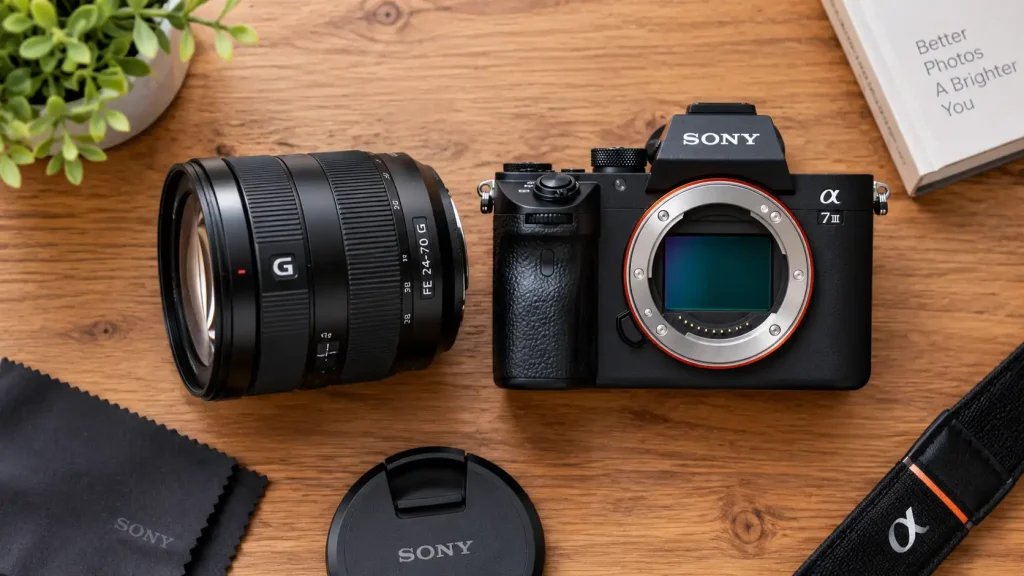
To truly grasp basic camera functions, you need to know the parts that make up the whole. Whether you are using a compact travel camera or a heavy professional rig, you will encounter these primary camera components.
1. The Camera Body
The body is the main housing of the camera. It holds the sensor, the image processor, the battery, and the controls. A good camera body should feel ergonomic in your hands and offer physical dials for quick setting adjustments.
2. The Lens
The lens is arguably more important than the camera body itself. It determines how sharp the image is, how wide the field of view is, and how much light can enter the camera. Lenses can be fixed (built into the camera) or interchangeable (removable).
3. The Digital Sensor
The sensor is the digital equivalent of traditional film. It captures the light and turns it into data. Sensors come in different sizes, with Full-Frame and APS-C (Crop) being the most common for hobbyist and professional cameras. Larger sensors generally capture more light and offer better image quality in dark environments.
4. The Shutter
The shutter is the gatekeeper of light. It opens and closes at specific speeds (measured in fractions of a second) to determine how long the sensor is exposed to light. A fast shutter speed freezes fast-moving action, while a slow shutter speed creates motion blur.
5. Viewfinder and LCD Screen
The viewfinder is the small window you look through to frame your shot. Modern mirrorless cameras use an Electronic Viewfinder (EVF), which is essentially a tiny, high-resolution screen showing you exactly what the final image will look like before you press the button.
What is a Digital Camera?
For decades, what does a camera do was answered by a chemical process using physical film. Today, almost everyone uses digital cameras.
So, what is a digital camera? It is simply a camera that uses an electronic sensor and computer chips to record images as digital data instead of using light-sensitive film. This allows you to instantly review photos on a screen, delete mistakes, and store thousands of images on a single tiny memory card.
Types of Digital Cameras
When shopping for gear, you will encounter three main categories of digital cameras:
-
Point-and-Shoot (Compact): These have fixed lenses and automate almost all settings. They are small, convenient, and perfect for travel, though many have been replaced by modern smartphones.
-
DSLR (Digital Single-Lens Reflex): These feature interchangeable lenses and use an internal mirror to bounce light up into an optical viewfinder. They are durable and have great battery life, but are larger and heavier.
-
Mirrorless Cameras: These are the modern standard. Major manufacturers explain in their mirrorless camera technology guides how removing the bulky internal mirror box allows for lighter bodies, faster continuous shooting, and advanced autofocus tracking.
Also read :What is a Camera Used For? A Complete Guide for Beginners
Helpful Comparison: Which Camera Type is Right for You?
| Camera Type | Best For | Main Advantage | Main Limitation |
| Smartphone | Everyday snapshots, social media | Always in your pocket, instant sharing | Poor zoom quality, limited low-light performance |
| Point-and-Shoot | Travel, casual family events | Compact size, optical zoom | Cannot change lenses, smaller sensors |
| DSLR | Sports, wildlife, budget buyers | Excellent battery life, rugged build | Heavy, older technology being phased out |
| Mirrorless | Hobbyists, professionals, video | Superior autofocus, compact size, EVF | Shorter battery life, higher initial cost |
Real-World Advice: Warning Signs and Camera Maintenance
Owning a camera requires a bit of maintenance to ensure it lasts. Because cameras are precision optical tools, they are susceptible to dust, moisture, and impact damage.
Watch out for these common warning signs that your gear needs attention:
-
Dark Spots on Every Photo: If you notice blurry dark circles in the exact same spot on every photo (especially visible against a blue sky), you likely have dust on your camera sensor.
-
Spiderweb Patterns Inside the Lens: If you see hazy, web-like structures inside the glass of your lens, this is lens fungus. It is caused by storing gear in dark, humid environments and can permanently ruin the lens coating.
-
Sticky Dials or Buttons: This usually happens after shooting near the ocean (salt spray) or accidentally spilling something. It requires careful cleaning before the residue corrodes internal electronics.
-
Rapid Battery Drain: If your battery goes from 100% to dead in twenty minutes, the battery cells have likely degraded and it is time for a replacement.
Expert Tips:
Always turn your camera off and point the camera body downward toward the floor when changing lenses. This simple habit prevents gravity from pulling airborne dust and debris directly onto your highly sensitive digital sensor.
When to Get Professional Help or a Second Opinion
While routine maintenance like wiping down the camera body or cleaning the front element of your lens is easy to do at home, there are limits to DIY camera care.
In my experience editing and reviewing gear for TechToGoal, attempting complex repairs at home usually results in a bricked camera. You should immediately seek out an authorized camera service center if you experience:
-
Sensor Cleaning Anxiety: While you can buy DIY sensor swab kits, scratching the sensor filter will ruin the camera. If you are not completely comfortable doing this with a steady hand, pay a professional $40–$50 to do it safely.
-
Water Damage: If you drop your camera in water (especially salt water), immediately remove the battery and do not attempt to turn it on. Take it to a repair center immediately.
-
Stuck Shutters or Lenses: If a lens gets jammed or the mechanical shutter curtains get stuck halfway, never force them with your fingers. The internal gears are incredibly fragile.
-
Lens Calibration Issues: If your photos are consistently out of focus even when the camera confirms focus, the lens may need professional micro-calibration.

Common Mistakes Camera Buyers Should Avoid
Buying a new camera is exciting, but it is easy to get distracted by marketing jargon. Avoid these frequent pitfalls:
-
Obsessing Over Megapixels: A 24-megapixel full-frame sensor will almost always take better photos than a 40-megapixel smartphone sensor. Prioritize sensor size over the megapixel count.
-
Blowing the Budget on the Body: Lenses hold their value longer and impact image quality more than the camera body. As noted in comprehensive DPReview buying guides, investing in high-quality glass is the smartest move you can make. Save at least 40% of your budget for a good lens.
-
Ignoring Ergonomics: A camera with the best specs in the world is useless if it feels uncomfortable in your hands or the menus are confusing. Always try to hold a camera in a store before buying it.
-
Buying for “Future Proofing”: Technology moves too fast. Buy the camera that solves your current photography problems, not the one you think you might need five years from now.
-
Neglecting Accessories: Don’t forget to budget for fast memory cards, spare batteries, and a comfortable, protective camera bag.
FAQs
What does a camera do?
A camera records visual information by capturing light. It freezes moving subjects, records landscapes, and preserves moments in time by storing the gathered light data as a digital file or on physical film.
What is the most important part of a camera?
While the sensor and processor are critical, the lens is generally considered the most important component. The lens dictates the sharpness, contrast, and amount of light that reaches the sensor, fundamentally determining the overall image quality.
Is it hard to learn how to use a digital camera?
No. While professional cameras have deep menus and complex settings, almost all of them feature an “Auto” mode that acts just like a smartphone. You can start taking great pictures immediately and learn manual settings at your own pace.
Do I need a dedicated digital camera if I have a good smartphone?
If you only shoot well-lit photos for social media, a smartphone is usually enough. However, if you want to shoot fast-moving sports, capture wildlife from a distance, shoot in very low light, or achieve a natural blurry background (bokeh), you need a dedicated camera with a larger sensor and interchangeable lenses.
How long does a digital camera last?
With proper care, a digital camera body can easily last 7 to 10 years, and quality lenses can last for decades. The mechanical shutter is usually the first component to fail, but most modern shutters are rated for 100,000 to over 300,000 clicks.
Conclusion
Understanding what is a camera is the crucial first step on your photography journey. Beneath all the complex buttons and confusing marketing terms, a camera is simply a tool designed to capture light. By learning the basic camera components—like the lens, sensor, and shutter—you empower yourself to take control of your gear rather than letting the camera make all the decisions for you.
Whether you are looking to buy your first entry-level mirrorless body or trying to figure out why your current photos aren’t as sharp as you’d like, knowing how a camera works will help you diagnose problems and make smarter investments. Remember to prioritize high-quality lenses over expensive camera bodies, practice proper maintenance, and never hesitate to consult a professional if your gear needs serious repair.
Now that you know the basics of how these devices capture images, the best next step is to get your hands on a camera, switch it out of Auto mode, and start experimenting with light.

3 thoughts on “What Is a Camera? How Cameras Work, Types, Parts & Uses”