

A camera for vlogging is a device that records high-quality video, sound, and moments for online audiences.
A camera for vlogging helps creators turn daily life, travel, reviews, tutorials, and stories into engaging videos. It may be a smartphone, compact camera, mirrorless camera, or action camera. The best choice depends on your content, budget, location, skill level, and need for clear video and audio. This guide explains what a camera for vlogging does, which features matter most, and how to choose one without wasting money.

Source: dji.com
What Is a Camera for Vlogging?
A camera for vlogging is a video camera designed or used to create vlog content. “Vlog” means video blog, so vlogging cameras help you record yourself, other people, places, products, or events for platforms such as YouTube, TikTok, Instagram, and Facebook.
Unlike a basic home video camera, a camera for vlogging often includes features that make self-recording easier. These may include a flip screen, a built-in microphone, fast autofocus, image stabilization, and a small body.
A camera for vlogging does not have to be expensive. Many creators begin with a smartphone because it is always nearby and can produce sharp video in good light. As your skills grow, you may want a dedicated camera for better sound, low-light video, lens choice, or professional control.
Think of the camera as the main tool in your storytelling kit. It captures the image, but your message, timing, lighting, and sound also shape the final video.

Source: nytimes.com
How Does a Camera for Vlogging Work?
A camera for vlogging captures light through a lens and turns that light into digital video. It also records sound through one or more microphones. The camera then saves the video as a file on a memory card or internal storage.
The basic process is simple:
- The lens gathers light from the scene.
- The image sensor changes light into digital information.
- The camera processor creates a video file.
- The microphone records your voice and nearby sounds.
- The storage system saves the finished clip.
A camera for vlogging may record in Full HD, 4K, or higher resolutions. Full HD is often enough for social media and regular YouTube videos. 4K gives you more detail and lets you crop or reframe a clip during editing.
Frame rate also affects how video looks. Most cameras offer 24, 30, or 60 frames per second. A 30 fps setting works well for most vlogs, while 60 fps can create smoother motion or allow slow-motion effects.
Video quality is only one part of the result. A sharp video with poor sound can feel hard to watch. In many real-world tests, viewers forgive a slightly soft image more easily than unclear speech, wind noise, or loud background sound.

Source: dji.com
Key Features of a Camera for Vlogging
Not every camera for vlogging has the same strengths. Some are made for handheld walking videos, while others work best on a tripod in a studio. Focus on the features that match the way you plan to record.
Flip Screen
A flip screen lets you see yourself while recording. It can fold upward, sideways, or rotate outward. This feature helps you check your framing, facial position, and background.
A flip screen is especially useful for solo creators. Without it, you may record an entire video only to discover that your head was cut off or that the camera focused on the wall behind you.
Fast and Reliable Autofocus
Autofocus keeps your face or subject sharp. Face detection and eye detection are valuable when you move around or hold products near the camera.
A camera for vlogging should focus smoothly rather than jumping back and forth. Focus hunting can distract viewers and make a video look less polished.
Good Audio Support
Clear sound is one of the most important features in a camera for vlogging. Look for a built-in microphone that sounds clean, plus a microphone input if you plan to use an external mic.
Useful audio options include:
• A 3.5 mm microphone input for wired microphones
• A headphone port for monitoring sound
• Wind reduction for outdoor recording
• A built-in stereo microphone
• Digital or wireless microphone support
A small external microphone can often improve a vlog more than a more expensive lens. Place the microphone close to your mouth whenever possible. Distance is one of the biggest causes of weak audio.
Image Stabilization
Image stabilization reduces the effect of hand movement. Optical stabilization uses hardware in the lens or camera, while electronic stabilization uses software. Some cameras combine both systems.
Stabilization helps during walking videos, travel clips, and handheld product demonstrations. It cannot fully remove large movements, though. For very smooth footage, use a tripod, gimbal, or stable grip.
Portable Size
A camera for vlogging should be easy to carry and quick to use. A large camera may offer excellent quality, but you may leave it at home if it feels heavy.
Small cameras work well for travel, street videos, food content, and daily vlogs. A compact design also attracts less attention in public places, which can make filming feel more natural.
Battery Life and Charging
Recording video uses a lot of power. Check the camera’s battery rating, charging method, and support for USB charging.
Carry at least one spare battery for long shoots. A power bank can help with some cameras, but check whether the camera can record while connected to external power.
Lens Flexibility
Some cameras have a fixed lens. Others accept interchangeable lenses. A fixed-lens camera is simple and often light. An interchangeable-lens camera gives you more creative control.
A wide lens helps include your face and background when you hold the camera close. A longer lens can create a softer background and better framing for interviews or product shots.

Source: youtube.com
Types of Cameras for Vlogging
The best camera for vlogging depends on your content and comfort level. Each type has clear benefits and limits.
Smartphones
A smartphone is often the easiest camera for vlogging. Modern phones can record detailed video, stabilize footage, focus on faces, and edit clips with simple apps.
Smartphones are ideal for:
• Beginners
• Short social videos
• Quick travel clips
• Live streaming
• Casual daily vlogs
• Creators who value convenience
Their main limits are battery drain, limited lens control, small controls, and weaker performance in very dark scenes. A phone tripod, small light, and external microphone can greatly improve the result.
Compact Cameras
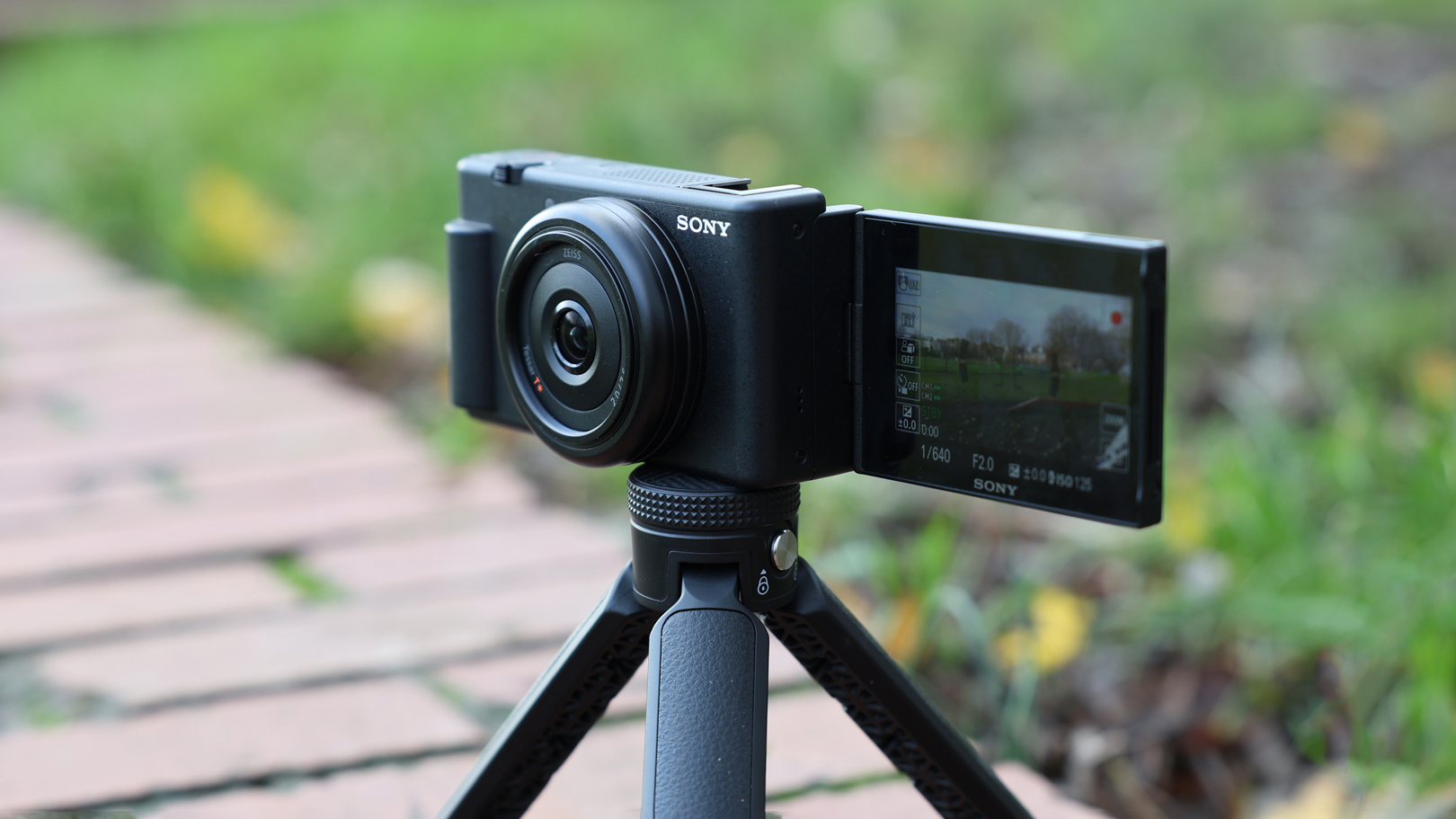
A compact camera for vlogging is small but built specifically for photography and video. Many compact models offer a flip screen, a wide lens, strong stabilization, and better physical controls than a phone.
Compact cameras suit creators who want a simple setup with better handling. They are also easier to mount on a small tripod or grip.
Mirrorless Cameras
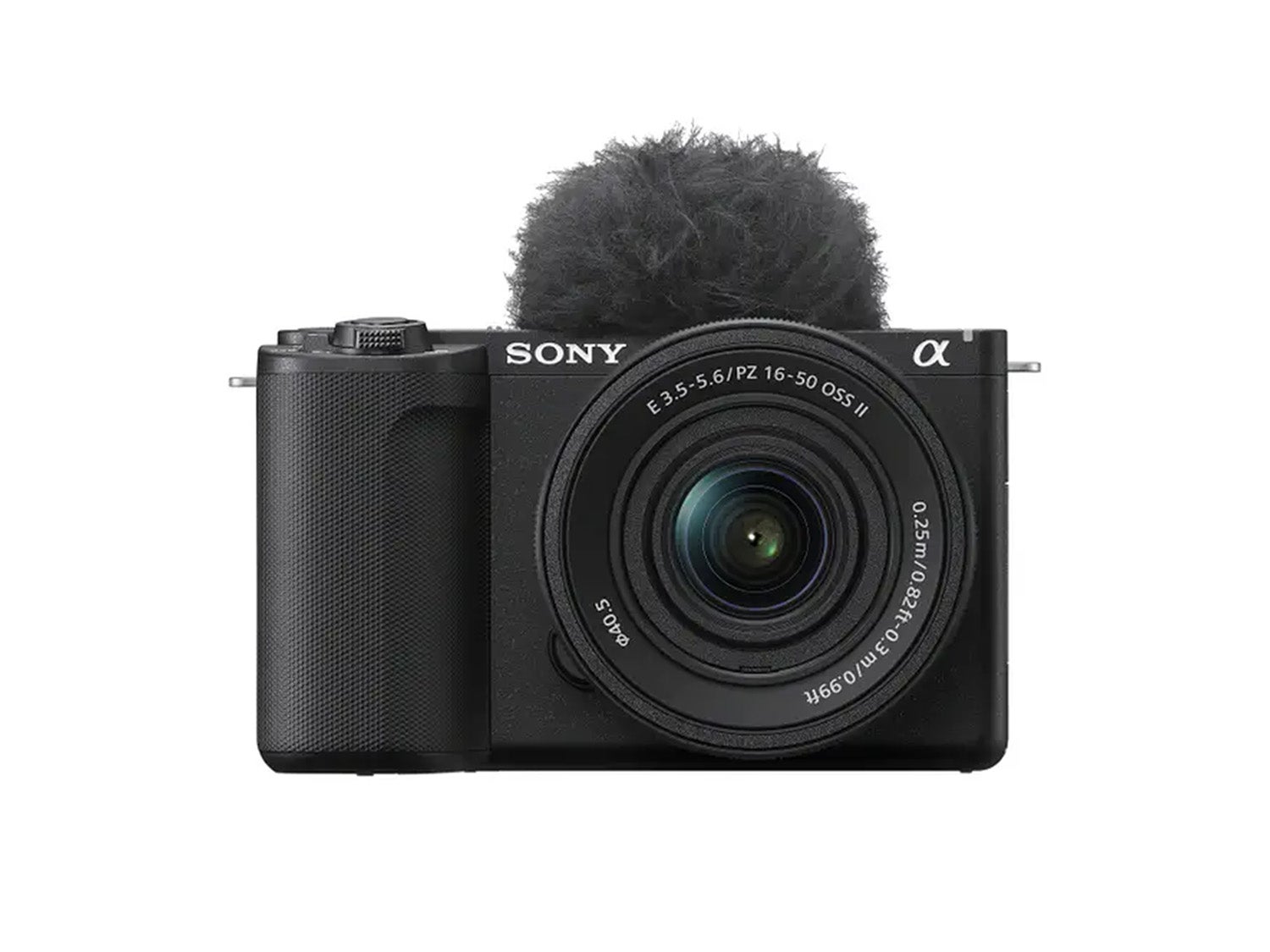
A mirrorless camera for vlogging uses interchangeable lenses and a larger sensor than most phones and compact cameras. This can improve low-light quality, background blur, and overall image control.
Mirrorless cameras are useful for:
• Professional YouTube channels
• Studio videos
• Interviews
• Product reviews
• Travel films
• Creators who want to change lenses
Their drawbacks include higher cost, larger file sizes, shorter battery life, and a steeper learning curve.
Action Cameras
An action camera for vlogging is small, tough, and designed for movement. It often includes strong stabilization and a wide field of view.
Action cameras work well for hiking, cycling, water sports, skiing, travel, and other active content. Their small sensors may struggle in low light, and the wide lens can make faces look stretched when held too close.
Camcorders
A camcorder is built mainly for long video recording. It usually has a comfortable grip, a zoom lens, and strong battery performance.
Camcorders can be useful for events, family videos, interviews, and long-form recording. They are less common among newer creators because compact cameras and phones now offer many similar features.
Source: digitalcameraworld.com
What Makes a Good Camera for Vlogging?
A good camera for vlogging makes recording simple, dependable, and comfortable. Image quality matters, but it should not be the only factor.
Look for these traits:
• A screen that faces you
• Reliable face and eye autofocus
• Clear built-in audio
• A microphone input
• Good stabilization
• Simple controls
• A wide enough lens for self-recording
• Strong battery life
• Easy charging
• A body you will carry often
Your content style should guide your choice. A beauty creator may need flattering indoor video and accurate skin tones. A travel creator may value light weight and battery life. A reviewer may need a microphone port and a tripod mount.
One practical lesson is to avoid buying based only on resolution. A camera that records 4K but overheats, loses focus, or produces weak sound may be less useful than a dependable Full HD camera.

Source: nytimes.com
How to Choose a Camera for Vlogging
Choosing a camera for vlogging becomes easier when you start with your real recording habits.
1. Define Your Vlog Style
Ask what you plan to record most often:
• Talking-head videos
• Travel and outdoor content
• Product reviews
• Cooking videos
• Fitness and sports
• Interviews
• Tutorials
• Family or daily-life videos
A talking-head creator may need a flip screen and microphone input. An adventure creator may need waterproof protection and strong stabilization.
2. Set a Complete Budget
Do not spend your full budget on the camera body. You may also need:
• A memory card
• A spare battery
• A microphone
• A small tripod
• A camera grip
• A light
• A protective case
• Editing software
A modest camera with good audio and lighting can look more professional than an expensive camera used in a dark room with distant sound.
3. Test the Camera’s Autofocus
If possible, record a short clip while moving toward and away from the camera. Hold an object near your face, then move it aside. Watch for focus delays, sudden changes, or blurred eyes.
Autofocus performance can vary by lighting, lens, recording mode, and subject movement. A camera that works well in a store may behave differently in a dim room.
4. Check the Lens Width
Hold the camera at your normal arm’s length. Make sure your face and enough of the background fit in the frame.
A lens that is too narrow may crop your head or force you to hold the camera far away. A wide lens is often more comfortable for handheld vlogging, but an extremely wide lens can distort faces.
5. Review Audio Quality
Record the same sentence with the built-in microphone and an external microphone if available. Listen with headphones.
Do not judge sound only through the camera’s small speaker. Headphones reveal hiss, echo, traffic noise, and unwanted rubbing from the camera grip.
6. Check Heat and Recording Limits
Some small cameras become hot during long 4K recordings. Heat may cause the camera to stop recording or lower performance.
Read the manual and test the camera before an important shoot. A short test can prevent lost footage during a wedding, trip, interview, or paid project.
Source: alphauniverse.com
Camera Settings for Vlogging
You do not need complex settings to begin. A simple setup is often best.
Resolution
Use Full HD for smaller files and easier editing. Use 4K when you want extra detail, cropping flexibility, or a higher-quality final video.
Frame Rate
Use 24 or 30 fps for most talking videos. Use 60 fps for sports, fast movement, or slow-motion editing.
Shutter Speed
A common starting point is to use a shutter speed close to double the frame rate. For example, 30 fps often works well with a shutter speed near 1/60 second. This creates natural-looking motion blur.
ISO
ISO controls how bright the camera makes the image. Higher ISO helps in dark places but can add grain. Better lighting lets you use a lower ISO and cleaner footage.
White Balance
White balance keeps colors natural. Auto white balance is convenient, but it may shift during a clip. A fixed setting can provide a more consistent look in a controlled room.
Picture Profile
Picture profiles change the contrast and color of the image. Beginners often get better results with a standard profile. Flat or log profiles can preserve editing flexibility but require color correction and careful exposure.

Source: dji.com
Lighting and Audio Tips
Even the best camera for vlogging needs good light and sound. These two areas often create the biggest improvement for beginners.
Face a window for soft, natural light. Avoid placing a bright window behind you, because your face may become dark. If the sunlight is harsh, use a curtain to soften it.
For indoor videos, place a small light slightly above eye level and to one side. This creates shape without making your face look flat. A white wall can also bounce light back toward you.
For better audio:
• Place the microphone close to your mouth
• Use a wind cover outdoors
• Turn off fans when possible
• Avoid touching the microphone
• Record a short test before the full take
• Monitor sound with headphones when available
One common mistake is buying a powerful camera before learning basic light and sound. Start with the problems viewers notice first. Clear speech and a well-lit face make a video feel more inviting.

Source: rtings.com
Common Mistakes to Avoid
New vloggers often focus on technical details and forget the viewing experience. These mistakes are easy to prevent.
Buying More Camera Than You Need
A high-end camera may offer features you never use. Extra settings can also make recording less enjoyable.
Choose a camera that fits your current work. You can upgrade when your content demands better lenses, low-light performance, or advanced audio.
Ignoring Sound
Many creators spend hours choosing a camera but use a distant built-in microphone. Poor sound can make viewers leave quickly.
Record a test in the exact place where you plan to film. Room echo and traffic noise may not be obvious until you listen with headphones.
Using a Lens That Is Too Narrow
A narrow lens can make self-recording uncomfortable. You may need to extend your arm fully or stand far from the camera.
Choose a lens that gives you space to move while keeping your face natural and clear.
Recording Without Extra Storage
High-resolution video fills memory cards quickly. Keep a spare card and move files to a computer or secure cloud storage after each shoot.
Use a card with a speed rating recommended by the camera maker. Slow or unreliable cards can cause recording errors.
Forgetting Privacy and Permission
Vlogging in public does not give unlimited permission to record everyone. Avoid filming private conversations, children, license plates, or sensitive information without proper consent.
When recording in stores, events, workplaces, or private locations, ask for permission first. Responsible filming protects both you and the people around you.
Camera for Vlogging vs. a Regular Camera
A camera for vlogging is usually designed around ease of use and self-recording. It may include a flip screen, face tracking, a wide lens, and simple controls.
A regular photography camera may produce excellent images but lack features that vloggers need. For example, it may have no front-facing screen, limited continuous autofocus, or weak built-in audio.
The difference is not always about quality. It is about design and purpose. A general camera can work very well for vlogging if it offers the right lens, focus system, audio support, and recording time.
Is a Smartphone Enough for Vlogging?
For many people, a smartphone is enough for vlogging. It can produce clear video, record good sound in quiet places, and let you edit or upload clips immediately.
A smartphone may be the best starting choice if you are still learning. It removes the cost and complexity of a dedicated camera, so you can focus on speaking clearly, telling a story, and publishing regularly.
You may want a dedicated camera when you need:
• Better low-light performance
• More natural background blur
• Interchangeable lenses
• Longer recording sessions
• Professional microphone connections
• Better physical control
• Stronger optical stabilization
The best camera for vlogging is the one that helps you create consistently. A phone in your hand is more useful than an advanced camera sitting unused in a bag.
How Much Does a Camera for Vlogging Cost?
The price of a camera for vlogging can range from free if you use a phone you already own to several thousand dollars for a professional system.
A basic setup may include a smartphone, small tripod, and inexpensive microphone. A midrange setup may include a compact or mirrorless camera, a lens, spare battery, microphone, and light.
Consider the full system rather than the body alone. A camera body with no suitable lens, weak sound, or poor battery life may cost more over time than a balanced starter kit.
Prices change often, so compare current specifications, warranty terms, return policies, and real user tests before buying. Manufacturer claims are useful, but independent testing can reveal heat limits, autofocus behavior, and battery performance in daily use.
Frequently Asked Questions About What Is a Camera for Vlogging
What is a camera for vlogging used for?
A camera for vlogging is used to record video stories, tutorials, reviews, travel clips, interviews, and daily-life content. It may be a smartphone, compact camera, mirrorless camera, action camera, or camcorder.
Do I need a special camera for vlogging?
No, you do not need a special camera for vlogging. A smartphone can be enough when you have good light, clear sound, and steady framing.
Is 4K necessary for a camera for vlogging?
4K is not necessary for every creator. Full HD works well for many platforms, while 4K provides extra detail and lets you crop footage during editing.
What is the most important feature in a camera for vlogging?
Clear audio, dependable autofocus, and a screen that lets you see yourself are among the most useful features. The most important feature depends on your content and filming location.
Can I use a DSLR as a camera for vlogging?
Yes, you can use a DSLR as a camera for vlogging if it has suitable video autofocus, a usable screen, microphone support, and enough recording time. However, many DSLRs are larger and less convenient than newer mirrorless or compact models.
Is a phone or camera better for vlogging?
A phone is usually easier and faster, while a dedicated camera may offer better lenses, low-light quality, controls, and audio options. The better choice is the one that matches your budget, content, and willingness to carry extra gear.
[CodeImg is intentionally omitted from the FAQ section.]
Conclusion
A camera for vlogging is more than a device that records video. It is a tool for sharing ideas, experiences, skills, and stories with an audience. The right choice should offer useful autofocus, clear audio, stable footage, a practical screen, and a size you will actually carry.
Start with the equipment you have, improve your lighting and sound, and learn through regular practice. When you know what limits your current setup, you can upgrade with confidence instead of chasing specifications. Choose your camera for vlogging based on your real needs, then record your first story and keep creating.
