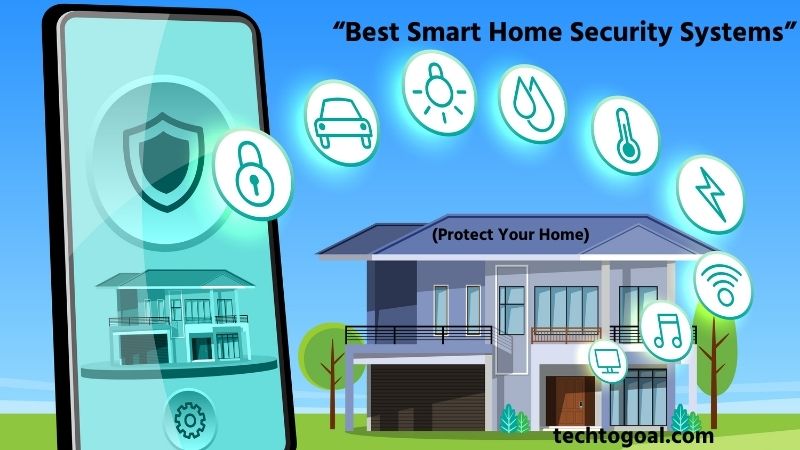
Best Smart Home Security Systems: In today’s connected world, protecting your home has become easier and more efficient thanks to smart technology. Smart home security systems combine advanced features like real-time monitoring, motion detection, mobile alerts, and remote control to help homeowners keep their properties safe from anywhere.
The best smart home security systems go beyond traditional alarms by integrating devices such as smart cameras, door sensors, video doorbells, and automated lighting into one easy-to-manage system.
Popular solutions from companies like ADT, Ring, SimpliSafe, and Vivint offer powerful protection along with user-friendly apps and smart home compatibility. These systems not only help deter intruders but also provide instant notifications and real-time video, giving homeowners greater control and peace of mind.
In this guide, we’ll explore the best smart home security systems, their key features, and how to choose the right one for your needs, so you can create a safer and smarter home environment.
Basics of Smart Home Security System
What is a smart home security system?
????Read More???? What is an indoor home security camera?
A smart home security system is a modern security solution that uses internet-connected devices to monitor and protect your home in real time. Unlike traditional alarm systems, smart security systems combine devices such as cameras, motion sensors, door and window sensors, and smart alarms into a single network that can be controlled through a smartphone or computer.
These systems allow homeowners to monitor their property remotely, receive instant alerts about suspicious activity, and manage security settings from anywhere. Smart home security systems are designed to improve safety, convenience, and peace of mind by providing continuous protection and easy access to important security information.
How Does a Smart Home Security System Work?
A smart home security system works by connecting multiple security devices through a central hub or Wi-Fi network. Sensors placed on doors and windows detect movement or unauthorized entry, while security cameras capture live video and send it to a mobile app.
When the system detects unusual activity, it sends instant notifications to the homeowner’s smartphone, allowing quick action if needed. Many smart security systems also include features like remote control, automatic alarms, and cloud video storage for reviewing past events.
By combining real-time monitoring, smart alerts, and remote access, smart home security systems provide an efficient and reliable way to protect your home at all times.
Top 5 Smart Home Security Systems
Choosing the right smart home security system in 2026 requires looking beyond basic sirens. The modern landscape is divided between white-glove professional services and flexible DIY (do-it-yourself) solutions. Below are the top 5 systems, designed to help you decide based on your budget, technical skill, and living situation.
????Read More????5 Best Outdoor Security Lights with Camera 2026
1. The Industry Giant: ADT
ADT has successfully transitioned from a traditional old-school security company to a modern tech leader by partnering with Google Nest. It offers the most reliable professional monitoring network in North America.
Detailed Overview: The modern ADT system integrates seamlessly with Google Nest hardware. It offers a smart home hub that acts as a bridge between high-end security and daily convenience.
Technical Specifications
- Connection: Cellular (Primary) + Wi-Fi (Secondary).
- Hardware: Google Nest Cam, Nest Doorbell, and ADT specialized sensors.
- Monitoring: 9 owned-and-operated monitoring centers.
- Smart Integration: Full Google Home ecosystem + Alexa support.
Why We Picked It: We picked ADT for its redundancy and reliability. With over 150 years of experience and 9 monitoring centers, they provide a safety net that smaller DIY brands simply cannot match.
Who It’s For: Best for homeowners who want a set-it-and-forget-it system and prefer professional installation and the highest level of human-backed monitoring.
Pros
- Google Nest Integration: You get the world’s best AI cameras backed by the world’s best monitoring.
- Six-Month Money-Back Guarantee: The most generous trial period in the industry.
- Professional Installation: Expert technicians ensure every sensor is perfectly placed.
- Theft Protection Guarantee: ADT will pay up to $500 of your insurance deductible if a burglary occurs while the system is armed.
- 24/7 Redundant Monitoring: If one call center goes down due to a storm, another one immediately takes over.
Cons
- Strict Contracts: Usually requires a 36-month commitment, which is difficult for renters.
- Higher Monthly Fees: Monitoring starts at a higher price point than DIY competitors.
- Relocation Fees: If you move, you often have to pay for a new installation at the new property.
- Credit Check Required: Unlike DIY systems, ADT typically requires a credit screening for financing.
2. The Smart Home King: Vivint
Vivint is widely considered the most luxurious security system. It doesn’t just protect your home; it manages it through a high-end, proprietary ecosystem.
Detailed Overview: Vivint focuses on Deep Integration. Their Smart Hub is a 7-inch touchscreen that controls everything from your garage door to your lighting. Their cameras are unique because they use Proactive Deterrence using LED rings and 104 dB speakers to let intruders know they have been spotted before they try to break in.
Technical Specifications
- Display: 7-inch Smart Hub with Two-Way Talk.
- AI: Smart Sentry (person and package detection).
- Storage: Smart Drive (local 24/7 recording).
- Protocols: Z-Wave, Wi-Fi, and Cellular.
Why We Picked It: We picked Vivint for its proactive deterrence. While other systems record the crime, Vivint’s cameras actively try to prevent it by whistling at or talking to the intruder.
Who It’s For: Ideal for tech enthusiasts and luxury homeowners who want a fully automated smart home and don’t mind a premium price tag.
Pros
- Proprietary Hardware: Their cameras are built in-house and optimized for their specific software.
- No-Button Emergency: You can call for help directly through the Smart Hub via voice.
- Package Protection: The doorbell camera can guard your deliveries and sound an alarm if someone tries to move them.
- 24/7 Continuous Video: Unlike battery cameras, Vivint can record every second of the day to a local drive.
- Beautiful Mobile App: Frequently rated as the most intuitive and fastest-responding security app.
Cons
- Very Expensive Hardware: Buying the cameras and hub upfront can cost $1,000+.
- No DIY Option: Professional installation is mandatory, which adds an extra $100–$200.
- Difficult to Self-Monitor: The system is essentially designed to be used with a paid professional plan.
- Locked Ecosystem: It is harder to use third-party cheap sensors with a Vivint system.
3. Best Value & Flexibility: SimpliSafe
SimpliSafe disrupted the industry by offering contract-free security. It remains the best choice for those who want serious protection without a legal headache.
Detailed Overview: SimpliSafe is a DIY-first system. Everything is designed to be peel-and-stick. Their 2026 Fast Protect™ plan is revolutionary because it allows monitoring agents to see through your indoor cameras during an alarm to verify the intruder’s presence for the police.
Technical Specifications
- Installation: 100% DIY (average setup time: 30 mins).
- Connectivity: Wi-Fi + 4G cellular backup.
- Base Station: Includes a 95 dB siren and 24-hour backup battery.
- Range: Sensors work up to 1,000 feet from the base.
Why We Picked It: We picked SimpliSafe for its simplicity and honesty. There are no hidden fees and no long-term contracts, and the equipment is modern and reliable.
Who It’s For: Perfect for renters, apartment dwellers, and homeowners who want high-quality security on a month-to-month basis.
Pros
- No Long-Term Contracts: You can cancel or pause your monitoring plan at any time without a fee.
- Extremely Renter-Friendly: No drilling required; sensors leave no marks on the walls.
- Affordable Hardware: You can often get a full starter kit for under $200.
- Local Privacy: Cameras feature physical shutters that click shut when the system is disarmed.
- Works without Wi-Fi: The built-in cellular chip keeps the alarm active even if your internet is cut.
Cons
- Limited Smart Home Support: It doesn’t work with Apple HomeKit and has limited Google/Alexa features.
- Basic Cameras: Their cameras are good, but they lack the 4K resolution found in Eufy or Arlo.
- Monthly Fee for App: You cannot use the mobile app to arm/disarm your system for free; you must have a paid plan.
- Bulkier Design: The sensors are slightly larger and more plastic-looking than Vivint or Abode.
4. Best for Automation: Abode
Abode is the Smart Home Pro’s security system. It is one of the only security systems on the market that is fully compatible with Apple HomeKit.
Detailed Overview: Abode acts as both a security system and a smart home hub. It uses Z-Wave and Zigbee, meaning it can control thousands of third-party devices like Philips Hue lights or Yale locks.
Technical Specifications
- Compatibility: Apple HomeKit, Alexa, Google Home, Z-Wave, Zigbee, Matter.
- Camera: 1080p (Iota Gateway) or 2K (Outdoor Cam).
- Backup: Optional 4G cellular backup.
Why We Picked It: We picked Abode for its unmatched compatibility. It is the only serious choice for people who want their security system to live inside the Apple Home app.
Who It’s For: Best for Apple users and power users who want to build complex home automations around their security.
Pros
- Apple HomeKit Native: View your cameras and arm your alarm directly from your iPhone’s Control Center.
- On-Demand Monitoring: You can pay for professional monitoring for just 3 days or 7 days.
- Versatile Hardware: The Iota hub includes a built-in camera, motion sensor, and siren.
- Excellent Free Tier: Unlike Ring or SimpliSafe, Abode’s free tier allows for basic app control and notifications.
- Matter Support: Future-proofed with the latest smart home connectivity standards.
Cons
- Smaller Company: Support and hardware updates may be slower than giants like ADT or Ring.
- Expensive Sensors: Individual Abode sensors are pricier than SimpliSafe’s.
- The app can be complex: The CUE automation engine has a steep learning curve for non-technical users.
- Camera Quality: Their standalone cameras are average and often require a wired power source.
5. Best Ecosystem: Ring Alarm (2nd Gen)
Owned by Amazon, Ring is the most popular DIY security system in the world. It is designed to work perfectly for anyone who already uses Alexa.
Detailed Overview: Ring Alarm is a straightforward, effective, and highly affordable system. The Ring Alarm Pro version even includes a built-in Eero Wi-Fi 6 router, meaning your security system actually makes your home internet faster and more stable.
Technical Specifications
- Router: Built-in Eero Wi-Fi 6 (Pro Model).
- Sensors: Z-Wave (offers great range).
- Power: Battery backup and internal siren.
- Monitoring: 24/7 professional with Ring Protect Pro.
Why We Picked It: We picked Ring for its value-to-ecosystem ratio. If you already have a Ring Doorbell, adding the alarm system is seamless and cost-effective.
Who It’s For: Best for Amazon Alexa households and those who want a reliable, budget-friendly system with a great app.
Pros
- Competitive Pricing: The Protect Pro plan covers professional monitoring and cloud storage for all your cameras for one flat fee.
- Alexa Guard: Your Echo speakers can listen for glass breaking and alert the Ring system.
- Wi-Fi 6 Integration: The Alarm Pro hub acts as a mesh router, giving you whole-home internet coverage.
- Huge Accessory List: From smoke listeners to mailbox sensors, Ring has the largest catalog of add-ons.
- Panic Buttons: Offers physical wall-mounted panic buttons for medical or police emergencies.
Cons
- Privacy Reputation: Frequent news stories about data sharing with law enforcement may be a concern for some.
- No Google/HomeKit: Very limited functionality outside of the Amazon ecosystem.
- Subscription Price Hikes: Ring has recently increased its monthly subscription costs, making it less of a bargain than before.
- Indoor Camera Privacy: Unlike Eufy or SimpliSafe, Ring’s standard indoor cameras lack a physical privacy shutter.
Final Verdict: Which one is for you?
- Choose ADT for the most reliable professional protection.
- Choose Vivint for the ultimate smart home experience.
- Choose SimpliSafe for easy, contract-free DIY security.
- Choose Abode if you are an Apple/HomeKit user.
- Choose Ring if you want a budget-friendly Alexa-integrated system.
Advantages of Smart Home Security Systems
Smart home security systems offer advanced protection by combining modern technology with easy remote access and automation. These systems provide homeowners with greater control, improved safety, and real-time monitoring. Below are the key advantages of using a smart home security system.
- Remote Monitoring and Control: One of the biggest advantages of a smart home security system is the ability to monitor and control your home from anywhere.
- Real-Time Alerts and Notifications: Smart security systems send instant alerts when unusual activity is detected, such as motion, door openings, or suspicious movement.
- Improved Home Security: Smart home security systems provide multiple layers of protection through cameras, sensors, alarms, and smart locks.
- Easy Integration with Smart Devices: Smart security systems can integrate with other smart home devices such as lights, locks, and voice assistants.
- Increased Convenience: Smart home security systems are designed to be user-friendly and easy to manage. Mobile apps allow users to arm or disarm the system, adjust settings, and monitor activity with just a few taps.
- Enhanced Emergency Response: In case of an emergency, smart security systems can quickly alert homeowners and, in some cases, emergency services.
- Better Activity Monitoring: Smart home security systems allow homeowners to track daily activity inside and outside the home.
- Energy Efficiency and Automation: Some smart security systems include automation features that help reduce energy usage. For example, lights can turn off automatically when no motion is detected, or devices can follow scheduled routines.
Overall, smart home security systems offer a reliable, convenient, and modern way to protect your home, making them an excellent investment for long-term safety and security.
How to Choose a Smart Home Security System
Choosing the right smart home security system requires careful consideration of compatibility, features, cost, and long-term reliability. A good system should protect your home effectively while also being easy to use and expand in the future. Below are the most important factors to consider when selecting a smart home security system.
????Read More????How to Choose the Best Indoor Cameras with Audio
Smart Platform Integration
Smart platform integration ensures that your security system works smoothly with your preferred smart home ecosystem. Many systems are designed to integrate with platforms like voice assistants or automation systems, allowing you to control devices from one place. Choosing a system that supports your existing platform helps improve convenience and ensures all devices communicate properly. Compatibility between platforms is important because poor integration can limit automation and functionality.
Smart Devices Integration
A good smart home security system should connect easily with other smart devices such as cameras, lights, thermostats, and doorbells. This integration allows automated actions like turning on lights when motion is detected or locking doors when the alarm is armed. Systems that support multiple devices provide better automation and improved overall security.
Price
Price is one of the most important factors when choosing a smart home security system. Costs can include the initial equipment purchase, installation, and monthly monitoring fees. Basic systems may cost a few hundred dollars, while advanced systems with multiple devices and professional monitoring can cost much more. It’s important to consider both upfront and ongoing costs before making a decision.
Smart Features
Smart features such as motion detection, real-time alerts, night vision cameras, and remote control make a security system more effective. Advanced features like automation and AI detection can improve security and reduce false alarms. Choosing a system with the right features ensures better protection and convenience.
Connectivity and Reliability
A smart home security system depends on stable connectivity to function properly. Most systems use Wi-Fi to send alerts and stream video, so a strong and reliable internet connection is essential. Some systems also include battery or cellular backup to keep the system running during power outages or internet failures.
Ease of Installation and Use
A good security system should be easy to install and operate. Many systems offer DIY installation, while others require professional setup. Choosing a system with a user-friendly interface and simple setup process can save time and reduce frustration.
Storage and Monitoring Options
Smart security systems usually offer cloud storage or local storage for recorded footage. Some systems also provide professional monitoring services that alert emergency responders when needed. Selecting the right storage and monitoring option helps ensure your home is protected at all times.
Future Expansion and Updates
It’s important to choose a system that can grow with your needs. Expandable systems allow you to add more cameras, sensors, or smart devices later. Regular software updates also help keep the system secure and compatible with new technology over time.
By considering these factors, you can choose a smart home security system that offers reliable protection, smart automation, and long-term value for your home.
DIY vs. Professionally Installed Home Security Systems
When choosing a home security system, one of the most important decisions is whether to install it yourself (DIY) or hire professionals. Both options offer effective protection, but they differ in cost, convenience, flexibility, and overall reliability. Understanding these differences can help you select the best solution for your home and budget.
Installation Process
DIY security systems are designed for easy setup and typically include wireless devices that can be installed using adhesive strips or simple tools. Most systems can be installed within a few hours and controlled through a mobile app. However, the homeowner is responsible for placing sensors and cameras correctly, which may affect performance if done improperly.
Professionally installed systems, on the other hand, are set up by trained technicians who ensure that cameras, sensors, and alarms are placed in optimal locations. This reduces the chances of errors and ensures the system works efficiently from the start.
Cost Differences
DIY systems are generally more affordable because there are no installation fees. Users can purchase equipment and optionally pay for monitoring services, making it a budget-friendly option.
Professionally installed systems usually involve higher upfront costs due to installation fees and equipment packages. In addition, many providers require monthly monitoring subscriptions and long-term contracts.
Monitoring Options
DIY systems often allow self-monitoring through smartphone alerts, giving homeowners full control over their security. Some DIY brands also offer optional professional monitoring plans for added protection.
Professionally installed systems typically include 24/7 monitoring services. If an alarm is triggered, a monitoring center can quickly contact emergency responders, providing extra peace of mind.
Flexibility and Customization
DIY systems are highly customizable, allowing users to add or remove devices whenever needed. This flexibility makes them ideal for renters or people who move frequently.
Professional systems may offer customization, but changes often require a technician visit, which can increase costs and reduce flexibility.
Reliability and Support
DIY systems depend on the user for maintenance and troubleshooting. If a device fails or is installed incorrectly, the homeowner must fix the issue.
Professionally installed systems usually include warranties, technical support, and maintenance services, making them more reliable for long-term use.
Best Choice for Different Users
DIY systems are best suited for people who want a low-cost, flexible solution and are comfortable handling installation and maintenance themselves.
Professionally installed systems are ideal for homeowners who prefer a hands-off approach and want expert setup with continuous monitoring.
Both DIY and professionally installed home security systems offer strong protection, but the right choice depends on your needs and budget. DIY systems provide affordability and flexibility, while professional installations deliver convenience and expert support. By considering factors such as cost, monitoring, and ease of installation, you can choose a security system that keeps your home safe and gives you peace of mind.
FAQs
What devices are included in a smart home security system?
Most smart home security systems include security cameras, motion detectors, door and window sensors, smart locks, and alarm sirens. Some advanced systems also include video doorbells, environmental sensors, and smart lighting.
Do smart home security systems require Wi-Fi?
Yes, most smart home security systems rely on Wi-Fi to connect devices and send alerts to your smartphone. Without an internet connection, some features like remote monitoring and cloud storage may not work.
Can I monitor my smart home security system remotely?
Yes, one of the biggest advantages of smart home security systems is remote access. You can view live camera footage, receive alerts, and control devices from anywhere using a mobile app.
Are smart home security systems easy to install?
Many smart home security systems are designed for easy DIY installation. Wireless devices can often be installed with minimal tools, while some advanced systems may require professional installation.
Do smart home security systems have monthly fees?
Some systems offer free basic features, but many charge monthly fees for services like cloud video storage, advanced alerts, and professional monitoring.
Can smart home security systems integrate with other smart devices?
Yes, many smart home security systems can integrate with other smart devices such as lights, locks, and voice assistants. This allows you to automate your home and improve overall security.
What should I consider when choosing the best smart home security system?
When choosing a smart home security system, consider factors like camera quality, storage options, smart features, ease of installation, price, and compatibility with other smart devices. Selecting the right system ensures reliable protection and convenience for your home.
Conclusion
Choosing the best smart home security system depends on your home size, budget, and the level of protection you need. Whether you prefer a professionally monitored solution like ADT or Vivint, or a flexible DIY option such as SimpliSafe, Abode, or Ring, there are plenty of reliable choices available. Each system offers unique features such as smart automation, mobile app control, and real-time alerts that help keep your home safe and connected.
A well-designed smart home security system not only protects your property from intruders but also provides peace of mind through remote monitoring and instant notifications. By carefully considering factors like smart device compatibility, installation type, monitoring options, and overall cost, you can choose a system that perfectly fits your needs.
Ultimately, investing in a smart home security system is a smart step toward creating a safer and more convenient living environment for you and your family.
