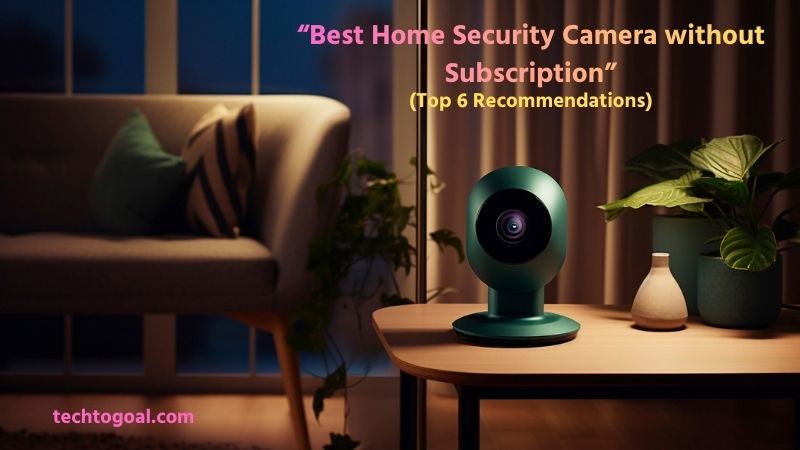
Best Home Security Camera without Subscription: Home security has become a top priority for homeowners, but monthly subscription fees can quickly turn a simple security solution into an ongoing expense. That’s why many people are now searching for home security cameras without subscription fees, systems that offer reliable protection without locking you into recurring payments.
These cameras provide essential features like high-resolution video, night vision, motion detection, and local storage, all while giving you full control over your data. In this guide, we’ll explore the 6 best home security cameras without subscription that deliver strong performance, smart features, and long-term value.
Whether you want to monitor your front door, backyard, or entire home, these cameras prove that you don’t need a monthly plan to stay safe. If you’re looking for a cost-effective, privacy-friendly, and dependable home security solution, this list will help you choose the right camera with confidence.
Why People Choose Security Cameras Without Subscription
Choosing a security camera without a subscription is becoming increasingly popular as users look to reclaim control over their data and their wallets. While “The Cloud” is convenient, it’s not the only way to keep an eye on your home.
Here is why many people are opting for local storage and subscription-free models:
- No Monthly or Hidden Fees: One of the main reasons people choose security cameras without a subscription is the absence of monthly or yearly fees. Subscription-based cameras may seem affordable at first, but ongoing payments can add up quickly over time.
- Full Control Over Data and Privacy: Security cameras without subscriptions usually rely on local storage, such as SD cards or NVRs, instead of cloud servers. This means users have complete control over their footage and don’t have to worry about third-party access or data breaches. For privacy-conscious users, this level of control is a major advantage.
- Lower Long-Term Cost: Without recurring fees, subscription-free cameras significantly reduce the total cost of ownership. Over several years, users can save hundreds of dollars while still enjoying essential features like motion detection, night vision, and HD video recording.
- No Risk of Feature Locking: Many subscription-based security cameras restrict important features, such as video playback, recording history, or smart alerts, behind a paid plan. Cameras without subscriptions offer full access to core features from day one, ensuring that users don’t lose functionality if they stop paying a monthly fee.
- Works Without Constant Internet Connection: Subscription-free security cameras can often operate without continuous internet access. Since footage is stored locally, these cameras continue recording even during internet outages. This makes them more reliable in areas with unstable connectivity or for users who prefer offline security solutions.
- Simple Setup and Easy Use: Many non-subscription security cameras are designed for plug-and-play installation. Users can set them up quickly without signing up for paid plans or complicated cloud services. This simplicity appeals to homeowners who want a hassle-free security system that works right out of the box.
- Ideal for Renters and Short-Term Use: People who live in rental homes or plan to move often prefer security cameras without subscriptions. Since there are no ongoing payments, users can install the camera, use it for as long as needed, and take it with them when they move, without worrying about cancelling subscriptions or contracts.
- Long-Term Reliability and Peace of Mind: Subscription-free security cameras continue working as long as the hardware functions, regardless of service changes or pricing updates from manufacturers. This provides long-term reliability and peace of mind, knowing your security system won’t suddenly stop working because a payment was missed.
- Greater Value for Money: With a one-time investment, users get lasting security features without additional costs. Over time, subscription-free cameras deliver better value compared to systems that require ongoing payments, making them a smart choice for both homeowners and small business owners.
- Growing Demand for Subscription-Free Technology: As more people seek affordable and privacy-friendly smart home solutions, the demand for subscription-free security cameras continues to grow. Manufacturers are responding by offering feature-rich cameras without recurring fees, giving consumers more choices than ever before.
Best Home Security Camera without Subscription: 6 Recommendations
In 2026, the home security market has shifted significantly toward local storage and AI-integrated hardware. You no longer need to pay a monthly fee to get high-end features like person detection or 4K recording.
????Read More????5 Best Indoor Cameras with Audio 2026
Here are the 6 best home security cameras that offer premium protection without any subscription.
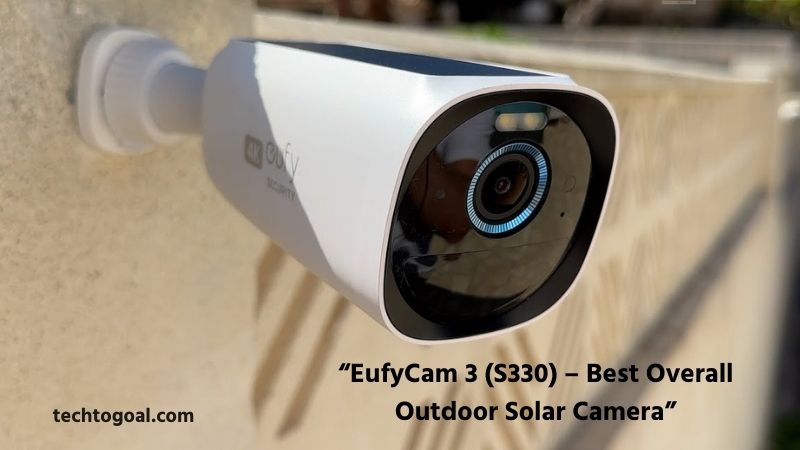
1. EufyCam 3 (S330) – Best Overall Outdoor Solar Camera
The EufyCam 3 is a powerhouse for those who want a “set it and forget it” security system. It features an integrated solar panel and the HomeBase 3, which acts as the brain of the system.
Specifications
- Resolution: 4K Ultra HD
- Power Source: Battery + Integrated Solar Panel
- Storage: 16GB built-in (Expandable up to 16TB via HDD/SSD)
- Field of View: 135°
- Smart Features: BionicMind AI (Face, Person, Vehicle, Pet detection)
Pros:
- Forever Power: Just 2 hours of direct sunlight daily keeps the battery charged indefinitely.
- Massive Local Storage: Unlike others, you can plug in a hard drive to store years of 4K footage locally.
- Advanced AI: The facial recognition is incredibly accurate and learns over time to recognize family members.
- No Hidden Fees: All AI features are processed on the device, meaning zero subscription costs.
Cons:
- High Upfront Cost: The initial investment for the kit is more expensive than most rivals.
- Requires HomeBase: You cannot use the camera as a standalone device; it must connect to the HomeBase 3.
Why I Like It: I love the EufyCam 3 because it solves the two biggest headaches of wireless cameras: battery charging and storage limits. The fact that you can expand the storage to 16TB is a game-changer for anyone who wants 24/7-style history without a cloud bill.
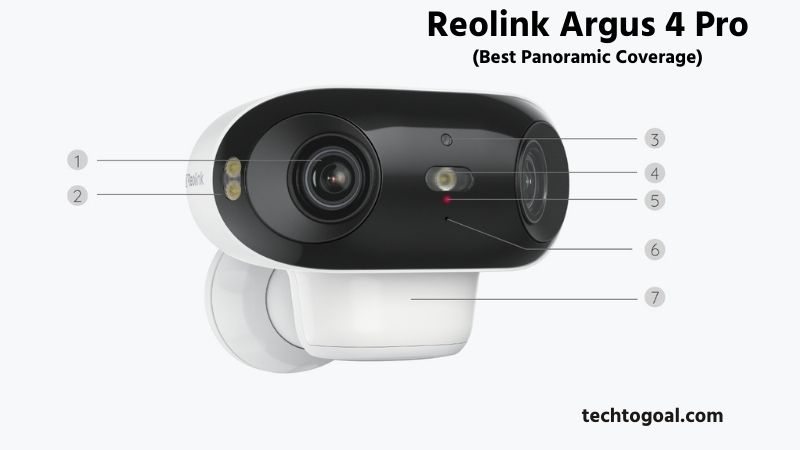
2. Reolink Argus 4 Pro – Best Panoramic Coverage
The Argus 4 Pro is famous for its dual-lens design, providing a seamless 180-degree view that eliminates blind spots.
Specifications
- Resolution: 4K UHD (Dual Lens)
- Power Source: Battery / Solar
- Storage: MicroSD Card (Up to 512GB)
- Field of View: 180° Panoramic
- Night Vision: ColorX (Full-color night vision without spotlights)
Pros:
- Wide View: One camera can cover the same area as two traditional cameras thanks to the 180° lens.
- True Color Night Vision: The ColorX technology allows for bright, full-color images even in near-pitch darkness without blinding LEDs.
- Dual-Band Wi-Fi 6: Supports faster and more stable connections, which is crucial for streaming 4K video.
Cons:
- Lower Frame Rate: At 15fps, fast-moving objects might look slightly blurred compared to 30fps cameras.
- Battery Drain: The dual-lens system consumes power quickly if not used with a solar panel.
Why I Like It: What makes this camera stand out is the 180-degree field of view. Usually, panoramic views look distorted (fisheye), but Reolink’s stitching technology makes it look natural. It’s the perfect choice for monitoring a wide front yard or driveway.
3. TP-Link Tapo C425 – Best Value for Money
The Tapo C425 offers a premium wireless experience with a massive battery life and a clever magnetic mount, all at a mid-range price point.
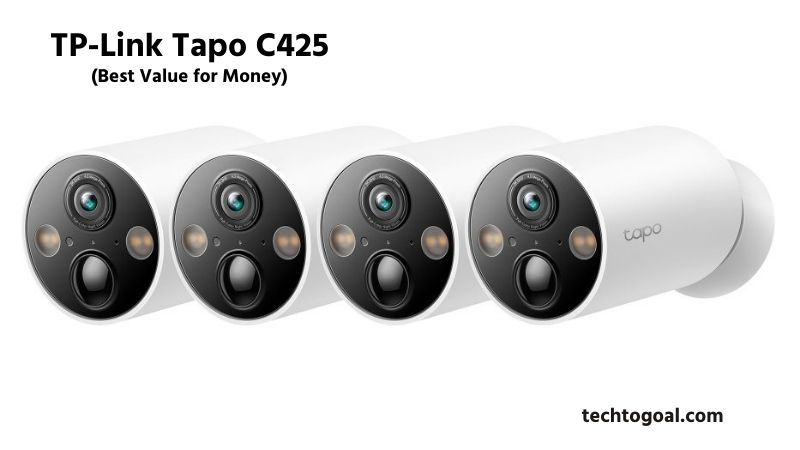
Specifications
- Resolution: 2K QHD (2560 × 1440)
- Power Source: 10,000 mAh Battery (Up to 300 days)
- Storage: MicroSD Card (Up to 512GB)
- Weatherproof: IP66
- Smart Features: Free Person/Pet/Vehicle detection
Pros:
- Exceptional Battery: One of the longest-lasting batteries in its class, often reaching 10 months on a single charge.
- Magnetic Mounting: Extremely easy to install and adjust the angle without complex tools.
- Feature Rich: Includes two-way audio, a built-in siren, and dual spotlights at a very competitive price.
Cons:
- 2K vs 4K: While clear, it lacks the ultra-fine detail of the 4K models mentioned above.
- Magnetic Theft Risk: Since it’s held by a magnet, it’s easier for a thief to pull it down if mounted too low.
Why I Like It: I recommend the Tapo C425 for its simplicity. The setup takes minutes, and the AI detection is surprisingly fast. It’s the best “budget-friendly” option that doesn’t feel cheap.
4. Lorex 4K Spotlight Wi-Fi 6 – Best for Night Vision
Lorex is a veteran in the security industry, and their 4K Spotlight camera is designed for those who prioritize professional-grade optics.
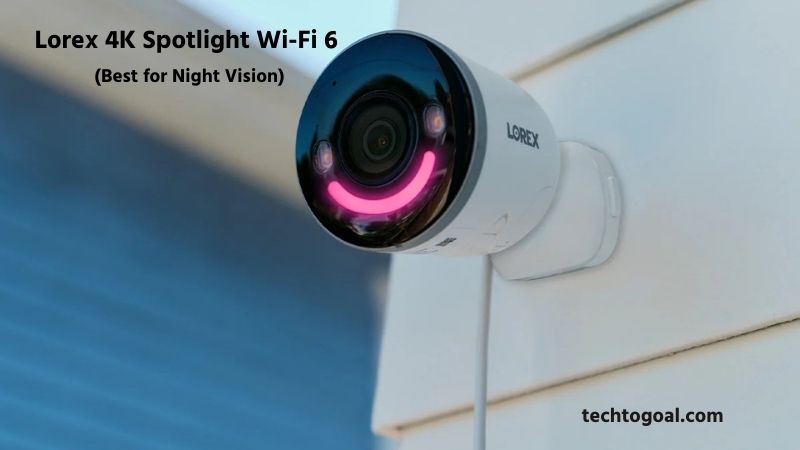
Specifications
- Resolution: 4K (8MP)
- Power Source: Wired (Plug-in)
- Storage: 32GB MicroSD included (Supports up to 256GB)
- Connectivity: Wi-Fi 6
- Smart Features: Smart Security Lighting (Customizable colors)
Pros:
- Superior Night Vision: Their “Color Night Vision Booster” is widely considered the best in the consumer market.
- Custom Lighting: The built-in spotlight can change colors to act as a greeting light or a red/blue deterrent.
- No Subscription Required: All smart detection (person, vehicle, animal, package) works locally.
Cons:
- Requires Power Outlet: This is not a battery-operated camera; you must have an outdoor plug nearby.
- High Bandwidth: Streaming 4K over Wi-Fi requires a very strong router (Wi-Fi 6 recommended).
Why I Like It: I like this camera because of the pre-roll and lighting features. It records a few seconds before motion is even detected, so you never miss the start of an event. Plus, the 4K clarity is incredibly sharp.
5. Wyze Cam v4 – Best Ultra-Budget Option
Wyze disrupted the market by offering cheap cameras with features usually found in $150 units. The v4 is the latest evolution of their flagship.
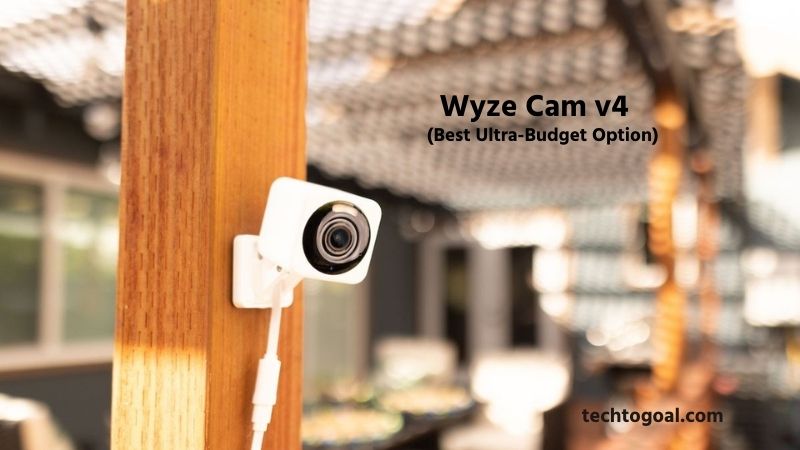
Specifications
- Resolution: 2.5K QHD
- Power Source: Wired (USB)
- Storage: MicroSD Card (Up to 256GB)
- Field of View: 115°
- Specialty: Indoor/Outdoor versatile
Pros:
- Incredible Price: It is the most affordable way to get 2.5K resolution and color night vision.
- Local Recording: Supports 24/7 continuous recording to a MicroSD card without a subscription.
- Improved Audio: The v4 features “Wide Dynamic Range” audio, making two-way talk much clearer.
Cons:
- Limited Free Cloud: Without a subscription, you only get “snapshots” for cloud alerts, though local SD recording remains full video.
- Narrow FOV: The 115° field of view is narrower than most other modern outdoor cameras.
Why I Like It: I like the Wyze Cam v4 because it’s the perfect “entry-level” camera. If you need to buy 5 or 6 cameras for a whole-home setup without spending thousands, Wyze is the only brand that makes it possible while keeping the quality high.
6. Arlo Pro 5S 2K – Best Smart Home Integration
While Arlo pushes subscriptions heavily, the Pro 5S is included here because it offers an “Arlo SecureLink” feature and local storage when paired with a base station.
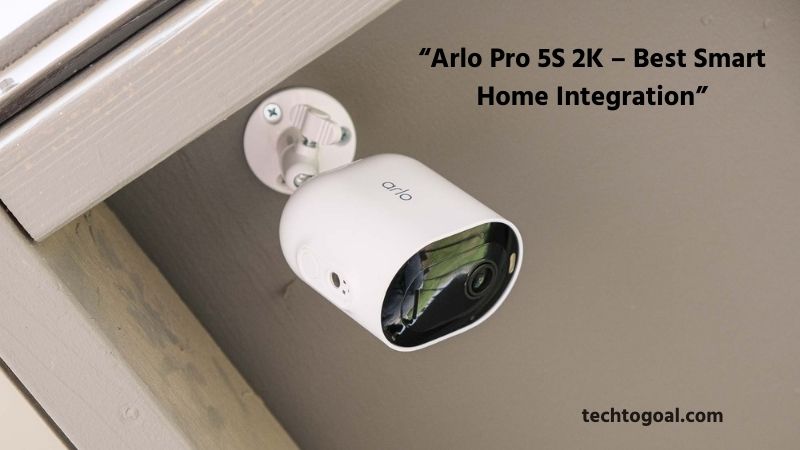
Specifications
- Resolution: 2K HDR
- Power Source: Battery / Solar
- Storage: Via Arlo SmartHub (USB Drive)
- Night Vision: Color and Infrared
- Smart Home: Works with Alexa, Google, and Apple HomeKit
Pros:
- HomeKit Support: One of the few non-subscription-friendly cameras that integrates perfectly with Apple’s ecosystem.
- SecureLink: Stays connected even during a Wi-Fi outage if used with the Arlo Home Security System.
- Stunning Design: Very sleek, high-build quality that looks great on any home.
Cons:
- Harder to use without a subscription: To get local storage, you must buy the Arlo SmartHub separately.
- Limited AI: Without the subscription, you lose the advanced “Package Detection” cloud features.
Why I Like It: I included the Arlo Pro 5S for Apple HomeKit users. If you use an iPhone and want your cameras integrated into your “Home” app, this is the most polished experience, provided you use the local SmartHub for storage.
How to Choose the No Subscription Security Camera?
Choosing a security camera without a subscription is a smart move if you want to avoid “subscription fatigue” and keep your data private. Most big brands try to lock you into a monthly fee for cloud storage, but you can bypass this by focusing on local storage and on-device processing.
????Read More????How to Choose the Best Panoramic Security Camera
Here is a guide to help you pick the right one:
- Check Local Storage Options: When choosing a no-subscription security camera, local storage is one of the most important factors. Look for cameras that support SD cards, microSD cards, or NVR storage, allowing footage to be saved directly on the device.
- Choose the Right Video Resolution: Video quality matters for identifying faces, packages, or suspicious activity. A good no-subscription security camera should offer at least 1080p Full HD resolution, while 2K or 4K cameras provide even clearer details.
- Ensure Reliable Night Vision: Security threats don’t stop at night, so your camera should perform well in low-light conditions. Look for cameras with infrared (IR) night vision, color night vision, or spotlight support.
- Look for Smart Motion Detection: Modern no-subscription cameras often include AI-based motion detection that can distinguish between people, vehicles, and animals. This reduces false alerts and ensures you’re notified only when important activity occurs, without needing a paid subscription.
- Consider Power Source and Battery Life: Choose a camera with a power option that fits your setup. Wired cameras provide continuous recording, while battery-powered or solar cameras offer flexible installation. For battery models, check battery life and charging frequency to avoid constant maintenance.
- Check Weatherproof Rating for Outdoor Use: If you plan to install the camera outdoors, make sure it has a weather-resistant design with at least an IP65 or IP66 rating. This protects the camera from rain, dust, heat, and harsh outdoor conditions, ensuring long-term reliability.
- Confirm App and Remote Access Features: Even without a subscription, many cameras allow free live viewing, playback, and motion alerts through a mobile app. Make sure the app is user-friendly and does not lock basic features behind a paywall.
- Avoid Hidden Subscription Traps: Some cameras claim to be “no subscription” but restrict key features unless you pay. Before buying, check that video playback, downloads, and alerts work fully without any monthly plan. Reading product details and user reviews helps avoid hidden costs.
The best no-subscription security camera offers clear video, reliable storage, strong night vision, and smart detection, all without recurring fees. Choosing wisely ensures long-term savings, better privacy, and dependable home security.
How Do Security Cameras Charge Monthly Fees?
Security cameras may look like a one-time purchase, but many modern systems come with monthly or subscription fees that cover essential services beyond the hardware itself. These fees are not mandatory for every camera, but they are common with smart, cloud-connected security systems.
Understanding how these monthly charges work helps you choose the right camera setup without unexpected costs. Most monthly fees are charged for cloud storage. Instead of saving video footage on a local SD card or DVR, cloud-based cameras upload recordings to secure online servers.
This allows you to access footage anytime from your phone or computer, even if the camera is damaged or stolen. Subscription plans usually vary by storage length, such as 7, 14, or 30 days of video history, and by the number of cameras connected to one account.
Another reason security cameras charge monthly fees is for advanced features and smart alerts. Basic systems may only offer live viewing, but paid plans often unlock AI-powered motion detection, person and vehicle recognition, facial recognition, and custom alert zones.
These smart features reduce false alerts and provide more accurate notifications, which is especially useful for homes and businesses that need reliable monitoring. Many security camera subscriptions also include professional monitoring services.
With this option, trained monitoring staff keep an eye on your system 24/7. If suspicious activity is detected, they can verify the threat and contact emergency services on your behalf. This type of service is common in full home security systems and is a major reason for higher monthly fees.
Some brands charge monthly fees for app access, system maintenance, and software updates. These fees support ongoing improvements such as enhanced security encryption, bug fixes, server maintenance, and new feature rollouts. Regular updates ensure your camera system remains secure, compatible with new devices, and protected against cyber threats.
It’s also important to note that monthly fees vary by brand and plan type. Some companies offer flexible plans with no long-term contracts, while others require annual commitments at a discounted rate. There are also security cameras with no monthly fees that rely on local storage, but they may lack cloud backup and advanced smart features.
In conclusion, security camera monthly fees are typically charged for cloud storage, smart features, professional monitoring, and ongoing software support. While these subscriptions add to the total cost, they also enhance convenience, security, and peace of mind. Choosing the right plan depends on your budget, storage needs, and how much control and protection you want from your security camera system.
Comparison between Subscription and No Subscription Security Cameras
Choosing between a subscription-based and a no-subscription security camera system depends on whether you prefer convenience and cloud features or privacy and long-term savings.
Here is an in-depth comparison to help you decide which model fits your lifestyle.
1. Cost Analysis: Short-term vs. Long-term
The most immediate difference is how you pay for the service.
- Subscription (Cloud): Usually offers a lower upfront cost for the hardware (sometimes even free with a contract). However, you pay a monthly fee (typically $3 to $15 per month) per camera or per household. Over 5 years, a single camera could cost you an extra $200 to $600.
- No Subscription (Local): You pay a higher price for the camera and storage (MicroSD card or HomeBase/NVR) at the start. After that, your monthly cost is $0. These systems usually pay for themselves within 12 to 18 months.
2. Storage Method and Security
Where your video is stored determines how safe your data is from hackers or physical theft.
| Feature | Subscription (Cloud-Based) | No Subscription (Local Storage) |
| Storage Location | Remote servers (Amazon, Google, etc.) | MicroSD card, HDD, or HomeBase |
| Security Risk | Vulnerable to server-side hacks | Vulnerable if the camera/base is stolen |
| Internet Dependency | Requires high-speed internet to save video | Can record even if the Wi-Fi is down |
| Privacy | Your footage lives on a corporate server | Your footage stays inside your home |
3. Features and AI Processing
Modern cameras use artificial intelligence to distinguish between a person, a pet, or a swaying tree branch.
Subscription-Based (Cloud AI)
- Off-site Processing: The camera sends video to the cloud, where powerful servers analyze it.
- Rich Notifications: Often includes “Smart Alerts” with a thumbnail image or a “Call 911” button directly on your lock screen.
- Advanced Features: Package detection and facial recognition are almost always locked behind a paywall (e.g., Nest, Ring, Arlo).
No Subscription (Edge AI)
- On-Device Processing: The camera has a built-in chip (like Eufy’s BionicMind) that processes AI locally.
- Speed: Since the video doesn’t have to travel to a server and back, motion alerts are often faster.
- Limitations: Cheaper “No-Sub” cameras may have “dumber” AI that triggers more false alarms (like moving shadows) unless you buy a high-end brand like Reolink or Eufy.
4. Pros and Cons Summary
Subscription-Based (e.g., Ring, Nest)
Pros:
- Easy setup; no need to manage storage hardware.
- If a thief steals the camera, your footage is still safe in the cloud.
- Continuous updates and premium customer support.
Cons:
- Monthly “rental” fees never end.
- If your internet goes out, the camera is basically a paperweight.
- Privacy concerns regarding who can access cloud data.
No Subscription (e.g., Eufy, Reolink, Lorex)
Pros:
- Zero monthly fees; total ownership.
- Works offline (local recording continues during Wi-Fi outages).
- High privacy; data never leaves your house.
Cons:
- Higher initial hardware cost.
- If a thief steals the camera (and it has an internal SD card), they steal the evidence too.
- You are responsible for managing your own storage (buying/replacing SD cards).
Why I Like “No Subscription” Systems
I personally prefer no-subscription systems because they offer true ownership. There is a peace of mind that comes with knowing your security system doesn’t rely on a company’s server staying online. Plus, with the money you save on monthly fees, you can afford to buy better, higher-resolution hardware.
FAQs
Do no-subscription security cameras still record video?
Yes, no-subscription security cameras record video just like paid systems. The main difference is that footage is saved locally rather than in the cloud. As long as storage space is available, these cameras can continuously or motion-based record without any monthly charges.
How do these cameras store video footage?
Most home security cameras without subscriptions use local storage options such as microSD cards, USB drives, or network video recorders (NVRs). Some systems also include a dedicated home hub that securely stores all recordings inside your home.
Can I view live video remotely without a subscription?
Yes, many no-subscription cameras allow free live streaming through a mobile app. As long as the camera is connected to the internet, you can view live footage from anywhere without paying extra fees.
Are motion alerts available without a subscription?
Basic motion detection and instant alerts are usually available for free. However, advanced features like AI-based person detection or vehicle recognition may be limited or optional upgrades in some camera models.
Are home security cameras without subscriptions secure?
Yes, they are secure when properly set up. Since footage is stored locally, the risk of cloud data breaches is reduced. Most modern no-subscription cameras also use encryption to protect live streams and recorded videos.
Do no-subscription cameras work without the internet?
Many no-subscription cameras can still record video without internet access, but you won’t be able to view live footage remotely or receive alerts. The internet is mainly required for remote access, not for recording itself.
Are no-subscription security cameras cheaper in the long run?
Yes, they are usually more cost-effective over time. While the initial purchase price may be similar to subscription cameras, you save money by avoiding ongoing monthly or yearly fees.
Conclusion
Choosing the right home security camera doesn’t have to mean committing to costly monthly subscriptions. The six cameras we’ve highlighted offer reliable, high-quality surveillance while keeping your footage under your control and your budget intact. From the compact and affordable Wyze Cam v4 to the feature-rich eufyCam S4 and solar-powered Reolink Argus Track, there’s a subscription-free option for every home, whether you need indoor monitoring, outdoor protection, or a full-property setup.
These cameras prove that you don’t have to compromise on video quality, motion detection, or smart alerts to avoid recurring fees. With local storage options, easy app access, and strong performance, you can enjoy peace of mind and secure your home without paying extra every month.
In the end, a subscription-free security camera is a smart choice for anyone who values privacy, affordability, and long-term control over their home surveillance system. Choose the one that fits your space, lifestyle, and security needs, and enjoy reliable protection without the extra financial burden.

1 thought on “6 Best Home Security Camera without Subscription 2026”