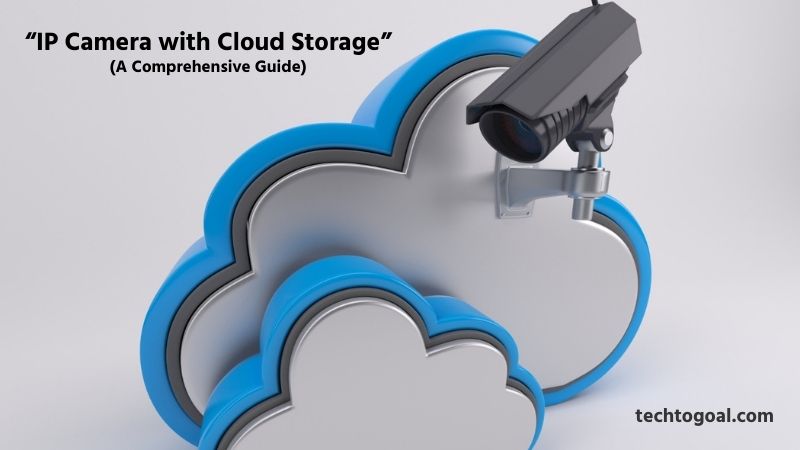
IP Camera with Cloud Storage: In today’s digital world, security has become a top priority for both homes and businesses, and technology has made surveillance easier and more efficient than ever. One of the most popular innovations in modern security systems is the IP camera with cloud storage, which allows users to monitor their property in real time while safely storing footage online.
An IP camera with cloud storage not only provides high-quality video surveillance but also ensures that your recordings are securely backed up and accessible from anywhere. Whether you want to keep an eye on your home, office, or outdoor space, these smart cameras make monitoring simple through mobile apps and web platforms.
In this comprehensive guide, we will explore how IP cameras with cloud storage work, their key benefits, essential features to consider, and practical buying tips to help you choose the right system for your needs. By the end of this article, you’ll have a clear understanding of why cloud-based surveillance is shaping the future of security and how it can provide peace of mind in an increasingly connected world.
What is an IP camera with cloud storage & how does it work?
An IP camera with cloud storage is a security camera that connects to the internet to record and store video footage on a remote cloud server instead of relying solely on local storage like SD cards or DVRs. This allows you to access your footage from anywhere using a smartphone, tablet, or computer.
????Read More????What Are Barn Cameras and How Do They Work?
Unlike traditional storage systems that can be damaged, stolen, or corrupted, cloud storage offers a safer and more reliable way to preserve surveillance data. It is widely used in homes, offices, and commercial spaces because of its convenience, flexibility, and enhanced security features.
How Does It Work? (The Technical Process)
The process of moving video from your lens to the cloud is a seamless, multi-step operation that happens in milliseconds:
- Capture and Compression: The IP camera captures high-definition video. To ensure the file isn’t too large for your internet connection, the camera uses a codec (like H.265 or HEVC) to compress the video without losing significant quality.
- Encryption and Transmission: Before the data leaves your network, it is typically encrypted (using protocols like AES-256) to ensure that even if the data is intercepted, it cannot be viewed by hackers. The camera then uses your Wi-Fi or Ethernet connection to transmit this data to the provider’s server.
- Remote Storage and Indexing: Once the data reaches the cloud server, it is stored and indexed by date and time. Most modern systems use AI-based tagging, so the server can distinguish between “motion” caused by a tree blowing in the wind and “motion” caused by a person.
- Anywhere Access: Because the footage lives on an internet-connected server, you can access it through a smartphone app or web browser. When you hit “play” on a past event, the cloud server streams that specific file back to your device, providing instant playback regardless of where you are in the world.
How to Access IP Camera Cloud Storage
Accessing your surveillance footage in 2026 is designed to be as simple as checking your social media. Because the data is stored on remote servers, the physical location of your camera no longer limits your ability to view your security feeds.
Here is the step-by-step process to access your IP camera cloud storage effectively:
- Set Up Your IP Camera with a Cloud-Enabled Service: The first step to accessing IP camera cloud storage is ensuring that your camera is properly set up with a cloud-compatible service. Most modern IP cameras come with a dedicated mobile app or web platform that allows you to connect the device to your Wi-Fi network and activate cloud storage. During the setup process, you will need to create an account with the service provider and choose a suitable cloud storage plan. Once configured, your camera will automatically upload recorded footage to the cloud for secure access.
- Log In Through the Mobile App or Web Portal: To access your IP camera cloud storage, you can log in using the official mobile app or web portal provided by the camera manufacturer. After entering your username and password, you will be able to view live streams, recorded footage, and saved video clips. These platforms are designed to be user-friendly, allowing you to easily navigate through stored files and manage camera settings from anywhere with an internet connection.
- Check Your Internet Connection: A stable internet connection is essential for accessing cloud-stored footage. Since IP camera cloud storage relies on real-time data transfer, both your camera and viewing device must be connected to the internet. Slow or unstable connections may cause delays or interruptions when loading video recordings. Ensuring a reliable network will help you access footage smoothly and without buffering issues.
- Use Date and Time Filters to Find Recordings: Most cloud storage platforms provide search tools that allow users to find recordings based on date, time, or event type. This feature is especially useful for quickly locating important footage without scrolling through hours of video. By using filters, you can efficiently manage your stored data and retrieve specific clips whenever needed.
- Enable Notifications for Easy Access: Many IP cameras with cloud storage offer real-time notifications for motion detection or unusual activity. These alerts often include direct links that allow you to access recorded footage instantly. Enabling notifications ensures that you never miss important events and can quickly review footage from your cloud storage.
- Download or Share Recorded Videos: Cloud storage platforms usually allow users to download, share, or back up important video clips. This feature is helpful when you need to save evidence, share recordings with others, or maintain personal archives. Having flexible access options makes cloud storage more convenient and practical for both home and business users.
- Keep Your Account Secure: Protecting your login credentials is essential when accessing IP camera cloud storage. Using strong passwords and enabling two-factor authentication can help prevent unauthorized access. Regularly updating your account settings ensures your surveillance data remains safe and private.
By following these steps, accessing IP camera cloud storage becomes simple and efficient. With remote availability, secure backups, and easy navigation, cloud storage offers a reliable way to monitor and manage your surveillance footage anytime and anywhere.
Best Cloud Storage IP Cameras: Top 3 Recommendations
In 2026, the market for cloud-based IP cameras is dominated by brands that prioritize AI-driven intelligence and ultra-high-definition clarity. When choosing a system, you are essentially choosing a service ecosystem where the camera’s hardware is the “eye,” and the cloud’s processing power is the “brain.”
????Read More????Best 8k Security Camera System in 2026
Here are the top 3 recommendations for cloud storage IP cameras in 2026, detailed with deep-dive pros, cons, and technical specifications:
1. Arlo Pro 5S 2K (Best Overall Cloud Storage IP Camera)
Overview: The Arlo Pro 5S 2K stands out as one of the most complete cloud-ready IP cameras for home and small business security. Known for crisp 2K video, smart AI alerts, and reliable cloud recording with Arlo Secure, it delivers a perfect mix of power and usability. This camera excels whether you’re watching your front door, backyard, or garage.
Specifications:
- Resolution: 2K HDR (2560 × 1440)
- Field of View: ~160° wide angle
- Connectivity: Dual-band Wi-Fi (2.4 GHz + 5 GHz)
- Power: Rechargeable battery or optional solar panel
- Cloud Storage: Arlo Secure with up to 30-day history
- Smart Features: Person, vehicle & package detection
Pros:
- High-resolution 2K video offers clearer identification of faces and objects compared to 1080p cameras.
- A wide field of view covers more area with fewer cameras.
- Strong AI detection filters reduce false alerts and focus on important motion events.
- Cloud backup with encryption adds security and remote access.
- Flexible power options (battery or solar) fit many outdoor installations.
Cons:
- Cloud subscription required for full benefits and video history.
- Pricier than basic models due to advanced features.
- Battery life varies with motion frequency and alert settings.
2. Google Nest Cam (Battery) (Smart Cloud-First Security)
Overview: The Google Nest Cam (Battery) is a smart, user-friendly IP camera that tightens cloud storage integration with intelligent activity recognition. Designed for people who want not just surveillance but also contextual alerts (like identifying people vs. animals), it’s ideal for families and Google Home users.
Specifications:
- Resolution: 1080p HD
- Field of View: ~130°
- Connectivity: Wi-Fi (2.4 GHz)
- Power: Rechargeable battery
- Cloud Storage: Nest Aware with 30-60 day plans
- Smart Alerts: Person, animal, vehicle labeling
Pros:
- Deep AI integration for meaningful alerts, not just motion.
- Seamless Google ecosystem support for smart home automation.
- Reliable cloud platform with secure backup and easy playback.
- The built-in local buffer records short clips when Wi-Fi drops.
Cons:
- 1080p resolution is lower than some competitors, though adequate for many homes.
- Full cloud features need an ongoing Nest Aware subscription.
- Battery life may be shorter if notifications are frequent.
3. Ring Stick Up Cam Battery (Best Easy-Install Cloud Camera)
Overview: The Ring Stick Up Cam Battery is a versatile, easy-to-install IP camera perfect for users seeking reliable cloud storage and simple controls. It integrates natively with the Ring ecosystem and Amazon Alexa, making it a strong choice for homes that prioritize flexible placement and straightforward cloud backup.
Specifications:
- Resolution: 1080p HD
- Field of View: ~150°
- Connectivity: Wi-Fi
- Power: Battery-powered (wireless)
- Cloud Storage: Ring Protect plan (up to 60-day history)
- Extras: Two-way audio, motion alerts
Pros:
- A wide adjustable view angle captures multiple zones.
- Flexible placement with wireless battery power.
- Strong cloud backup with long retention through Ring Protect.
- Simple setup and Alexa integration enhance smart home control.
Cons:
- Requires subscription for cloud storage beyond basic events.
- Video quality is good but not as detailed as higher-res models.
- No advanced AI labeling compared to some competitors.
Buying Tip: If you want high-quality footage with AI and premium cloud analytics, go with Arlo Pro 5S. For smart home integration and intelligent alerts, Nest Cam is excellent. If simple setup and Alexa support matter most, Ring Stick Up Cam is a solid choice.
How to Choose the Best IP Camera with Cloud Storage
Choosing the right IP camera in 2026 involves more than just looking at the price tag; it requires a strategic look at how the hardware interacts with the software. Since the cloud is where your evidence lives, the camera must be a reliable “bridge” that can handle high-speed data transmission without compromising security.
????Read More????How to Choose the Best Barn Cameras
Here is how to choose the best IP camera with cloud storage:
1. Look for High-Resolution Video Quality
When choosing the best IP camera with cloud storage, video clarity should be one of your top priorities. A camera with high resolution (1080p or higher) delivers sharp, detailed footage, making it easier to recognize faces, read license plates, and monitor activities clearly. Better image quality improves overall security and ensures that your cloud-stored videos are truly useful when you need them most.
2. Check Cloud Storage Plans and Capacity
Not all cloud storage plans are created equal. Before buying, review the provider’s storage limits, retention period, and pricing. Some cameras offer free limited storage, while others require subscription plans for longer video history or larger capacity. Choose a solution that fits your needs, whether you want short-term clips, long-term archives, or scalable storage as your surveillance needs grow.
3. Evaluate Remote Access Features
A key advantage of cloud storage is remote access. Ensure that the IP camera you choose supports easy and secure remote viewing through a mobile app or web platform. Look for features like real-time streaming, playback controls, and customizable notifications. Smooth remote access enhances convenience and helps you stay connected to your property anytime, anywhere.
4. Prioritize Security and Encryption
Since your footage is stored online, data protection is critical. Choose an IP camera that uses end-to-end encryption and secure login methods like two-factor authentication (2FA). These security features help prevent unauthorized access to your cloud storage account and ensure that your footage remains private and safe from cyber threats.
5. Consider Motion Detection and Smart Alerts
Intelligent features such as motion detection, person detection, and instant alerts significantly improve the effectiveness of a cloud-connected IP camera. These functions notify you when unusual activity occurs, allowing for quick response without constantly monitoring live feeds. Make sure the system offers customizable alert settings so you can reduce false alarms and focus on important events.
6. Evaluate Weather Resistance for Outdoor Use
If you plan to install the camera outdoors, check for weatherproof ratings. Outdoor IP cameras must withstand rain, dust, heat, and cold conditions. A weather-resistant design ensures reliable performance in all seasons, protecting your investment and maintaining clear surveillance regardless of the weather.
7. Check Power Options and Battery Life
Power setup is an important consideration, especially if you don’t have easy access to an outlet. Some IP cameras with cloud storage use wired power, while others offer battery or solar-powered options. Choose a model that matches your installation site and convenience; long battery life or solar support can be especially useful for remote locations.
8. Look for Easy Installation and User-Friendly Interface
An easy setup process saves time and frustration, especially for beginners. Choose an IP camera that provides clear installation instructions, simple setup apps, and intuitive controls. A user-friendly interface makes it easier to manage your camera, access cloud footage, and adjust settings without technical expertise.
9. Compare Compatibility with Smart Home Systems
If you use smart home platforms like Google Home, Amazon Alexa, or Apple HomeKit, check whether the IP camera integrates with your existing ecosystem. Compatibility allows for seamless control through voice commands or centralized home automation systems, enhancing convenience and usability.
10. Budget and Long-Term Value
Finally, consider your budget and the long-term value of the system. While premium IP cameras offer advanced features, mid-range options can still deliver reliable cloud storage and essential functionality. Focus on features that meet your specific needs rather than paying extra for unused extras. Investing wisely ensures you get a system that protects your property and provides value over time.
By evaluating these factors, you can choose the best IP camera with cloud storage for your security needs, a system that offers reliable surveillance, secure online storage, and seamless remote access for peace of mind.
IP Camera Cloud Storage Safety Issues
While IP camera cloud storage offers unmatched convenience and theft protection, moving your sensitive video data to the internet introduces specific security challenges. In 2026, as hackers become more sophisticated using AI-driven attacks, understanding these safety issues is essential for any modern security strategy.
Here are the primary safety concerns associated with IP camera cloud storage:
- Risk of Data Breaches: One of the primary IP camera cloud storage safety issues is the potential for data breaches. Since surveillance footage is stored on remote servers, it can become a target for hackers attempting to gain unauthorized access.
- Weak Password Protection: Using weak or easily guessable passwords can significantly increase the risk of unauthorized access to your IP camera cloud storage. Many users overlook the importance of strong login credentials, making their accounts
- Insecure Internet Connections: Accessing cloud-stored footage over unsecured or public Wi-Fi networks can pose safety risks. Hackers may intercept data transmitted between your IP camera and the cloud server if the connection is not properly encrypted.
- Dependence on Service Providers: Another concern with IP camera cloud storage is the reliance on third-party service providers. If the provider experiences technical issues, server downtime, or discontinues its services, users may temporarily lose access to their stored footage.
- Limited Control Over Data Storage: Storing surveillance footage in the cloud means users have less direct control over where and how their data is stored. This can raise concerns about data privacy and compliance with local regulations.
- Potential for Account Hacking: Cybercriminals may target IP camera accounts to gain access to live feeds or stored recordings. Without proper security measures, accounts can be compromised through phishing attacks or malware. Regular software updates, strong passwords, and multi-factor authentication can help protect your IP camera cloud storage from unauthorized access.
- Storage Limitations and Data Loss: Many cloud storage plans have limited retention periods, meaning older footage may be automatically deleted once storage limits are reached. This can lead to unintentional data loss if important recordings are not backed up in time.
- Privacy Concerns: Privacy is a significant issue when using IP camera cloud storage, especially in residential or workplace settings. Unauthorized access or data leaks can expose personal activities and sensitive information.
Understanding these IP camera cloud storage safety issues helps users make informed decisions when choosing and managing their surveillance systems. By adopting proper security practices and selecting trusted providers, users can enjoy the benefits of cloud storage while minimizing potential risks.
IP Camera Cloud Storage Alternatives
While cloud storage is the dominant trend in 2026, it isn’t the perfect fit for everyone, especially for those concerned about monthly subscription fees or data privacy. Fortunately, there are several powerful alternatives that offer the same remote access benefits without sending your data to a third-party server.
Here are the best alternatives to IP camera cloud storage:
Local Network Attached Storage (NAS): A popular alternative to IP camera cloud storage is using Network Attached Storage (NAS). NAS devices connect to your home or business network and provide centralized storage for your surveillance footage.
Instead of uploading videos to the cloud, your IP cameras save recordings directly to the NAS, giving you full ownership and control of your data. NAS solutions are ideal for users concerned about subscription fees or cloud privacy, and they often support multiple cameras, large storage capacity, and customizable retention settings.
On-Device SD Card Storage: Many IP cameras support on-device storage via a microSD card. This option stores recorded footage directly on the camera itself, eliminating the need for cloud subscriptions or remote servers.
SD card storage is a simple and cost-effective alternative, especially for small setups or budget-friendly systems. Although capacity may be limited compared to cloud or NAS options, it’s a reliable way to save essential footage locally without recurring fees.
Digital Video Recorder (DVR) Systems: For traditional surveillance setups, Digital Video Recorder (DVR) systems remain a solid storage alternative. DVRs connect to analog or IP cameras and record video onto internal hard drives. This solution is often used in larger commercial environments where multiple cameras require centralized storage and local access. DVRs provide long-term storage options and don’t rely on internet connectivity, making them suitable for locations with limited or unreliable internet access.
Network Video Recorders (NVR): Similar to DVRs, Network Video Recorder (NVR) systems are tailored for IP cameras. NVRs record directly over a local network, storing footage on built-in or connected hard drives.
Unlike cloud storage, NVRs keep your video data within your own network infrastructure, giving you full control and eliminating monthly cloud fees. NVRs are ideal for larger installations, such as offices, warehouses, or multi-camera home systems, offering extensive storage and advanced playback features.
Hybrid Storage Solutions: Hybrid storage combines both cloud and local storage options, giving you the best of both worlds. With hybrid systems, critical footage is stored locally on NAS, DVR, or SD cards while select clips, such as motion-triggered events or flagged alerts, are also uploaded to the cloud for remote viewing and backup. This strategy provides redundancy, enhanced data protection, and flexible access without relying entirely on cloud services.
External Hard Drives: Another alternative is using external hard drives connected directly to your IP camera system or NVR/DVR. External drives offer large storage capacity and can be disconnected or archived for long-term data retention. While this method lacks remote access features of cloud storage, it’s cost-effective and efficient for users who prefer physical backups and complete control over their recordings.
USB Flash Drives: For basic and occasional recording needs, some IP camera systems support USB flash drives as lightweight local storage options. This setup allows users to plug in a USB drive directly into a compatible camera or recorder and save short video clips locally. USB storage works well for small spaces or temporary monitoring, but it’s not suitable for long-term surveillance due to limited capacity.
Local Server or PC Storage: If you have a dedicated local server or PC, you can configure your IP cameras to save footage directly to that device. This alternative allows you to manage your own storage infrastructure, set custom retention policies, and use advanced video management software. While this option requires more technical setup, it provides a high level of control and data privacy without recurring cloud costs.
Each of these IP camera cloud storage alternatives offers its own advantages based on factors like budget, privacy, technical skill, and access needs. Whether you prioritize cost savings, local control, or advanced storage features, there’s a solution that can fit your surveillance requirements without relying solely on cloud storage.
FAQs
Are there any monthly fees for cloud storage?
Most IP cameras with cloud storage require a subscription for extended storage or advanced features. Free plans may be limited in storage capacity and duration, while paid plans offer longer retention and extra functionalities.
Can I download and share cloud-stored videos?
Yes, most cloud-based IP cameras allow you to download videos to your device or share them securely with others. This is useful for law enforcement, insurance claims, or sharing important events.
Do I need Wi-Fi for cloud-based IP cameras?
Yes, a stable internet connection is essential for cloud-based IP cameras. Wi-Fi or wired Ethernet enables the camera to upload footage in real-time to the cloud server and allows remote access to live streams and recordings.
How much cloud storage do I get?
The amount of cloud storage varies by provider and subscription plan. Some IP cameras offer a limited free plan (e.g., 24–48 hours of storage), while premium plans can store days or even months of video depending on the plan and camera settings.
Can multiple users access the camera remotely?
Yes, most cloud-based IP cameras allow multiple users to access live streams and recorded footage simultaneously. Users can be granted different permission levels for viewing or managing the camera settings.
Is cloud storage secure for IP cameras?
Reputable IP cameras use encryption (like AES 256-bit) and secure servers to protect your video data. However, always choose a provider with strong security policies, two-factor authentication, and regular firmware updates.
Conclusion
In conclusion, IP cameras with cloud storage have transformed the way we approach modern surveillance by offering greater flexibility, security, and convenience than traditional recording methods. With remote access, automatic backups, and encrypted data protection, cloud-enabled IP cameras allow users to monitor their homes or businesses anytime and from anywhere.
Choosing the right IP camera with cloud storage ultimately depends on your specific needs, including video quality, storage plans, smart features, and budget. By understanding how cloud storage works, and evaluating factors like data security, subscription costs, and ease of access, users can invest in a system that delivers long-term value and peace of mind.
If you’re looking for a future-ready monitoring solution, an IP camera with cloud storage is undoubtedly a smart investment that combines advanced technology with user-friendly convenience, ensuring your property stays protected at all times.
