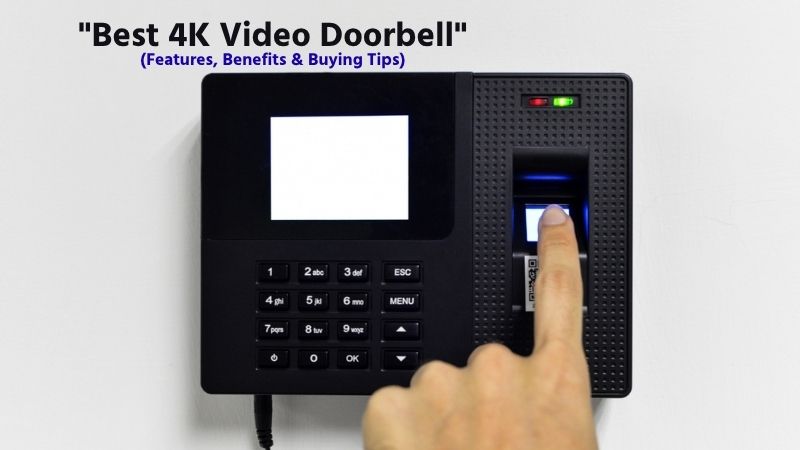

4K Video Doorbell: In today’s fast-moving world, home security has become more important than ever, and a 4K video doorbell is one of the smartest upgrades you can make in 2026. With ultra-high-definition video quality, advanced motion detection, two-way audio, and real-time smartphone alerts, these smart devices offer a powerful way to monitor your front door from anywhere.
As smart home technology continues to evolve, modern 4K doorbell cameras now come packed with enhanced features such as night vision, AI-powered person detection, cloud and local storage options, and seamless integration with voice assistants like Alexa and Google Assistant.
However, choosing the right model and installing it correctly can feel overwhelming, especially with so many options available on the market. In this guide, we’ll explore the key features, major benefits, and essential buying tips for 4K video doorbells in 2026, helping you make an informed decision for your home security needs.
What is a 4K video doorbell?
A 4K video doorbell is a smart home security device that combines a traditional doorbell with an ultra-high-definition camera, allowing homeowners to monitor and communicate with visitors at their front door in real time. Unlike standard HD or 1080p doorbells, a 4K video doorbell offers four times the resolution of Full HD, delivering sharper images, clearer facial details, and better visibility of packages, vehicles, or suspicious activity near your entrance.
📌Read More👉Types of Doorbell Security Systems
This higher resolution makes it much easier to zoom in on recorded footage without losing important details, which is especially useful for identifying faces, reading license plates, or reviewing security events.
Modern 4K video doorbells are designed with advanced smart features such as motion detection, two-way audio, night vision, real-time mobile alerts, cloud or local storage, and smartphone app control. Whenever someone approaches your door or presses the bell, the device instantly sends a notification to your phone, allowing you to see who is there and speak with them from anywhere in the world.
Many of the latest 2026 models also include AI-powered person detection, package alerts, enhanced zoom, and seamless integration with smart assistants like Alexa and Google Assistant, making them an essential part of modern home security systems.
In simple terms, a 4K video doorbell acts as your first line of home security, giving you better control, convenience, and peace of mind while protecting your property with crystal-clear video quality.
How Does a 4K Video Doorbell Work?
A 4K video doorbell is an advanced smart home security device that combines a high-resolution camera, motion sensors, internet connectivity, and two-way communication to monitor your front door in real time. Unlike traditional doorbells, it allows homeowners to see, hear, and speak to visitors remotely using a smartphone app. The 4K resolution means the camera captures ultra-high-definition video, providing clearer images, sharper details, and better facial recognition, even at a distance.
When someone approaches your door, the built-in motion detection sensors automatically activate the camera and start recording. At the same time, the system sends an instant notification to your connected device, such as a smartphone or tablet.
If the visitor presses the doorbell, the alert becomes more prominent, allowing you to open the app and view a live video feed. Through the integrated two-way audio system, you can communicate directly with the person at your door whether you’re at home or away.
The device connects to your home’s Wi-Fi network, which enables real-time video streaming and cloud or local storage. Many 4K video doorbells store recorded footage in the cloud, allowing you to review past events, while others offer local storage options for added privacy.
Advanced models may include features like night vision, AI-based person detection, package alerts, and facial recognition, ensuring accurate and reliable monitoring throughout the day and night. Overall, a 4K video doorbell works as a smart security hub for your entrance, combining high-quality video, intelligent detection, and remote access to enhance both convenience and home safety.
5 Best 4K Video Doorbell Cameras (2026 Guide)
In 2026, 4K video doorbell cameras have become one of the most powerful upgrades for modern home security systems. They offer ultra-clear video quality, advanced AI motion detection, night vision, and real-time smartphone alerts that help you monitor your front door from anywhere.
📌Read More👉How to Fix a Doorbell: 6 Easy Steps
When choosing the best model, it’s important to focus on video clarity, smart features, storage options, installation type, and reliability. Below are five of the best 4K video doorbell cameras you can consider right now, based on performance, features, and overall value.
1. Lorex 4K Video Doorbell Camera
The Lorex 4K Video Doorbell is a powerful choice for users who want high-resolution security with no monthly subscription fees. It is designed for homeowners who prefer local recording and strong build quality.
Specifications:
- Video Resolution: True 4K Ultra HD
- Power: Wired connection
- Storage: Local (microSD / NVR support)
- Night Vision: Infrared and color night vision
- Connectivity: Wi-Fi (2.4/5GHz)
Overview: This model is built for serious home security users who want maximum clarity and full control over recordings without relying on cloud subscriptions. The 4K sensor provides sharp facial details and clear motion capture even in low-light conditions.
Pros:
- Ultra-sharp 4K video quality
- No mandatory subscription fees
- Strong local storage options
- Reliable wired power connection
- Good night vision performance
- Durable weather-resistant build
Cons:
- Requires wired installation
- Setup can be slightly complex
- The app interface is basic compared to competitors
- Limited smart ecosystem features
Why We Picked It:
We chose this model because it offers true subscription-free security with high-quality 4K recording, making it ideal for long-term home protection.
Who It’s For:
Perfect for homeowners who want professional-level security without monthly costs and prefer local video storage.
2. Ring 4K Video Doorbell Pro
The Ring 4K Video Doorbell Pro is one of the most advanced smart doorbells with strong AI-powered features and seamless app integration.
Specifications:
- Video Resolution: 4K Ultra HD
- Power: Wired / Battery options
- Storage: Cloud-based (subscription required)
- Field of View: Wide-angle coverage
- Smart Features: AI detection, motion zones
Overview: This model focuses heavily on smart home integration and AI-powered alerts, making it ideal for users who want convenience and automation.
Pros:
- Excellent smart AI detection system
- Smooth mobile app experience
- Wide field of view coverage
- High-quality 4K video clarity
- Works with Alexa and smart devices
- Fast motion alerts
Cons:
- Requires subscription for full features
- Cloud storage dependency
- Higher long-term cost
- Battery models need charging
Why We Picked It:
We selected it for its advanced AI detection and smart home compatibility, which makes daily use extremely convenient.
Who It’s For:
Ideal for users who want a fully smart home security system with automation features.
3. Arlo 4K Video Doorbell
The Arlo 4K Video Doorbell is known for its balanced performance, strong security features, and excellent video quality.
Specifications:
- Video Resolution: 4K HDR
- Power: Wired + Battery hybrid options
- Storage: Cloud + optional local storage
- Field of View: Ultra-wide (180°)
- Audio: Two-way communication
Overview: Arlo focuses on delivering a premium all-round experience with excellent video clarity and smart motion detection features.
Pros:
- Crisp 4K HDR video quality
- Very wide viewing angle (great coverage)
- Strong motion detection accuracy
- Flexible power options
- Good smart integration
- Reliable app performance
Cons:
- Subscription required for advanced features
- Slightly expensive
- Battery life depends on usage
Why We Picked It:
We picked Arlo because it delivers the best overall balance of video quality, smart features, and usability.
Who It’s For:
Arlo is the ideal choice for individuals seeking a high-end, comprehensive 4K doorbell system.
4. Eufy 4K Video Doorbell Dual
The Eufy 4K Video Doorbell Dual is popular for users who value privacy and local storage without subscription fees.
Specifications:
- Video Resolution: 4K + secondary package camera
- Storage: Local HomeBase storage
- Power: Battery + wired support
- AI Features: Person & package detection
- Field of View: Dual camera system
Overview: This model uses a dual-camera system, allowing it to monitor both visitors and packages at the same time.
Pros:
- No monthly subscription required
- Dual-camera system for better coverage
- Strong AI detection (person + package)
- Local secure storage
- Long battery life
- Good privacy protection
Cons:
- Slightly higher initial cost
- HomeBase required
- The app can feel limited compared to competitors
Why We Picked It:
We selected it for its privacy-first design and dual-camera innovation, which improves package security.
Who It’s For:
Best for users who want privacy-focused security without cloud dependency.
5. Swann 4K Video Doorbell
The Swann 4K Video Doorbell is a budget-friendly option that still delivers solid 4K performance.
Specifications:
- Video Resolution: 4K Ultra HD
- Power: Wired
- Storage: Local + optional cloud
- Night Vision: Color night vision
- Smart Features: Basic motion detection
Overview: Swann provides affordable 4K security features without heavy subscription costs, making it suitable for budget-conscious buyers.
Pros:
- Affordable 4K option
- Good video clarity for price
- Local storage support
- Easy basic setup
- Works with smart alerts
Cons:
- The app experience is average
- Limited advanced AI features
- Build quality is basic
- Less smart integration
Why We Picked It:
We included Swann because it offers entry-level 4K security at a lower cost.
Who It’s For:
Ideal for users who want a budget-friendly 4K doorbell without premium pricing.
Final Thoughts
Choosing the best 4K video doorbell depends on your needs:
- Best overall: Arlo 4K Video Doorbell
- Best smart features: Ring 4K Video Doorbell Pro
- Best local storage: Lorex 4K Video Doorbell
- Best privacy option: Eufy 4K Dual Doorbell
- Best budget pick: Swann 4K Doorbell
Each model offers different strengths, so the right choice depends on whether you prioritize smart features, privacy, budget, or maximum security performance.
How to Install a 4K Video Doorbell
Installing a 4K video doorbell is a smart way to upgrade your home security with crystal-clear video, real-time alerts, and remote access. Whether you choose a wired or wireless model, the installation process is generally straightforward and can be completed with basic tools.
A properly installed doorbell ensures an optimal camera angle, a strong Wi-Fi connection, and reliable performance. In this guide, you’ll learn how to install a 4K video doorbell step by step for the best results.
Check Compatibility and Gather Tools
Before starting, confirm whether your 4K video doorbell is battery-powered or wired. Wired models require an existing doorbell system, while wireless models run on rechargeable batteries. Gather essential tools such as a screwdriver, drill, wall anchors, screws, and your smartphone for setup. Reading the manufacturer’s instructions beforehand will help avoid mistakes.
Turn Off Power (For Wired Models)
If you are installing a wired 4K video doorbell, switch off the power at your home’s circuit breaker. This ensures safety while handling electrical wires. Skipping this step can be dangerous, so always double-check that the power is completely off before proceeding.
Remove the Old Doorbell
Unscrew your existing doorbell and gently pull it away from the wall. Disconnect the wires carefully and make sure they don’t fall back into the wall. This step prepares the area for installing your new smart doorbell.
Install the mounting bracket.
Attach the mounting bracket that comes with your 4K video doorbell to the wall. Use a drill if necessary and secure it with screws and wall anchors for stability. Make sure the bracket is level and positioned at the correct height (usually about 4–5 feet from the ground) for the best camera view.
Connect the Wires or Insert Battery
For wired models, connect the existing doorbell wires to the terminals on the new device.
For wireless models, insert the fully charged battery into the doorbell unit. Ensure all connections are secure to prevent power issues or interruptions.
Attach the Doorbell to the Bracket
Once the wiring or battery setup is complete, mount the 4K video doorbell onto the bracket. Secure it using the provided screws to keep it firmly in place. A tight installation ensures the device remains stable and aligned.
Restore Power and Turn On the Device
If you’re using a wired model, turn the power back on from the circuit breaker. The device should power up and enter setup mode. For wireless models, simply power on the unit after installation.
Connect to Wi-Fi and Set Up the App
Download the manufacturer’s mobile app and follow the instructions to connect your 4K video doorbell to your home Wi-Fi network. This step enables live streaming, motion alerts, and remote access. Make sure your Wi-Fi signal is strong at the installation location.
Adjust Camera Angle and Settings
Open the app to check the live video feed and adjust the doorbell’s angle if necessary. Many devices come with angle mounts to improve the field of view. Customize settings like motion detection zones, notification preferences, and video quality for optimal performance.
Test the Doorbell
Finally, test your installation by pressing the doorbell and walking in front of it. Ensure that notifications, video streaming, and two-way audio are working properly. This confirms that your device is installed correctly and ready for daily use.
Benefits of 4K Video Doorbell
A 4K video doorbell is one of the most advanced upgrades you can make to your home security system. With its ultra-high-definition video quality, smart features, and remote access capabilities, it offers far more than a traditional doorbell.
📌Read More👉How Do You Hard Reset a Ring Doorbell?
Whether you want to monitor visitors, prevent theft, or simply add convenience to your daily life, a 4K video doorbell provides a powerful combination of security, clarity, and control. Below are the key benefits explained in detail to help you understand why this smart device is worth considering.
Ultra HD Video Quality (Crystal Clear Footage)
One of the biggest advantages of a 4K video doorbell is its exceptional video clarity. With four times the resolution of standard HD, you can see fine details such as faces, package labels, and license plates more clearly. This high level of detail is especially useful for identifying visitors or recording evidence in case of suspicious activity.
Enhanced Home Security
A 4K video doorbell acts as a front-line security system for your home. It constantly monitors your entrance and records activity, helping deter intruders and prevent package theft. The presence of a visible camera alone can discourage unwanted visitors and improve overall home safety.
Real-Time Alerts and Notifications
With built-in motion sensors, a 4K video doorbell sends instant alerts to your smartphone whenever someone approaches your door. This allows you to respond quickly, whether you’re at home or away, ensuring you never miss an important visitor or delivery.
Two-Way Audio Communication
Most 4K video doorbells feature two-way audio, enabling you to speak directly with visitors through your phone. You can greet guests, give instructions to delivery drivers, or even warn off suspicious individuals all without opening the door.
Remote Access and Control
Thanks to Wi-Fi connectivity, you can monitor your front door from anywhere in the world. Whether you’re at work, traveling, or relaxing at home, the mobile app allows you to view live footage, check recordings, and control settings in real time.
Advanced Motion Detection and Smart Features
Modern 4K video doorbells include AI-powered motion detection, which can distinguish between people, animals, and vehicles. Some models also offer features like facial recognition and package detection, reducing false alerts and improving accuracy.
Night Vision for 24/7 Monitoring
A 4K video doorbell doesn’t just work during the day—it also includes night vision capabilities. This ensures clear visibility even in low-light or dark conditions, providing round-the-clock security for your home.
Cloud and Local Storage Options
You can store recorded footage either in the cloud or on local storage devices, depending on your preference. This allows you to review past events, save important clips, and maintain a record of activity at your doorstep.
Easy Integration with Smart Home Systems
Many 4K video doorbells can integrate with smart home devices and voice assistants, allowing you to control them using voice commands or connect them with other security systems like smart locks and cameras.
Convenience and Peace of Mind
Ultimately, the greatest advantage of a 4K video doorbell is the peace of mind it offers. Knowing you can see who’s at your door, communicate instantly, and monitor your home anytime gives you greater confidence and control over your home security.
Wired vs Wireless 4K Video Doorbell
Choosing between a wired and wireless 4K video doorbell is one of the most important decisions when upgrading your home security system. Both options offer ultra-clear 4K video quality, smart alerts, motion detection, and two-way audio, but they differ significantly in terms of installation, power source, maintenance, and long-term performance.
Wired 4K Video Doorbell
A wired 4K video doorbell connects to your home’s existing low-voltage doorbell wiring. This means it receives continuous power, so you never need to worry about charging batteries.
One of the biggest advantages of a wired model is that it can often support 24/7 recording, faster motion detection, and instant wake-up time, which makes it ideal for serious home security. Since it is always powered, the camera remains ready to record at all times and usually works with your existing indoor chime system.
However, wired doorbells can be more difficult to install, especially if your home has older wiring or no existing transformer. In some cases, you may need a professional electrician to complete the setup safely.
Wireless 4K Video Doorbell
A wireless 4K video doorbell is battery-powered and connects to your home Wi-Fi network. Its biggest advantage is easy installation and flexible placement. You can mount it almost anywhere near your front door without worrying about existing wires, making it a great option for renters, apartments, or homes without doorbell wiring.
The downside is that the battery must be recharged periodically. Depending on usage, weather, and Wi-Fi signal strength, battery life may last from a few weeks to several months. Some users prefer keeping a spare battery ready for quick replacement।
Which One Should You Choose?
If you want maximum reliability, constant recording, and zero battery maintenance, go with a wired 4K video doorbell. If you need easy installation and flexible placement, a wireless model is the better option. Many recent 2026 wireless 4K models have improved significantly and now offer excellent image quality and smart features.
In short, wired is best for performance and long-term security, while wireless is best for convenience and simple installation.
Best Placement for 4K Video Doorbell
Choosing the best placement for a 4K video doorbell is one of the most important steps in getting clear video footage, accurate motion detection, and maximum front-door security. Even the most advanced 4K doorbell camera can underperform if it is installed too high, too low, or in a poor viewing position.
📌Read More👉Maintaining Your Doorbell System
Proper placement ensures that the camera captures visitors’ faces clearly, monitors package deliveries, and reduces blind spots around your entrance. For most homes, experts recommend installing the doorbell at chest or eye level, around 48 to 60 inches (4 to 5 feet) from the ground, which provides the best balance between face visibility and package monitoring.
Install at the Ideal Height
The first and most important placement tip is the mounting height. A 4K video doorbell should generally be placed between 1.2 and 1.5 meters (48–60 inches) from the ground. This height allows the wide-angle lens to clearly capture a visitor’s face while also showing packages left at the doorstep. If installed too high, the camera may only record the top of a person’s head. If placed too low, it may miss facial details and trigger unnecessary motion alerts from pets or passing objects.
Place It Beside the Main Front Door
The best location is usually next to the front door frame, on the same side where visitors naturally reach to ring the bell. This provides a direct view of anyone standing at the entrance and helps capture faces at a comfortable angle. If possible, install it on the side that offers the widest view of your porch, walkway, and delivery area.
Ensure a Clear Field of View
Make sure the doorbell camera has a clear line of sight to the entrance, porch, and pathway leading to the door. Avoid placing it behind decorative plants, wall lights, railings, or hanging items that may block the lens. A clear field of view is essential for taking full advantage of the sharp image quality offered by 4K resolution.
Angle the Camera Correctly
If your front door is located near stairs, a corner wall, or angled siding, use a wedge or corner mount kit to adjust the viewing angle. This helps the camera capture visitors’ faces more directly and improves motion detection coverage. Angle adjustment is especially useful for homes with porches, elevated entrances, or side-facing door frames.
Avoid Direct Sunlight and Bright Lights
Try not to place the doorbell where it faces direct sunlight, porch floodlights, or reflective glass surfaces, as these can cause glare, overexposure, and poor night vision performance. Choose a shaded position whenever possible to maintain clear daytime and nighttime video quality.
Check Wi-Fi Signal Strength
Since most 4K video doorbells rely on wireless connectivity, install the device in a location with a strong Wi-Fi signal. Poor signal strength can cause delayed notifications, interrupted live view, or missing video recordings. Before final installation, test the signal near your front door using your phone.
In short, the best placement for a 4K video doorbell is 4–5 feet above the ground, beside the front door, with a clear and well-angled view of visitors and packages. Correct placement helps maximize video clarity, motion alerts, and overall home security.
How to Choose the Right 4K Video Doorbell
Choosing the right 4K video doorbell is essential if you want the best combination of home security, clear video quality, and long-term convenience. With so many smart doorbell cameras available in 2026, the best choice depends on your home layout, preferred features, power source, and budget.
While 4K resolution is a major advantage, it should not be the only factor you consider. A good 4K video doorbell should offer sharp video clarity, reliable motion detection, strong night vision, and easy smartphone connectivity so you can monitor your front door from anywhere. Experts recommend focusing on resolution, field of view, storage options, and smart home compatibility before making a purchase.
Check Video Quality and Resolution
The first thing to look for is true 4K video resolution, as this provides ultra-clear footage with excellent detail. A 4K doorbell camera captures faces, package labels, and even license plates much more clearly than 1080p or 2K models. However, image quality also depends on the sensor, HDR support, and lens quality, not just the resolution number alone.
Choose the Right Field of View
A wide field of view (FOV) is crucial when selecting a video doorbell. Look for a camera with at least a 160° viewing angle or a vertical aspect ratio that can clearly capture both visitors’ faces and packages left at the doorstep. Some modern models even include dual cameras for better package detection.
Decide Between Wired and Battery-Powered
Next, choose whether you need a wired or battery-powered 4K video doorbell. Wired models provide continuous power and usually more stable performance, making them ideal for homeowners with existing doorbell wiring. Battery-powered models are easier to install and perfect for renters or homes without wiring, but they require periodic charging. Recent 4K battery models have improved significantly and now offer easier placement flexibility.
Look for Smart Detection Features
A good 4K video doorbell should include AI-powered motion detection, such as person detection, package alerts, and customizable activity zones. These features help reduce false alerts caused by pets, moving trees, or passing vehicles and focus notifications on important activity near your entrance.
Check Night Vision Performance
Since many security events happen at night, make sure the doorbell includes strong infrared night vision or color night vision. A high-resolution 4K sensor combined with a quality lens and HDR technology can make a huge difference in low-light performance.
Consider Storage and Subscription Costs
Before buying, check whether the device uses cloud storage, local storage, or both. Some brands charge a monthly subscription fee for video history, while others offer free local storage through SD cards or built-in memory. Long-term cost is an important factor many buyers overlook।
Make Sure It Works with Your Smart Home
Finally, choose a model that integrates with your existing ecosystem, such as Alexa, Google Home, or other smart home systems. This makes it easier to receive alerts on smart displays, use voice commands, and create automation routines.
In short, the right 4K video doorbell should balance video clarity, smart features, power type, night vision, and storage options based on your home’s specific needs.
FAQs
Is a 4K video doorbell better than 1080p?
Yes, a 4K video doorbell offers much sharper and clearer video quality than 1080p, allowing better facial recognition, package visibility, and zoomed-in details without losing clarity.
Does a 4K video doorbell need Wi-Fi?
Yes, most 4K video doorbells require a stable Wi-Fi connection to stream live video, send alerts, and store footage in the cloud or mobile apps.
Can I use a 4K video doorbell without subscription?
Yes, some brands offer local storage options (like microSD or hub storage), but many smart features such as cloud recording may require a subscription.
Is installation of a 4K video doorbell difficult?
It depends on the model. Wired versions may require professional installation, while wireless models are usually easy to install within minutes.
How far can a 4K video doorbell see?
Most 4K video doorbells have a wide-angle lens (150°–180°), allowing them to cover your front door, porch, and surrounding entry areas clearly.
Can I talk through a 4K video doorbell?
Yes, almost all 4K video doorbells come with two-way audio, allowing you to speak with visitors or delivery individuals through your smartphone.
Conclusion
In 2026, a 4K video doorbell is no longer just a luxury smart gadget; it has become an essential part of modern home security. With ultra-high-definition video quality, advanced motion detection, night vision, and real-time mobile alerts, it provides homeowners with complete control and peace of mind right from their smartphones.
Whether you are at home or away, a 4K video doorbell ensures that you can always see who is at your door, communicate instantly, and monitor any activity around your entrance with crystal-clear detail.
From understanding key features to comparing wired vs. wireless options and learning proper installation tips, choosing the right device depends on your specific needs, budget, and home setup. If you prioritize maximum reliability, a wired model may be the best choice, while wireless options offer greater flexibility and easier installation.