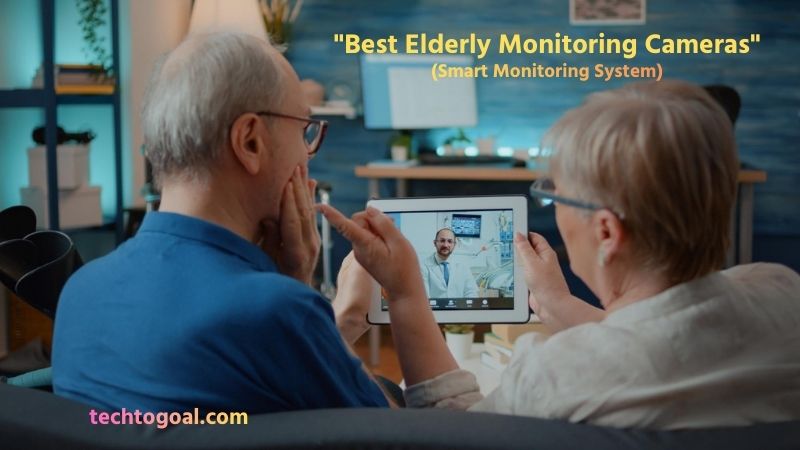

Best Elderly Monitoring Cameras: As our loved ones grow older, ensuring their safety and well-being becomes a top priority. Elderly monitoring cameras offer a simple yet effective way to keep an eye on seniors living at home, providing peace of mind for family members and caregivers.
These cameras allow you to monitor daily activities, detect potential emergencies, and respond quickly if help is needed, all without being physically present. The best elderly monitoring cameras come with features such as live video streaming, motion detection, two-way audio, and mobile app access, making it easier to stay connected and ensure your loved one’s safety at all times.
In this guide, we’ll explore the best elderly monitoring cameras, their advantages, and how to choose the right system for your needs so you can provide safe and reliable care while maintaining your loved one’s independence.
What is an elderly monitoring camera?
An elderly monitoring camera is a specially designed indoor or outdoor camera system that helps families and caregivers keep track of the safety and daily activities of older adults living at home. These cameras allow real-time video monitoring through a smartphone or computer, making it easier to check on elderly loved ones without being physically present.
📌Read More👉 What is an indoor home security camera?
Most elderly monitoring cameras include helpful features such as motion detection, night vision, two-way audio, and instant alerts, which can notify caregivers if unusual activity occurs.
By providing continuous visibility and quick communication, elderly monitoring cameras help improve senior safety, support independent living, and give peace of mind to family members who want to ensure their loved ones are safe and comfortable at all times.
How Do Elderly Monitoring Cameras Work?
Elderly monitoring cameras work by using a connected camera system to capture live video and send it to a smartphone, tablet, or computer through a secure internet connection. Once installed in key areas of the home, the camera records video continuously or when motion is detected and streams the footage through a mobile app, allowing caregivers and family members to check on elderly loved ones in real time.
Many elderly monitoring cameras include smart features such as motion alerts, night vision, and two-way audio, which allow users to receive notifications of unusual activity and communicate directly through the camera. Some systems also store recorded footage in the cloud or on a memory card for later review.
By combining video monitoring, instant alerts, and remote access, elderly monitoring cameras provide a convenient and reliable way to ensure senior safety and support independent living at home.
5 Best Elderly Monitoring Camera Recommendations
Elderly monitoring cameras help caregivers and families keep track of seniors’ safety, daily activities, and potential emergencies. The best cameras usually include features like HD video, motion alerts, night vision, and two-way audio, which allow remote monitoring and quick communication.
📌Read More👉Best Luxury Home Security Systems
Below are five of the best elderly monitoring cameras based on reliability, features, and ease of use.
1. Wyze Cam v4—Best Budget Elderly Monitoring Camera
The Wyze Cam v4 is an affordable yet powerful camera designed for indoor monitoring. It offers high-resolution video and useful safety features like motion alerts and color night vision, making it ideal for monitoring elderly family members at home.
Overview: This camera is a great choice for families who want reliable monitoring at a low cost. It works well in living rooms or hallways where seniors spend most of their time.
Specifications:
- Resolution: 2.5K QHD
- Night Vision: Color night vision
- Audio: Two-way audio
- Storage: Cloud & local storage
- Connectivity: Wi-Fi
- Smart Features: Motion alerts
Pros:
- Affordable price
- Clear video quality
- Color night vision
- Easy installation
- Motion alerts
- Compact design
- Mobile app control
- Good for beginners
Cons:
- No pan/tilt control
- No fall detection
- Limited advanced features
- Cloud subscription optional
- Indoor-focused design
2. Kami Fall Detection Camera – Best for Fall Detection
The Kami Fall Detection Camera is specifically designed for elderly care and includes fall detection technology that can send alerts if a fall occurs. This makes it especially useful for seniors who live alone or have mobility issues.
Overview: This camera focuses on safety by detecting falls and notifying caregivers quickly. It’s ideal for seniors with higher health risks.
Specifications:
- Resolution: 2.5K
- Detection: Fall detection
- Alerts: Real-time alerts
- Audio: Two-way audio
- Connectivity: Wi-Fi
- Monitoring: Smart detection
Pros:
- Fall detection support
- Real-time alerts
- Good video quality
- Designed for seniors
- Safety-focused features
- Remote monitoring
- Emergency notifications
- Reliable tracking
Cons:
- Higher price
- Requires setup
- Subscription may be required
- Limited availability
- Indoor use mainly
3. TP-Link Kasa Smart Pan-Tilt Camera – Best Coverage
The TP-Link Kasa Pan-Tilt Camera offers wide coverage with its rotating lens and motion tracking features. This makes it ideal for monitoring larger rooms without needing multiple cameras.
Overview: This camera works well in living rooms or shared spaces where a wide viewing area is needed for better monitoring.
Specifications:
- Resolution: 2K
- Pan/Tilt: 360° horizontal
- Night Vision: Yes
- Audio: Two-way audio
- Storage: Cloud & local
- Smart Home: Alexa & Google compatible
Pros:
- Wide viewing angle
- Pan and tilt control
- Good video quality
- Motion tracking
- Easy app control
- Smart home support
- Flexible placement
- Good coverage
Cons:
- Requires Wi-Fi
- Subscription for cloud
- Indoor use only
- Setup required
- No fall detection
4. eufy Indoor Cam—Best Smart Integration
The eufy Indoor Cam is a smart monitoring camera that offers high-quality video and smart home compatibility. It supports pan-and-tilt viewing and works with popular smart home systems.
Overview: This camera is ideal for families who want advanced features and integration with smart home devices.
Specifications:
- Resolution: 2K
- Pan/Tilt: 360
- Night Vision: Yes
- Audio: Two-way audio
- Storage: Local & cloud
- Smart Home: Alexa, Google, HomeKit
Pros:
- Clear video quality
- Wide coverage
- Smart home support
- Motion alerts
- Local storage option
- Good night vision
- Easy setup
- Reliable performance
Cons:
- Indoor use only
- Requires Wi-Fi
- App setup required
- No fall detection
- Subscription optional
5. Lorex 4MP Pan & Tilt Indoor Camera – Best No Subscription Option
The Lorex 4MP Pan & Tilt Camera is a powerful indoor monitoring camera that includes person detection and local storage, eliminating the need for monthly fees.
Overview: This camera is ideal for families who want reliable monitoring without ongoing subscription costs.
Specifications:
- Resolution: 2K / 4MP
- Pan/Tilt: 360
- Detection: Person detection
- Audio: Two-way audio
- Storage: Local storage included
- Smart Home: Alexa & Google
Pros:
- No monthly fees
- Clear video quality
- Person detection
- Wide viewing angle
- Local storage included
- Two-way communication
- Easy installation
- Reliable monitoring
Cons:
- Indoor only
- Setup required
- Limited AI features
- App learning curve
- Wi-Fi dependent
The best elderly monitoring camera depends on your needs. Cameras with fall detection are best for high-risk seniors, while pan-tilt cameras provide wider coverage. Budget options like Wyze are great for simple monitoring, while advanced cameras like Lorex offer more features without subscriptions.
Choosing the right camera helps ensure better safety, faster emergency response, and peace of mind for both seniors and caregivers.
Why Use an Elderly Monitoring Camera?
An elderly monitoring camera is a valuable tool for ensuring the safety, comfort, and independence of older adults who live alone or spend time without direct supervision.
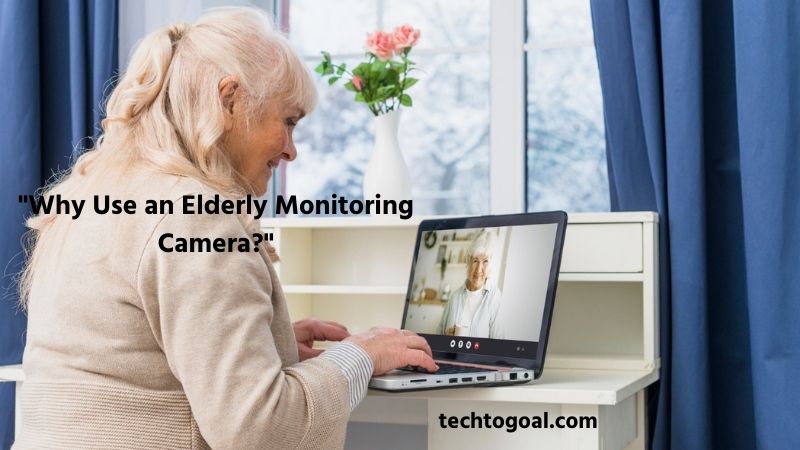
These cameras allow caregivers and family members to monitor daily activities remotely, helping them respond quickly to emergencies and maintain peace of mind. By providing real-time visibility and smart alerts, elderly monitoring cameras help reduce risks while supporting independent living.
📌Read More👉How to Connect a Security Camera to a Smart TV
Improved Safety and Security: One of the main reasons to use an elderly monitoring camera is to improve overall safety. Cameras allow caregivers to monitor important areas of the home, helping detect accidents, unusual behavior, or potential hazards. This extra layer of security helps ensure seniors remain safe, especially when living alone.
Quick Emergency Response: Elderly monitoring cameras make it easier to respond quickly in emergencies. If a fall or unusual movement occurs, motion alerts can notify caregivers immediately. Faster response times can make a significant difference in preventing serious health complications and ensuring timely assistance.
Remote Monitoring Convenience: With remote access, caregivers can check live video from anywhere using a smartphone or computer. This is especially helpful for family members who live far away or have busy schedules. Remote monitoring allows them to stay connected and informed without needing to be physically present.
Support for Independent Living: Many seniors prefer to live independently in their own homes. Elderly monitoring cameras provide a safe way to maintain independence while still offering supervision. Seniors can continue their daily routines while caregivers remain confident that they are safe.
Peace of Mind for Families: Knowing that a loved one is being monitored provides reassurance for family members. Caregivers can quickly check on seniors at any time, reducing stress and uncertainty about their well-being.
Better Daily Activity Awareness: Monitoring cameras helps caregivers understand daily routines and activity patterns. This information can help identify changes in behavior that may indicate health or mobility issues, allowing early intervention if needed.
Two-Way Communication: Many elderly monitoring cameras include two-way audio, allowing caregivers to speak directly with seniors. This feature is useful for reminders, quick check-ins, or providing reassurance during stressful moments.
Nighttime Monitoring: Nighttime can be a higher-risk period for seniors, especially when moving around in low light. Cameras with night vision allow caregivers to monitor activity safely and ensure everything is normal during the night.
Easy Installation and Use: Most elderly monitoring cameras are easy to install and use. With simple setup and mobile apps, caregivers can quickly start monitoring without needing advanced technical knowledge.
Using an elderly monitoring camera is an effective way to enhance safety, support independence, and stay connected, making it an ideal solution for families who want to care for elderly loved ones from a distance.
How to Choose the Best Camera for Elderly Monitoring
Choosing the best camera for elderly monitoring requires more than just picking any security camera. The right device should provide clear visibility, reliable alerts, and easy communication to help caregivers ensure safety and respond quickly in emergencies. Below are the most important factors to consider when selecting an elderly monitoring camera.
📌Read More👉How to Choose a Porch Light Security Camera
Video Quality and Resolution
High video quality is essential for effective elderly monitoring. A camera with at least 1080p HD resolution or higher provides clear and detailed images, making it easier to recognize faces, monitor movements, and detect potential problems. Blurry footage can make it difficult to identify important details during an emergency, so higher-resolution cameras are generally recommended.
Motion Detection and Smart Alerts
Motion detection helps caregivers stay informed without constantly watching the live feed. When movement or unusual activity is detected, the camera sends instant notifications to a smartphone or other device. Advanced cameras may include AI detection or fall alerts, allowing caregivers to respond quickly if something goes wrong.
Two-Way Audio Communication
Two-way audio is an important feature for elderly monitoring because it allows caregivers to talk directly with seniors through the camera. This can be useful for reminders, quick check-ins, or reassurance during stressful situations. Cameras with built-in microphones and speakers make communication simple and convenient.
Night Vision Capability
Night vision ensures that the camera works properly even in low-light or dark conditions. Since many seniors move around at night, this feature helps caregivers monitor activity safely without needing additional lighting. Cameras with infrared or color night vision provide reliable 24/7 monitoring.
Wide Field of View or Pan-Tilt Control
A wide field of view allows the camera to cover more space, reducing blind spots and ensuring better monitoring. Cameras with wide-angle lenses or pan-and-tilt features can track movement across a room, making them ideal for monitoring daily activities and improving overall visibility.
Remote Access and Mobile App Control
Remote access allows caregivers to view live video and receive alerts from anywhere using a smartphone or computer. This feature ensures that family members can check on elderly loved ones at any time, even when they are away from home. Many modern cameras also support smart home integration for added convenience.
Fall Detection and Emergency Features
Some advanced elderly monitoring cameras include fall detection and emergency alert systems. These features automatically notify caregivers if a fall or unusual inactivity is detected, allowing for faster assistance. Fall detection is especially important because falls are a common risk for seniors living independently.
Storage Options
Storage determines how recorded footage is saved and accessed. Some cameras offer cloud storage, while others support local storage using memory cards. Choosing a camera with flexible storage options ensures you can review past footage if needed.
Ease of Installation and Use
An elderly monitoring camera should be easy to install and operate. Many cameras offer simple setup through mobile apps and require minimal technical knowledge. User-friendly devices are especially important for families who want a quick and hassle-free installation.
Privacy and Security Features
Privacy is an important consideration when monitoring elderly individuals. Look for cameras with secure connections, password protection, and privacy controls. Some cameras even include privacy modes to protect sensitive areas while still providing safety monitoring.
By considering these factors, you can choose an elderly monitoring camera that provides reliable safety, clear monitoring, and peace of mind while helping seniors maintain their independence at home.
Local Considerations for Elderly Monitoring Cameras
When choosing an elderly monitoring camera, it’s important to consider local conditions and practical factors that may affect performance and usability.
Things like internet reliability, power supply, home layout, and privacy expectations can all influence how well a monitoring system works. Taking these local considerations into account will help ensure the camera operates effectively and provides consistent safety for elderly family members.
Internet Connectivity and Wi-Fi Strength: Most elderly monitoring cameras rely on a stable Wi-Fi connection for live streaming and alerts. In areas where internet speed is slow or inconsistent, video quality may drop or connections may fail.
Power Supply Reliability: Reliable electricity is essential for continuous monitoring. In areas with frequent power outages, a camera with battery backup or an uninterruptible power supply (UPS) can keep the system running.
Home Size and Layout: The layout of the home affects camera placement and coverage. Larger homes or homes with multiple rooms may require more than one camera to eliminate blind spots.
Lighting Conditions: Lighting conditions can impact video clarity. Homes with poor lighting may require cameras with strong night vision or low-light capabilities.
Weather and Temperature: If outdoor monitoring is needed, the camera should be able to handle local weather conditions such as heat, humidity, or rain. Weather-resistant cameras with proper ratings can operate reliably in changing outdoor environments.
Privacy and Cultural Considerations: Privacy is an important factor when installing monitoring cameras. Cameras should be placed in shared spaces rather than private areas like bedrooms or bathrooms unless absolutely necessary.
Ease of Maintenance: Cameras should be easy to maintain, especially if the caregiver is not always nearby. Devices with simple controls and easy access for cleaning or battery replacement are more practical for long-term use.
Storage and Data Costs: Some monitoring cameras require monthly subscriptions for cloud storage. Depending on local pricing and internet costs, choosing a camera with local storage options may be more cost-effective over time.
Mobile Network Compatibility: If Wi-Fi is not always available, some cameras support mobile data connections through hotspots or cellular networks.
Technical Support and Availability: Choosing a camera brand that is widely available locally can make repairs, replacements, or support easier.
Considering these local factors helps ensure that an elderly monitoring camera system works reliably and efficiently, providing consistent safety and peace of mind for both seniors and caregivers.
FAQs
Are elderly monitoring cameras safe to use?
Yes, most elderly monitoring cameras are safe when properly secured with strong passwords and updated software. Choosing cameras with encrypted connections and secure apps helps protect privacy and prevent unauthorized access.
What features should I look for in an elderly monitoring camera?
Important features include high-definition video, night vision, motion detection, two-way audio, mobile app access, and reliable alerts. Some advanced cameras also offer fall detection, activity tracking, and emergency notifications for added safety.
Can elderly monitoring cameras be used without Wi-Fi?
Some elderly monitoring cameras can work without Wi-Fi by recording footage to a local storage device like an SD card. However, Wi-Fi is usually required for live streaming, remote access, and instant alerts.
Do elderly monitoring cameras record all the time?
Some cameras support continuous recording, while others only record when motion is detected. Motion-based recording is more common because it saves storage space and makes it easier to review important events.
Where should I place an elderly monitoring camera?
Elderly monitoring cameras are best placed in common areas such as living rooms, hallways, or kitchens where daily activities occur. Cameras should generally not be placed in private areas like bathrooms to maintain dignity and privacy.
Can I talk through an elderly monitoring camera?
Yes, many elderly monitoring cameras include two-way audio. This feature allows caregivers to speak with seniors directly through the camera, which is helpful for reminders, check-ins, or emergencies.
Do elderly monitoring cameras require a monthly fee?
Some cameras offer free basic features, but advanced services like cloud storage and smart alerts may require a monthly subscription. Cameras with local storage options can help reduce or eliminate ongoing costs.
Are elderly monitoring cameras easy to install?
Most elderly monitoring cameras are designed for easy installation and can be set up in minutes. Many models are plug-and-play, requiring only a power source and a Wi-Fi connection, making them suitable for non-technical users.
Conclusion: Best Elderly Monitoring Cameras
Choosing the best elderly monitoring camera can make a significant difference in ensuring the safety, comfort, and independence of seniors living at home. With features like live video streaming, motion detection, night vision, and two-way audio, these cameras allow caregivers and family members to stay connected and respond quickly if any issues arise.
When selecting an elderly monitoring camera, it’s important to consider factors such as video quality, ease of use, coverage area, storage options, and privacy settings. A well-chosen camera system not only improves home safety but also provides reassurance for families who want to make sure their loved ones are safe at all times.
Ultimately, the best elderly monitoring camera is one that fits your specific needs and living environment. By investing in a reliable monitoring solution, you can help seniors maintain their independence while ensuring they receive the care and attention they need, giving everyone greater peace of mind.