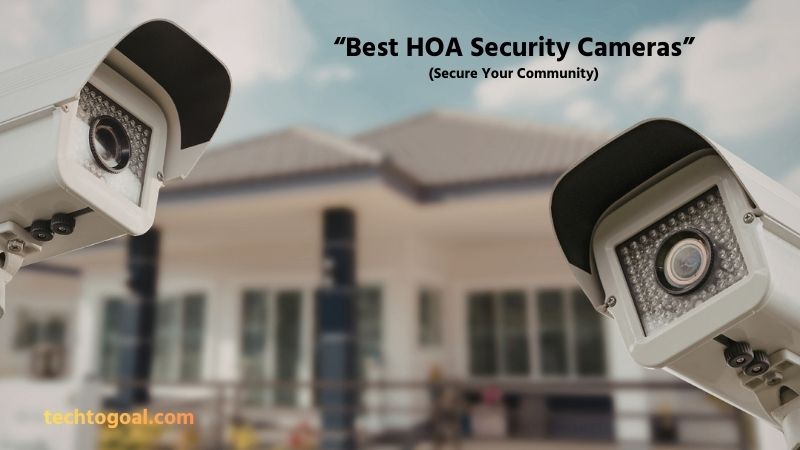

Best HOA Security Cameras: Keeping a residential community safe is one of the top priorities for any Homeowners Association (HOA). With increasing concerns about property security, vandalism, and unauthorized access, many HOAs are turning to modern surveillance solutions to protect shared spaces and provide peace of mind to residents.
In addition to improving safety, security cameras can also help resolve disputes, reduce liability, and create a stronger sense of security for residents. In this guide, we’ll explore the best HOA security cameras, their key features, and how to choose the right system to keep your community safe and well-protected.
What are HOA security cameras?
HOA security cameras are surveillance systems installed and managed by a Homeowners Association (HOA) to monitor and protect shared community spaces. These cameras are typically placed in common areas such as entrances, parking lots, hallways, playgrounds, and clubhouses to enhance safety and prevent unauthorized access or criminal activity.
📌Read More👉What is an elderly monitoring camera?
Modern HOA security cameras often include advanced features like high-definition video recording, night vision, motion detection, and remote monitoring through mobile apps or management software.
By providing continuous oversight of community areas, HOA security cameras help improve resident safety, deter vandalism and theft, and provide valuable video evidence when incidents occur. As a result, they have become an essential part of maintaining a secure and well-managed residential community.
Do You Need HOA Approval for Security Cameras?
In many residential communities, you may need HOA approval before installing security cameras, especially if the cameras are placed outside your home or affect shared areas.
Homeowners associations typically have rules that regulate exterior modifications, including the placement of surveillance devices, to maintain privacy, safety, and the community’s appearance. If your camera is mounted on the exterior of your house, overlooks common areas, or captures footage of neighboring properties, the HOA may require you to submit an application and get approval first.
However, indoor cameras or devices installed entirely within your private property usually do not require permission. To avoid potential disputes or fines, it’s always best to review your HOA’s guidelines and notify the association before installing any security cameras.
Best HOA Community Security Cameras
Rapid technological advancements have made high-tech security systems with a plethora of practical functions available to HOAs. The camera’s resolution, field of view, night vision, weather resistance, and intelligent features should all be taken into account when weighing your selections.
Additionally, connectivity is crucial; search for cameras that work with wireless and smart home systems. The following three highly regarded outdoor security camera systems are appropriate for HOA common areas:
1. Reolink RLK16-800B8
Overview: The Reolink RLK16-800B8 is a complete 16-channel PoE security camera system designed for large properties like HOA communities. It includes multiple 4K cameras and a network video recorder (NVR), making it ideal for monitoring entrances, parking areas, and shared spaces.
📌Read More👉Best Multi-Camera Security Systems of 2026
With person and vehicle detection, it helps reduce false alarms and improves overall security management. This system is especially suitable for HOAs because it supports multiple cameras from a single control system, allowing property managers to monitor several areas simultaneously.
Key Specifications
- Resolution: 4K (3840×2160)
- Channels: 16-channel NVR
- Storage: 4TB HDD included
- Night Vision: Up to 30m
- Detection: Person & vehicle detection
- Video Compression: H.265/H.264
- Connectivity: PoE Ethernet
- Cameras Included: 8 (expandable)
- Playback: Up to 4 channels simultaneously
Pros
- Supports up to 16 cameras for large HOA coverage
- Centralized monitoring system
- 4K Ultra HD video quality
- Reliable wired PoE connection
- Smart person and vehicle detection
- Expandable storage
- Continuous 24/7 recording
- Strong night vision performance
- Remote viewing via mobile app
- Ideal for gates and entrances
- No monthly subscription required
- Easy scalability for growing communities
Cons
- Installation requires Ethernet wiring
- Initial setup can be complex
- Requires dedicated NVR space
- Not fully wireless
- Limited smart home integration
- Higher upfront cost
- Requires technical knowledge
- Cameras must stay near cables
Why We Picked It: We picked this system because HOA communities often require multiple cameras and centralized monitoring, and this Reolink system provides a scalable and cost-effective solution with high-quality video and reliable storage.
Best for
- Large HOA communities
- Gated neighborhoods
- Property managers
- Apartment complexes
- Multi-building properties
2. Hikvision DS-2CD2387G2-L
Overview: The Hikvision DS-2CD2387G2-L is a professional-grade 4K turret IP camera designed for continuous outdoor surveillance. It offers full-color night video and smart detection features, making it ideal for monitoring HOA entrances and shared facilities.
This camera is well-suited for HOA installations because it provides high-resolution video and advanced detection features that help identify people and vehicles accurately.
Key Specifications
- Resolution: 3840 × 2160 (4K)
- Sensor: 1/1.8″ CMOS
- Night Vision: Up to 30m
- Field of View: Up to 104°
- Storage: MicroSD up to 256GB
- Detection: Motion & intrusion detection
- Power: PoE supported
- Weatherproof: IP67
- Smart Features: AI detection
Pros
- Ultra-clear 4K resolution
- Full-color night video
- Strong weather resistance
- AI-powered detection
- Wide viewing angle
- Supports PoE
- Reliable outdoor performance
- Motion detection alerts
- High-quality image sensor
- Durable metal housing
- Supports local storage
- Professional-grade performance
Cons
- Requires NVR for full system
- Installation can be complex
- Expensive compared to consumer cameras
- Limited app features
- Requires network setup
- No built-in display
- Professional setup recommended
- Subscription features may apply
Why We Picked It: We chose this camera because it offers professional-grade surveillance quality, which is essential for HOA communities needing reliable monitoring and clear video evidence.
Best for
- HOA entrances
- Parking lots
- Clubhouses
- Shared amenities
- Perimeter monitoring
3. Ubiquiti UniFi Protect G4 Pro
Overview: The UniFi Protect G4 Pro is a high-end security camera designed for advanced surveillance networks. It integrates seamlessly with UniFi systems, making it ideal for HOA communities that require centralized control and smart monitoring.
This camera is popular in HOA environments because it offers advanced features such as remote management and high-resolution video.
Key Specifications
- Resolution: 4K Ultra HD
- Zoom: Optical zoom supported
- Night Vision: Infrared LEDs
- Connectivity: PoE
- Storage: UniFi NVR required
- Weather Resistance: Outdoor-rated
- Viewing Angle: Wide-angle lens
- Smart Features: Motion detection
Pros
- Enterprise-grade performance
- Excellent video quality
- Smart network integration
- Remote access support
- Scalable system
- Strong build quality
- Reliable connectivity
- Good night vision
- Centralized management
- High security standards
- Expandable system
- Ideal for large networks
Cons
- Expensive hardware
- Requires UniFi ecosystem
- Complex setup
- NVR required
- Not beginner-friendly
- Limited standalone use
- Requires networking knowledge
- Higher installation cost
Why We Picked It: We picked this camera because it works exceptionally well in large HOA networks, offering centralized monitoring and strong performance.
Best for
- Tech-enabled HOAs
- Large communities
- Smart neighborhoods
- Managed properties
- Enterprise installations
Why Install HOA Security Cameras?
Beyond locks and illumination, security cameras provide an additional “eye” on the property, enhancing security. An HOA board may choose to place security cameras in common spaces for a number of strong reasons:
📌Read More👉How to Choose Smart Luxury Home Security Systems?
Improve Community Safety
Installing HOA security cameras significantly improves the overall safety of a residential community by providing continuous monitoring of shared spaces. Cameras help residents feel more secure by ensuring that entrances, walkways, and other common areas are under surveillance. This visible security presence can make the neighborhood a safer place for families, visitors, and property managers.
Deter Crime and Vandalism
One of the main reasons to install HOA security cameras is to discourage criminal activities such as theft, vandalism, and trespassing. When people see surveillance cameras, they are less likely to commit crimes because they know their actions are being recorded. This preventive measure helps reduce incidents and protects community property from damage.
Monitor Common Areas
HOA security cameras allow associations to monitor shared spaces like parking lots, playgrounds, entrances, and clubhouses. These areas often experience the most activity, making them important locations for surveillance. Continuous monitoring helps ensure that facilities are used properly and remain safe for all residents.
Provide Evidence When Incidents Occur
Security cameras provide valuable video evidence that can help identify suspects or clarify what happened during an incident. Whether it’s a vehicle accident in a parking lot or suspicious activity near an entrance, recorded footage can help resolve disputes and assist law enforcement if needed.
Reduce Liability Risks
Installing security cameras can help reduce liability for the HOA by documenting events in shared spaces. If accidents or injuries occur, recorded footage can provide accurate information about what happened, which can be useful for insurance claims or legal situations.
Improve Resident Peace of Mind
Residents often feel more comfortable living in a community where security measures are in place. Knowing that HOA security cameras are monitoring important areas provides peace of mind and increases confidence in the community’s safety.
Increase Property Value
Communities with visible security features often attract more buyers and tenants. HOA security cameras can enhance the reputation of a neighborhood by showing that safety is a priority, which may help maintain or even increase property values over time.
HOA Security Camera: Legal Considerations & Laws
Installing HOA security cameras can greatly improve community safety, but it’s important to understand the legal considerations and privacy laws that apply. Homeowners Associations (HOAs) must balance security needs with residents’ rights to privacy and follow local regulations when installing and operating surveillance systems.
- Privacy Rights of Residents: HOAs must respect the privacy of residents when installing security cameras. Cameras should only be placed in common areas such as entrances, parking lots, hallways, and shared facilities.
- Camera Placement Rules: Proper camera placement is essential for legal compliance. HOA security cameras should focus on shared spaces and avoid directly pointing into windows, private yards, or other personal areas.
- Notification and Transparency: Many jurisdictions require HOAs to inform residents about the presence of security cameras. Posting visible signs and providing written policies about camera usage helps maintain transparency.
- Video Recording and Audio Laws: While video recording in public or shared spaces is generally allowed, audio recording may be restricted in some areas. Some regions require consent from all parties before recording conversations.
- Footage Retention Policies: It’s important for HOAs to define how long security footage will be stored. Keeping recordings for a reasonable period, such as a few weeks or months, allows time to review incidents while avoiding unnecessary long-term storage of personal data.
- Use of Footage: HOA security camera footage should only be used for security and safety purposes. Using recordings for non-security reasons or sharing them without permission may create legal issues.
- Compliance with Local Laws: Security camera regulations vary by country, state, or municipality. HOAs should review local laws and regulations before installing a surveillance system. Consulting legal professionals or reviewing HOA bylaws can help ensure full compliance.
By understanding these legal considerations and following proper guidelines, HOAs can install security cameras that enhance safety while respecting residents’ rights and complying with the law.
Where Should HOA Security Cameras Be Installed?
Proper placement of HOA security cameras is essential for maximizing security while respecting residents’ privacy. Cameras should focus on common areas and high-traffic locations where incidents are most likely to occur. Strategic installation helps improve safety, monitor activity, and provide useful video evidence when needed.
- Community Entrances and Exit Gates: Entrances and exit gates are some of the most important locations for HOA security cameras. Monitoring these areas helps track who enters and leaves the community, which can prevent unauthorized access and improve overall security.
- Parking Lots and Garages: Parking areas are common locations for theft, vandalism, and vehicle damage. Installing security cameras in parking lots and garages helps deter criminal activity and provides recorded evidence if an incident occurs.
- Building Entrances and Hallways: For apartments or shared residential buildings, cameras placed at building entrances and hallways help monitor visitor activity and enhance resident safety.
- Mailrooms and Package Areas: Mailrooms and package delivery areas are frequent targets for theft. Installing cameras in these locations helps protect residents’ deliveries and discourages package theft.
- Elevators and Stairwells: Elevators and stairwells are enclosed spaces where incidents may occur without witnesses. Installing cameras in these areas improves safety and helps document activity within the building.
- Perimeter and Boundary Areas: Cameras placed along the community perimeter help detect trespassers and monitor unusual activity near fences or boundaries. Perimeter surveillance adds an extra layer of protection for the entire neighborhood.
- High-Traffic Walkways: Walkways and pathways that residents frequently use should be monitored to improve safety. Cameras in these areas help track movement and ensure that residents feel secure while walking through the community.
- Blind Spots and Low-Visibility Areas: Any areas with limited visibility or poor lighting should be considered for camera installation. Covering blind spots ensures that the community has complete surveillance coverage and reduces potential security risks.
By installing HOA security cameras in these key locations, communities can improve safety, deter crime, and maintain a secure environment for all residents.
Tips on Crafting a Security Camera Policy That Works
Creating a clear and effective security camera policy is essential for HOAs, businesses, and residential communities. A well-written policy helps ensure that security cameras are used responsibly, protect residents’ privacy, and improve overall safety. By establishing clear guidelines, organizations can avoid disputes and make sure their surveillance system operates smoothly and legally.
Define the Purpose of the Cameras: Start by clearly defining why the security cameras are being installed. The policy should explain that cameras are used to enhance safety, prevent crime, and monitor shared areas. When residents understand the purpose of the cameras, they are more likely to support the system and trust its use.
Specify Camera Locations: A good policy should outline exactly where cameras will be installed. Focus on common areas such as entrances, parking lots, hallways, and shared facilities. Clearly stating camera locations helps ensure transparency and prevents cameras from being placed in areas where privacy is expected.
Protect Resident Privacy: Privacy protection should be a top priority in any security camera policy. The policy should clearly state that cameras will not be installed in private areas such as homes, bathrooms, or other sensitive locations. Respecting privacy helps maintain trust within the community and reduces legal risks.
Establish Access Rules: The policy should define who can access camera footage and under what circumstances. Typically, only authorized individuals such as property managers or HOA board members should be allowed to view recordings. Limiting access helps prevent misuse of footage.
Set Video Retention Periods: A clear retention policy should specify how long recorded footage will be stored. Keeping recordings for a reasonable period, such as 15 to 30 days, allows enough time to review incidents while avoiding unnecessary storage of personal data.
Explain How Footage Will Be Used: The policy should explain that footage will only be used for security and safety purposes. This ensures that recordings are not misused or shared without proper authorization. Clear usage guidelines help maintain accountability.
Include Signage and Notifications: Residents and visitors should be informed about the presence of security cameras. Posting visible signs and providing written notices helps maintain transparency and ensures that everyone is aware of the surveillance system.
Address Legal Compliance: The policy should comply with local laws and regulations related to surveillance and privacy. This may include rules about recording audio, storing data, and notifying residents. Legal compliance protects the organization from potential issues.
Outline Maintenance Responsibilities: A good security camera policy should include maintenance guidelines. Regular checks and updates ensure that cameras are working properly and recording accurately. Proper maintenance keeps the system reliable and effective.
By following these tips, organizations and HOAs can create a security camera policy that improves safety while respecting privacy and maintaining transparency.
FAQs
Are HOA security cameras legal?
Yes, HOA security cameras are generally legal when installed in common areas. However, cameras should not be placed in private spaces such as inside homes or bathrooms. HOAs should also inform residents about camera usage to maintain transparency.
Do HOA security cameras record all the time?
Some HOA cameras record continuously, while others only record when motion is detected. The recording method depends on the camera system and storage capacity.
Can residents access HOA security camera footage?
Access to HOA security footage is usually limited to board members or property managers. Residents may request footage if an incident occurs, depending on HOA policies.
Do HOA security cameras need internet access?
Many modern HOA security cameras require an internet connection for remote viewing and cloud storage. However, some systems can record locally without internet access.
What features should HOA security cameras have?
The best HOA security cameras should include high-definition video, night vision, motion detection, wide viewing angles, weather resistance, and remote monitoring through a mobile app.
How much do HOA security camera systems cost?
The cost of HOA security camera systems varies depending on the number of cameras, features, and installation requirements. Costs may include equipment, installation, and optional monthly monitoring or storage fees.
How do you choose the best HOA security cameras?
To choose the best HOA security cameras, consider video quality, storage options, coverage area, durability, ease of installation, and remote monitoring features. Selecting the right system ensures reliable security for the entire community.
Conclusion
Ensuring the safety and security of HOA communities requires a reliable, scalable, and intelligent surveillance system. Whether you are managing a gated neighborhood, shared amenities, or large communal spaces, the right security camera setup can deter crime, monitor activity, and provide peace of mind for residents.
The Reolink RLK16-800B8 is ideal for communities that need multi-camera coverage and centralized monitoring. Hikvision’s DS-2CD2387G2-L offers professional-grade 4K video quality for entrances, parking lots, and high-traffic areas, while the Ubiquiti UniFi Protect G4 Pro excels in smart-networked setups with remote access and advanced management tools.
When choosing the best HOA security camera, consider coverage area, resolution, smart detection features, and ease of management. Investing in a quality surveillance system not only enhances security but also boosts resident confidence and community value.
By selecting a system tailored to your HOA’s unique needs, you can ensure continuous monitoring, quick incident response, and long-term protection for your entire neighborhood.