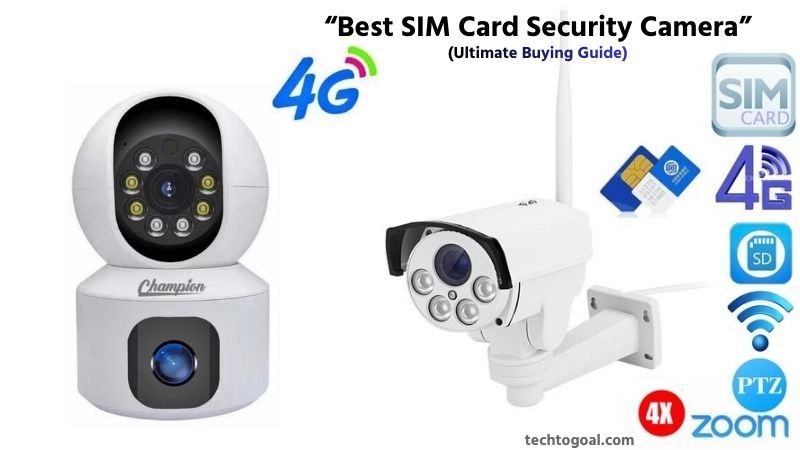

Best SIM Card Security Camera: In an era where reliable security is more important than ever, SIM card security cameras have become a smart and flexible solution for modern surveillance. A new generation of SIM card security cameras with better video quality, AI motion detection, longer battery life, and more cloud and local storage options will be available in 2026 as technology advances.
Choosing the best SIM card security camera in 2026 can feel overwhelming due to the wide variety of models, features, and pricing options available on the market. From night vision performance and data usage efficiency to weather resistance and mobile app support, there are many factors that directly impact performance and value.
That’s why this ultimate buying guide is designed to help you make a confident and informed decision. In this article, we’ll explore the top SIM card security cameras of 2026, key features to look for, and expert tips to find the perfect camera for your specific security needs.
What Is a SIM Card Security Camera?
A SIM card security camera is a type of surveillance camera that uses a mobile SIM card (4G or 5G) instead of relying on traditional Wi-Fi or wired internet connections. By connecting to cellular networks, these cameras can transmit live video, send motion alerts, and allow remote access through a smartphone app from virtually anywhere.
📌Read More👉What Is Night Vision Security Camera
This makes SIM card security cameras an ideal solution for locations where Wi-Fi is unavailable, unreliable, or difficult to install, such as construction sites, farms, rural properties, parking areas, vacation homes, boats, and RVs.
Unlike standard security cameras, SIM card security cameras are designed for flexibility and independence. Most models are battery-powered or solar-powered, allowing easy installation without professional wiring.
They often include advanced features such as HD or 4K video recording, infrared or color night vision, two-way audio, AI-based motion detection, and cloud or SD card storage. Because they operate over cellular data, users can monitor their property in real time, receive instant alerts, and review recorded footage even when they are miles away.
In 2026, modern SIM card security cameras offer improved data efficiency, stronger signal stability, and enhanced security features, making them a powerful and reliable option for anyone seeking a truly wireless and location-independent security solution.
Why Do Cameras Need SIM Cards?
Security cameras need SIM cards to stay connected and functional in places where traditional Wi-Fi or wired internet is unavailable or unreliable. A SIM card allows a camera to connect directly to a cellular network (4G or 5G), enabling it to stream live video, send motion alerts, and provide remote access through a mobile app from virtually anywhere.
This is especially important for outdoor, rural, or temporary locations such as farms, construction sites, parking lots, vacation homes, warehouses, and roadside properties where installing broadband internet is either expensive or impossible.
Another major reason cameras use SIM cards is reliability and independence. Wi-Fi networks can fail during power outages, router issues, or network disruptions, leaving standard security cameras offline. SIM card cameras, on the other hand, operate independently using mobile data, often combined with battery or solar power for uninterrupted surveillance.
In 2026, advanced SIM card security cameras are optimized to use data efficiently while offering high-resolution video, AI-powered motion detection, real-time notifications, and secure cloud or local storage. This makes SIM-enabled cameras a dependable and flexible security solution for users who need constant monitoring, remote control, and peace of mind without relying on fixed internet infrastructure.
The Potential Drawbacks of Cameras with SIM Cards
- Data Plan Required: A cellular data plan is necessary and may result in ongoing expenses, particularly if you use a lot of data.
- Coverage Dependent: The camera’s performance may deteriorate in locations with a weak cellular signal.
Best SIM Card Security Camera: Top 5 Cameras
In 2026, SIM card security cameras (also known as 4G/5G or cellular cameras) have become the gold standard for off-grid surveillance. These cameras are ideal for locations where Wi-Fi is unavailable, such as construction sites, remote farms, or vacation cabins.
📌Read More👉10 Best Alarm System with Camera of 2026
Based on current industry leaders and performance benchmarks, here is an in-depth recommendation for the best SIM card security cameras in 2026.
1. Reolink Go PT Ultra (Overall Best 4K Cellular Camera)
The Reolink Go PT Ultra is widely considered the top choice in 2026 due to its stunning 4K resolution and 360-degree coverage. It operates on 4G LTE networks and is designed to work completely wire-free.
Detailed Specifications
- Resolution: 4K 8MP Ultra HD (3840 x 2160)
- Field of View: 355° Pan & 140° Tilt
- Night Vision: Color Night Vision with built-in spotlights
- Power: 6000 mAh Rechargeable Battery (Solar Panel compatible)
- Storage: MicroSD card (up to 128GB) & Reolink Cloud
- Smart Features: AI Person, Vehicle, and Animal Detection
Pros:
- Crisp 4K Clarity: Provides evidence-grade footage even in remote areas.
- No Blind Spots: The pan-tilt function allows you to scan the entire area via your phone.
- Smart AI Filters: Significantly reduces false alarms by distinguishing between humans and moving branches.
- Two-Way Audio: High-quality microphone and speaker for real-time communication.
- Weatherproof (IP65): Built to withstand heavy rain and extreme heat.
Cons:
- Data Consumption: 4K streaming consumes mobile data much faster than 1080p models.
- Initial Cost: It is a premium device with a higher upfront price.
- Battery in Extreme Cold: Battery performance may dip in sub-zero temperatures (unless paired with a large solar panel).
2. Eufy 4G LTE Cam S330 (Best for Smart Detection & Battery Life)
The Eufy S330 stands out for its advanced AI and integrated solar panel, making it a “set it and forget it” solution for 2026.
Detailed Specifications
- Resolution: 4K Ultra HD
- Connectivity: 4G LTE & Wi-Fi (Dual Mode)
- Battery: Integrated Solar Panel for “forever” power
- AI: Self-learning AI with 97% accuracy
- Storage: 8GB Built-in Local Storage (No monthly fee for storage)
Pros:
- Dual Connectivity: Can switch between Wi-Fi and 4G, providing flexibility if you move the camera.
- Integrated Solar: The solar panel is built onto the top of the camera, simplifying installation.
- No Monthly Fees: Unlike many competitors, it offers built-in storage, so you don’t need a cloud subscription.
- Extreme Night Vision: Features a 100-lumen spotlight that provides vivid color at night.
- Fast Wake-up: Wakes from sleep mode in milliseconds when motion is detected.
Cons:
- Fixed View: Unlike the Reolink Go PT, this model does not pan or tilt remotely.
- Limited Internal Storage: The 8GB storage is non-expandable, meaning old footage is overwritten quickly.
- Solar Dependence: Requires at least 2 hours of direct sunlight daily to maintain “forever” power.
3. Arlo Go 2 (Best for Portability & Ease of Use)
The Arlo Go 2 remains a favorite for users who want a simple, reliable interface and easy setup through a major cellular provider.
Detailed Specifications
- Resolution: 1080p Full HD
- Connectivity: 4G LTE & Wi-Fi
- GPS Tracking: Built-in GPS to locate the camera if stolen
- Siren: Built-in 80 dB siren
- Audio: Full Duplex Two-Way Audio
Pros:
- GPS Recovery: If someone steals the camera from a job site, you can track its location.
- Excellent App Interface: The Arlo app is often rated as the most user-friendly in the industry.
- Flexible Mounting: Very compact design that can be hidden easily.
- Swappable Battery: You can buy spare batteries to swap them out instantly without taking the camera down.
Cons:
- Subscription Dependent: Most smart features (like person detection and cloud storage) require a monthly “Arlo Secure” plan.
- Lower Resolution: 1080p feels slightly dated in 2026 compared to 4K rivals.
- No Local Storage out of the Box: Requires a separate Arlo Hub if you want to store video locally.
4. Cybernautt K5P-B 4G SIM Battery Security Camera
The Cybernautt K5P-B is a battery-powered outdoor camera that uses a 4G SIM for cellular connectivity. With PIR + radar dual detection sensors and 1080p Full HD footage, it’s designed to minimize false triggers while giving clear monitoring without needing Wi-Fi.
Detailed Specifications
- Network: 4G LTE SIM
- Video: 1080p Full HD
- Sensors: PIR & radar detection
- Night Vision: Color/IR options
- Power: Rechargeable battery
Pros:
- No Wi-Fi needed: Everything runs on cellular, perfect for remote areas.
- Dual detection: Radar + PIR increases accuracy, cutting down false alerts.
- Flexible placement: Battery power and SIM connectivity give total freedom.
Cons:
- Resolution limitation: 1080p is good but not as sharp as 2K/4K cameras.
- Battery life varies: it depends heavily on motion events and settings.
- Data costs: Always-on connectivity consumes mobile data.
5. V380 4G SIM Security Camera Family (Budget Choices)
The V380 series includes several 4G SIM-compatible options, dual-lens and 3-lens outdoor cameras that bring basic LTE surveillance to budget-friendly users. These cameras support SD and (optionally) cloud recording, night vision, and remote viewing via apps.
Detailed Specifications
- Network: 4G LTE SIM + LAN
- Video: 1080p Full HD
- Lenses: Dual or triple lens (for wider coverage)
- Storage: SD up to 128GB & cloud capability
- Features: Two-way audio, waterproof body
Pros:
- Most affordable: A good option for first-time buyers or basic needs.
- Wide coverage: Dual/triple lenses help minimize blind spots.
- Versatile: Works indoor or outdoor with weatherproof casing.
Cons:
- Basic performance: Not as smart or AI-driven as premium cameras.
- App quality varies: Some users report app glitches or connectivity lags.
- No advanced smart features: Lacks deep AI alerts or high-resolution sensors.
Security Camera SIM Card: Data Plan and Usage
In 2026, choosing a data plan for your SIM card security camera requires a strategic approach. Unlike a smartphone, a camera’s data usage is entirely dependent on its settings and how often you “check in” remotely.
📌Read More👉The 10 Best Security Cameras With Night Vision in 2026
Here is a comprehensive breakdown of data plans and usage to help you manage costs effectively.
1. Choosing the Right Data Plan: IoT vs. Consumer SIM
Not all SIM cards are the same. For security cameras, you have two main options:
- IoT/M2M SIM Cards: These are specialized “Machine-to-Machine” SIMs (like those from EIOTCLUB or iotie). They are designed specifically for devices, offering flexible “pay-as-you-go” data (e.g., $5 for 500MB or $15 for 2GB). The camera will automatically switch to T-Mobile or Verizon if AT&T is unreliable because they frequently support several networks.
- Consumer Data-Only SIMs: These are standard plans from major carriers. They usually offer higher data caps (like 15 GB to 20 GB for $20/month) but are locked to a single network. These are best if you plan on frequent live streaming or cloud recording.
2. Realistic Data Usage Benchmarks
To choose the right plan, you must estimate your usage. In 2026, with standard H.265 compression, here is what to expect:
- Standby/Heartbeat: Even when not recording, the camera uses about 5 MB per day just to stay “alive” and connected to the app.
- Remote Live View (SD): Watching a standard-definition stream uses roughly 0.2GB to 0.4GB per hour.
- Remote Live View (4K/HD): High-definition streaming can consume 0.9 GB to 1.5 GB per hour.
- Cloud Storage: Uploading motion clips to the cloud typically adds 0.5 GB per day for a moderately busy area.
3. The “Sweet Spot” Plan for Most Users
For a standard outdoor camera (like a Reolink Go or Arlo Go 2) set to motion-triggered recording, a 2GB to 5GB monthly plan is usually the “sweet spot.” This allows for:
- Daily motion alerts and 10–15 short clips.
- 5–10 minutes of live viewing per day in SD.
- Firmware updates and “heartbeat” data.
4. Cost Comparison Table (Estimated for 2026)
| Plan Type | Data Amount | Avg. Monthly Cost | Best For |
| Budget IoT | 1 GB | $5.00 – $7.00 | Low-traffic areas (cabins, sheds) |
| Standard IoT | 5 GB | $15.00 – $18.00 | Most residential use/driveways |
| Pro/Carrier | 15 GB+ | $20.00 – $25.00 | Busy job sites or 4K streaming |
| Annual Prepaid | Unlimited* | $120–$230/year | Long-term remote surveillance |
How Much Data Does a SIM Card Camera Use?
Understanding mobile data usage is crucial before buying a SIM card security camera, because unlike Wi-Fi cameras, these devices rely entirely on cellular data. Data consumption can vary widely depending on usage, settings, and camera features.
Video Resolution Has the Biggest Impact on Data Usage
The higher the video resolution, the more data a SIM card camera consumes. A 720p camera may use around 300–500 MB per hour, while a 1080p Full HD camera can consume 1–1.5 GB per hour of continuous streaming. Advanced 2K or 4K SIM cameras may use 2–6 GB per hour, making them very data-intensive. This is why most cellular cameras avoid continuous recording and rely on motion-based recording instead.
Live Viewing Uses More Data Than Motion Alerts
Watching live footage through a mobile app consumes significantly more data than receiving alerts. A 5-minute live view session can use 50–150 MB, depending on resolution and frame rate. If you frequently check live feeds, your monthly data usage can increase rapidly. For this reason, SIM cameras are best used with limited live viewing and more reliance on notifications.
Motion-Activated Recording Saves Data Efficiently
Most SIM card cameras are designed to record only when motion is detected, which drastically reduces data usage. A typical motion clip lasts 10–30 seconds and may use only 2–10 MB per clip at 1080p. If motion occurs 20 times per day, monthly data usage may stay between 2 and 5 GB, making motion-based recording the most data-efficient option.
Night Vision Can Increase Data Consumption
When night vision is enabled, especially color night vision or spotlight mode, the camera may record longer clips with higher bitrates. This slightly increases data usage compared to daytime recording. Infrared (IR) night vision uses less data than full-color night vision, making IR a better choice for saving mobile data at night.
Frame Rate and Video Compression Matter
SIM cameras using H.265 or H.265+ video compression consume much less data than older H.264 models. Lowering the frame rate from 30 fps to 15 fps can reduce data usage by 30–40% without noticeably affecting security footage quality. Choosing a camera with advanced compression technology is one of the smartest ways to control data costs.
Cloud Uploading Uses More Data Than Local Storage
If your SIM card camera uploads every clip to the cloud, data usage increases significantly. Cameras that support local SD card storage only use data for alerts and remote viewing, which can reduce monthly consumption by up to 70%. For data-conscious users, local storage is strongly recommended.
Standby Mode Uses Very Little Data
When a SIM camera is idle and waiting for motion, it consumes very minimal data, usually only a few megabytes per day for network heartbeat signals. In standby mode, monthly usage may stay under 300–500 MB, which is ideal for long-term monitoring with small data plans.
Typical Monthly Data Usage (Real-World Estimate)
In real-world usage, most SIM card security cameras consume between 2 GB and 15 GB per month, depending on activity levels.
- Low activity (motion-only): 2–5 GB/month
- Moderate activity: 6–10 GB/month
- Heavy usage (frequent live view): 15–30+ GB/month
Choosing the right data plan depends on how often motion occurs and how frequently you view footage remotely.
A SIM card security camera does not have to consume massive amounts of data if configured correctly. With motion-based recording, efficient compression, and local storage, most users can run a cellular camera comfortably on a 5–10 GB monthly data plan. Understanding these factors before purchase will save you money and ensure reliable security coverage.
How to Reduce SIM Camera Data Usage
SIM card security cameras rely entirely on 4G/LTE mobile data, so managing data consumption is essential to avoid high monthly costs. With the right settings and usage habits, you can significantly reduce data usage without sacrificing security.
Use Motion-Only Recording Instead of Continuous Recording: Continuous recording consumes a massive amount of mobile data and is not practical for SIM cameras. Always enable motion-activated recording, which allows the camera to record only when movement is detected. This reduces data usage by up to 80–90% while still capturing important events such as people, vehicles, or animals.
Lower the Video Resolution and Bitrate: High-resolution video like 2K or 4K uses significantly more data than 720p or 1080p. If ultra-sharp footage is not essential, lowering the resolution can cut data usage in half. Adjusting the video bitrate within the camera app further reduces data consumption while keeping footage clear enough for identification.
Reduce Live View Usage as Much as Possible: Live streaming is one of the biggest data consumers in SIM cameras. Even a few minutes of live viewing can use hundreds of megabytes. Instead of frequently checking live footage, rely on motion alerts and recorded clips, and only use live view when absolutely necessary.
Shorten Motion Clip Length: Many SIM cameras allow you to set how long each motion recording lasts. Reducing clip length from 30–60 seconds to 10–20 seconds can dramatically lower data usage without missing important activity. Short clips are usually sufficient to identify intruders or events.
Enable Smart PIR or AI Motion Detection: Using PIR (Passive Infrared) sensors or AI-based motion detection reduces false alerts caused by shadows, rain, insects, or tree movement. Fewer false triggers mean fewer video uploads, which directly lowers mobile data consumption and extends battery life.
Use Local Storage Instead of Cloud Uploads: Cloud storage requires uploading every video clip to the internet, which increases data usage significantly. Choosing a SIM camera that supports microSD card storage allows videos to be stored locally, using mobile data only for alerts and remote access. This can reduce data usage by up to 70%.
Limit Night-Time Color Recording: Color night vision uses higher bitrates than infrared (IR) night vision. Switching to IR night vision instead of spotlight-assisted color mode at night can noticeably reduce data usage, especially in areas with frequent nighttime motion such as roads or open fields.
Lower the Frame Rate (FPS): Reducing the frame rate from 30 fps to 15 fps decreases data usage by approximately 30–40% while still maintaining smooth and usable footage. For security purposes, a lower frame rate is usually more than sufficient.
Adjust Motion Sensitivity and Detection Zones: Setting the motion sensitivity too high causes unnecessary recordings. Fine-tuning sensitivity levels and creating custom motion detection zones helps the camera focus only on important areas, such as entry points, and ignore irrelevant movement that wastes data.
Use Scheduled Monitoring Instead of 24/7 Alerts: If your SIM camera allows scheduling, enable motion alerts only during specific hours, such as nighttime or working hours. This prevents unnecessary recordings during low-risk periods and helps conserve both data and battery power.
Reducing SIM camera data usage is all about smart configuration and controlled usage. By combining motion-only recording, lower resolution, local storage, and limited live viewing, most users can comfortably operate a SIM card security camera on 5–10 GB of data per month. These optimizations not only save money but also improve overall system efficiency.
How to Choose a SIM Card Security Camera
Choosing the right SIM card security camera is crucial to ensure reliable off-grid monitoring, minimal data costs, and long-term security. Unlike Wi‑Fi cameras, SIM cameras depend on cellular networks, so selecting the correct model requires careful consideration of features, connectivity, and usage.
📌Read More👉How to Choose an Indoor Security Camera
1. Check Network Compatibility (4G/5G Bands)
Ensure the camera supports the cellular network bands of your SIM card provider. Some cameras only work with specific 4G LTE or 5G bands, and using an incompatible camera may result in poor connectivity or no signal at all. Verify the camera’s network specifications and confirm your local carrier coverage at the intended installation location.
2. Determine Video Resolution and Quality
Video resolution directly affects both image clarity and data usage. 720p HD and 4K Ultra HD cameras are available. Higher resolution provides better details for identification but consumes more cellular data. Choose a resolution that balances security needs and your SIM card data plan. For example, 1080p is usually sufficient for most home and small business setups.
3. Decide on Power Source (Battery, Solar, or Plug-In)
SIM cameras can be wired, solar-powered, or battery-operated. Battery or solar cameras offer flexible placement but require occasional charging or sunlight exposure. Wired cameras provide uninterrupted power but limit installation locations. Select a power type based on installation site, convenience, and maintenance preferences.
4. Consider Storage Options
Check whether the camera supports local storage (microSD card), cloud storage, or both. Local storage reduces cellular data usage by keeping video on the device, while cloud storage provides remote access and backup. Some users prefer a hybrid approach: store clips locally and upload only important events to the cloud.
5. Evaluate Motion Detection and Smart Features
Advanced motion detection (PIR sensors or AI-powered detection) reduces false alerts and saves data. Some cameras offer person/vehicle detection, motion zones, and alert scheduling, which help focus monitoring on important areas. Choosing a camera with smart features improves accuracy and efficiency.
6. Night Vision Capability
Night vision is essential for 24/7 security. Some SIM cameras offer infrared (IR) black-and-white night vision, while premium models include full-color night vision using spotlights. IR night vision uses less data, while color night vision provides more detailed footage but increases data usage. Choose according to your security priorities and data plan.
7. Check Weatherproof Rating for Outdoor Use
If installing outdoors, look for a high IP rating (IP65 or above) for dust and water resistance. Weatherproof cameras are designed to withstand rain, heat, and cold, ensuring reliable monitoring in all conditions. Indoor cameras do not require such high ratings, making them more affordable.
8. Battery Life and Data Efficiency
Battery-powered SIM cameras vary in longevity depending on motion activity and resolution settings. Cameras with energy-saving features (sleep mode, scheduled recording, or motion-triggered recording) help extend battery life while reducing data consumption. Check manufacturer claims and user reviews for realistic battery performance.
9. App and Remote Access Functionality
The camera’s mobile app should be user-friendly, support remote live viewing, alert notifications, and storage management, and be compatible with your device. Some apps also allow firmware updates, device grouping, and multi-camera dashboards, which are important for managing multiple cameras efficiently.
10. Consider Price vs Features
Finally, balance the budget with desired features. High-end SIM cameras offer AI alerts, 2K–4K resolution, solar power, and smart detection, but cost more upfront. Budget models may lack advanced AI or high resolution but can still provide basic motion-triggered alerts and 1080p recording. Choose based on priority features, installation location, and data plan costs.
Choosing the right SIM card security camera requires considering network compatibility, video quality, power source, storage, motion detection, night vision, weatherproofing, and data efficiency. By evaluating these factors carefully, you can select a camera that provides reliable, low-data, and effective off-grid security for your home, office, farm, or remote property.
FAQs
How does a SIM card camera work?
The camera records or streams video and sends it through the SIM card’s data network. It can send motion alerts, video clips, or live feeds to your mobile app without relying on Wi‑Fi. Some models also support cloud storage and local SD card recording.
How much data does a SIM card camera use?
Data usage depends on video resolution, motion activity, and live view frequency. 1080p cameras with motion-only recording may consume 2–5 GB per month, while high-resolution continuous streaming (2K or 4K) can reach 15–30+ GB per month.
Do I need a special SIM card for the camera?
Yes, the SIM card must support the camera’s 4G or 5G LTE bands. Both prepaid and postpaid plans work, but IoT or data-heavy plans are better for long-term or high-activity monitoring. Check your network coverage at the camera location.
Can SIM cameras work without electricity?
Some SIM cameras are battery-powered or solar-powered, making them completely off-grid. Solar models offer continuous power, while battery-powered models require periodic charging depending on activity and motion detection frequency.
Are SIM card cameras suitable for outdoor use?
Yes, many models are IP65 or IP66 rated, making them weatherproof against rain, dust, and extreme temperatures. Always verify the manufacturer’s outdoor rating before installation.
Do SIM cameras support night vision?
Yes, many SIM cameras feature infrared (IR) night vision or full-color spotlight night vision. IR mode saves data and battery, while full-color night vision provides clearer footage at night but may increase data usage.
What are the advantages of a SIM card security camera?
SIM cameras offer total flexibility in remote or off-grid locations, mobile alerts anywhere, easy installation without Wi-Fi, and support for solar or battery power setups. They are perfect for temporary or hard-to-reach areas where Wi-Fi is unreliable.
Conclusion
In 2026, SIM card security cameras have become the go-to solution for flexible, off-grid, and highly reliable surveillance. They combine the advantages of cellular connectivity, motion detection, night vision, and smart alert systems, allowing users to monitor homes, offices, farms, and remote properties without relying on Wi‑Fi.
Choosing the right camera depends on network compatibility, video resolution, power source, storage options, and data efficiency, ensuring both cost-effectiveness and uninterrupted security. By following this ultimate buying guide, you can make an informed decision that balances performance, features, and budget, guaranteeing peace of mind and round-the-clock protection in any location.