
How To Secure Your Home Security Cameras: In today’s connected world, home security cameras have become essential for protecting our property, loved ones, and peace of mind. But while these smart devices help keep intruders away, they can also become vulnerable to cyber threats if not secured properly. Hackers often target unsecured cameras to access live footage, steal personal information, or invade your privacy, making camera security just as important as home security itself.
That’s why learning how to secure your home security cameras is crucial. With a few simple steps, you can dramatically strengthen your system and ensure your footage stays private and protected. Whether you use Wi-Fi cameras, smart doorbells, or a full CCTV system, these easy tips will help you build a safer, more reliable home monitoring setup. Let’s dive into the best practices every homeowner should follow.
How To Secure Your Home Security Cameras: 10 Easy Tips
Home security cameras have become a must-have in today’s smart home ecosystem. They give you peace of mind, allow remote monitoring, and help you protect your family and property. However, as convenient as they are, WiFi-enabled cameras also come with risks. If not properly secured, these devices can be hacked, manipulated, or used to spy on you. And nothing is more concerning than the thought of an intruder gaining access to your private security footage.
📌Read More👉How Do Cellular Trail Cameras Work?
The good news is that securing your home security cameras doesn’t require complicated technical skills. With the right practices, you can strengthen your home surveillance system and keep your data safe from cybercriminals. Below are 10 easy, effective, and proven tips that every homeowner should follow.
Tip 1: Make Your Home Wireless Network Secure
Your home wireless network is the foundation of your entire smart home security system. If your WiFi is not well-protected, hackers can access all devices connected to it, including your cameras. Securing your network should be the first and most important step.
- Use Strong Encryption: Always use WPA3 or WPA2 encryption. These are modern WiFi security standards that prevent unauthorized access. Avoid outdated protocols like WEP, which can be cracked in minutes.
- Set a Strong WiFi Password: Choose a complex password with uppercase letters, lowercase letters, numbers, and symbols. Avoid anything predictable like your name or birthday. A strong password protects your network and every device on it.
- Enable a Guest Network: Smart TVs, guests’ smartphones, and other devices don’t need to share the same network as your security cameras. A separate guest network reduces risk and keeps your surveillance system isolated.
- Hide Your SSID (Optional): Disabling SSID broadcasting can make your network harder to find. While not a foolproof method, it adds another layer of difficulty for attackers.
A well-secured network ensures your cameras communicate safely without leaving digital “open doors” for hackers.
Tip 2: Create a Strong Password for WiFi Cameras
Many security cameras come with default login credentials like “admin/admin.” Leaving these unchanged is one of the biggest security mistakes users make. Hackers use automated tools to scan for devices using default passwords, and once they find one, gaining access becomes extremely easy.
Use a Unique Password: Never reuse the password you use for other online services. If one account gets compromised, all linked devices, including your camera, become vulnerable.
Follow Best Practices
- Use at least 12–16 characters
- Combine letters, symbols, and numbers
- Avoid dictionary words
- Change passwords every few months
Enable Two-Factor Authentication (2FA): If your camera model supports 2FA, enable it. This gives you an extra layer of protection even if someone manages to steal your password. A strong password is your camera’s first line of defense and one of the most effective.
Tip 3: Turn Off Remote Online Monitoring
Remote access allows you to monitor your home from anywhere, but it also exposes your camera to the internet. If you don’t use this feature regularly, it’s safer to turn it off.
Why Disable It?
Remote online monitoring can be exploited through:
- Weak login credentials
- Password resets
- IP exposure
- Unsecured mobile apps
When remote access is on, your camera constantly communicates online, increasing the risk of unauthorized entry.
Practical Tip: You can temporarily enable remote access when traveling or away from home and disable it when you return. Taking control of when and how your camera connects is key to minimizing risks.
Tip 4: Update the Camera’s Firmware Regularly
Firmware updates are essential for maintaining device security. Manufacturers regularly release patches that fix bugs, improve performance, and eliminate vulnerabilities discovered by cybersecurity experts.
📌Read More👉 How to Remove Camera Lens Protector?
Why Firmware Updates Matter
- They close security loopholes
- Prevent hacking attempts through outdated software
- Improve encryption
- Enhance overall camera performance
Set Automatic Updates: If your camera supports automatic firmware updates, enable them. If not, set a periodic reminder to check for updates manually. A few minutes updating your device can protect your entire security system.
Tip 5: Purchase a WiFi Camera from a Trusted Source
Choosing the right camera is just as important as setting it up safely. Not all security cameras are built with strong cybersecurity features, especially very cheap or unbranded models. Why Brand Reputation Matters
Trusted manufacturers:
- Prioritize user security
- Provide regular firmware updates
- Offer encrypted data transmission
- Have clear privacy policies
- Provide customer support
Unknown brands often:
- Use weak security protocols
- Store data on unsecured servers
- Lack updates
- Have poorly designed apps
- Offer no protection if hacked
Always research brands, read reviews, and look for certifications to ensure your camera is worth trusting.
Tip 6: Disconnect Your Webcam When You Are Not Using It
For USB webcams or desktop cameras, disconnecting the device is the easiest and most reliable way to stop unauthorized access. If hackers gain control of your computer, they can activate your camera without your knowledge.
- Why Unplugging Helps: Once unplugged, the camera becomes completely inactive, eliminating the possibility of remote activation.
- For Built-In Cameras: Use your device’s settings to disable the camera or install security software that prevents unauthorized access.
This tip requires no technical skills and removes the risk entirely.
Tip 7: Cover the Lens of Your Webcam
Even with strong cybersecurity practices, no system is 100% immune to hacking. For built-in laptop cameras or indoor webcams, covering the lens is a simple yet powerful physical safety measure.
- Why It Works: Even if a hacker accesses your camera, they will not be able to see anything. This protects you from spying attempts, privacy violations, and unauthorized recordings.
- Use a Slide Cover or Tape: Invest in a webcam cover with a sliding shutter. It’s inexpensive, easy to install, and more convenient than applying tape repeatedly.
This small step can prevent major privacy breaches.
Tip 8: Beware Password Recovery Emails
Hackers often try to reset your passwords by triggering “Recovery Emails.” If you click the wrong link, you may unknowingly give them access to your account.
How to Protect Yourself
- Do not click suspicious password reset links
- Always check the sender’s email
- Enable account notifications
- Use 2FA to prevent unauthorized resets
Signs of a Fake Email
- Poor grammar
- Urgent warnings
- Unknown email address
- Links that don’t match the official URL
Always verify before acting. One wrong click can compromise your entire system.
Tip 9: Complement Your Machine Protection with Anti-Malware Programs
Hackers don’t always attack your camera directly. Instead, they target your smartphone or computer, stealing app credentials or accessing your camera feed through infected devices.
Why Anti-Malware Is Essential: Good anti-malware software protects your devices from:
- Keyloggers
- Spyware
- Ransomware
- Trojans
- Phishing attacks
Recommended Practices
- Keep your antivirus updated
- Scan your devices regularly
- Avoid downloading suspicious apps
- Only install official camera apps
A secure device means a secure camera system.
Tip 10: Secure Your Outdoor Home Security Camera
Outdoor cameras are not only vulnerable to cyberattacks; they can also be physically damaged, stolen, or tampered with.
1. Mount Cameras High
Install the camera high enough to prevent easy access. Most experts recommend mounting them at least 8–10 feet above the ground.
2. Use Weatherproof and Tamper-Resistant Models
Choose cameras with:
- IP65/IP66 weatherproofing
- Strong housing
- Tamper-proof screws
- Durable brackets
3. Secure Data Storage
Use:
- Encrypted cloud storage
- SD cards with overwrite protection
- Strong passwords for apps
4. Enable Motion Alerts
- If someone tries to cover, block, or move your camera, you will receive notifications instantly.
- Your outdoor camera is your first line of defense, so make sure it’s well-protected.
Home security cameras are powerful tools for protecting your property, monitoring your surroundings, and ensuring your family’s safety. But like all smart devices, they must be properly secured to prevent cyber threats and unauthorized access.
By strengthening your wireless network, using strong passwords, updating firmware, disabling unused features, and being cautious with email notifications, you can significantly reduce the risks.
Camera security isn’t just about technology; it’s about taking proactive steps to protect your privacy and peace of mind. With these 10 easy tips, you can build a strong, secure, and reliable home surveillance system that truly keeps your home safe.
How WiFi-Enabled Surveillance Cameras Get Hacked
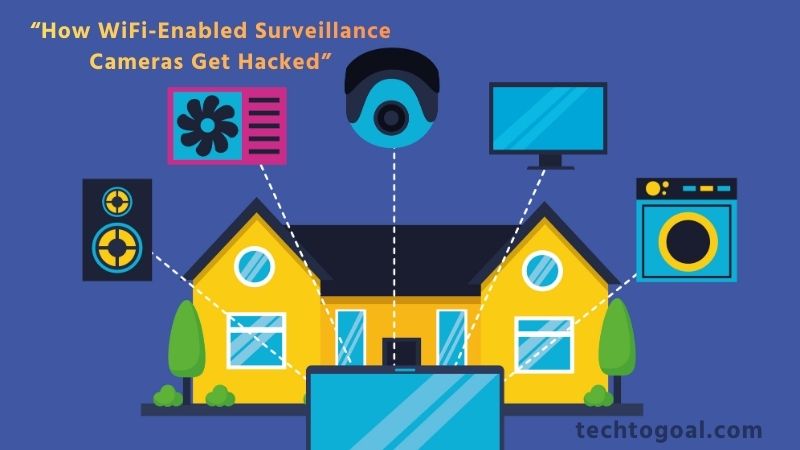
WiFi-enabled surveillance cameras offer convenience and remote access, but they can also become targets for cyberattacks if not properly secured. Understanding how hackers gain access is the first step toward protecting your home and privacy. Here are the most common ways these cameras get hacked:
📌Read More👉How to Fix a Doorbell: 6 Easy Steps
- Weak or Default Passwords: One of the biggest security risks is leaving your camera’s default username and password unchanged. Hackers often use automated tools to scan the internet for cameras using factory-set credentials like “admin/admin” or “123456.” Once they gain access, they can view your live feed, change settings, or even lock you out of your device.
- Unsecured WiFi Networks: If your home WiFi network is not protected by a strong password or uses outdated security protocols (like WEP), hackers can easily break into it. Once inside your network, they can access connected devices, including your cameras, and exploit their vulnerabilities.
- Outdated Firmware: Surveillance cameras regularly receive firmware updates that fix bugs and patch security holes. When users ignore these updates, they leave their systems open to known vulnerabilities. Hackers can exploit outdated firmware to override security settings or take full control of the device.
- Poorly Protected Mobile Apps: Most WiFi cameras rely on a companion app to control and view footage. If your app is outdated, uses weak login details, or is installed on an infected device, attackers may gain access by intercepting app data or accessing your account credentials through malware.
- Unencrypted Data Transmission: Some low-cost or older surveillance cameras do not encrypt the video data they transmit. This means hackers can intercept the feed using “man-in-the-middle” attacks, allowing them to watch your video stream without even logging in.
- Vulnerable Cloud Storage Accounts: Many modern cameras store footage in the cloud. If your cloud account uses a weak password or lacks multi-factor authentication (MFA), it becomes an easy target. Hackers can breach the cloud platform, download sensitive footage, or delete your recordings.
- Public IP Exposure: If your camera is connected directly to the internet via port forwarding or has a publicly visible IP address, it becomes significantly more vulnerable. Hackers can scan open ports, find your camera, and attempt to break in using automated brute-force attacks.
- Malware-Infected Devices: If your smartphone or computer is infected with malware, hackers can steal login credentials for your surveillance app or cloud account. This indirect method is often used to bypass camera security entirely.
Best WiFi Security Camera Recommendation
Arlo Pro 5S 2K Wireless Security Camera—Widely regarded as one of the best outdoor WiFi cameras worldwide. Offers 2K video, a wide 160° field of view, color night vision, smart motion detection, two-way audio, and a built-in siren. Its strong app ecosystem and battery-powered design make it ideal for homeowners wanting premium outdoor security without complex installation.
Reolink TrackFlex Floodlight WiFi Camera—A newer flagship outdoor camera featuring 360° pan-tilt, dual-lens coverage, and adjustable floodlights. Excellent for large outdoor areas thanks to wide coverage and powerful illumination. Great for those who want full-time, comprehensive outdoor surveillance.
TP-Link Tapo C200 Indoor WiFi Security Camera—Best for indoor use and budget-conscious users. It delivers 1080p HD, pan/tilt (360°) coverage, motion detection, two-way audio, and night vision enough to monitor rooms, offices, or small shops reliably.
Imou Ranger 2 WiFi Camera—A good mid-range indoor camera with 1080p, smooth pan/tilt coverage, and smart features including AI-powered human detection and a privacy shutter. It’s a balanced pick for apartment dwellers or small families wanting simple but smart surveillance.
The TP-Link Tapo C310 Outdoor WiFi Camera is a great budget-friendly option for outdoor security. While not as feature-rich as premium cameras, it provides reliable outdoor surveillance with decent video quality, night vision, and remote access—a good choice for basic home or shop perimeter monitoring.
EZVIZ H6c Pro 2K WiFi Camera—A solid mid-range indoor camera. Known for clean image quality, stable app support, and practical features. Suitable for everyday home security, small offices, or monitoring pets and children.
Dahua IPC-C22EP WiFi IP Camera—Ideal for those who want a simple, no-frills WiFi camera with reliable performance. It offers Full HD resolution, IR night vision, motion detection, and SD card support. A practical choice for small homes, shops, or office settings on a budget.
Xiaomi Smart Camera C200—Compact, easy-to-install indoor camera perfect for apartments or small rooms. With 1080p video, wide-angle coverage, and app integration, it’s well-suited for CCTV setups in small living spaces.
TP-Link Tapo C200 Wi-Fi Security Camera—Great for everyday home use. Offers 1080p Full HD video, motion detection, two-way audio, and night vision. Excellent choice for indoor monitoring on a budget.
Imou Ranger 2 Wi-Fi Camera—A strong PTZ (pan-tilt) indoor camera with near 360° sweep coverage. With 2K (or 3 MP) video, AI-powered human detection, and a privacy shutter, it’s good for apartments or small homes where coverage matters.
EZVIZ H6c Pro 2K WiFi Camera—Offers high-clarity video with a 3 MP sensor, automatic motion tracking, night vision, and remote access. Balanced “mid-range” pick for living rooms, small shops, or family monitoring.
Dahua IPC-C22EP WiFi IP Camera—A simple, budget-friendly WiFi IP camera with Full HD resolution, motion detection, IR night vision, and micro-SD support useful for basic home or small-office security.
Reolink TrackFlex Floodlight WiFi Camera—A premium outdoor camera with floodlight, wide-angle/dual-lens view, and 360° tracking capabilities. Excellent for outdoor surveillance, driveways, yards, and spaces needing broad coverage.
Meari S1 Plus 2.5K WiFi Security Camera — If you want higher-than-HD resolution and a strong alert system (human/pet/sound detection), this 2.5K camera packs a lot of functionality. Good for homes needing detailed footage and long-term recording.
TP-Link Tapo C310 Outdoor WiFi Security Camera—A practical outdoor camera option with weather resistance, motion detection, and remote monitoring that strikes a good balance between budget and security features.
Xiaomi Smart Camera C200—Compact, easy to install, and suitable for indoor use. Provides HD video, 360° rotation, night vision, and mobile monitoring, ideal for apartments, small rooms, or offices.
FAQs
How can I secure my WiFi security camera from hackers?
You can secure your WiFi camera by using a strong password, enabling WPA3/WPA2 encryption on your router, regularly updating your camera’s firmware, disabling remote access when not needed, and ensuring your home network is protected with a firewall.
Do home security cameras need strong passwords?
Yes. Weak passwords make your camera extremely vulnerable to hacking. Always use a password with upper- and lowercase letters, numbers, and symbols. Avoid using predictable passwords like “admin123” or your phone number.
How often should I update my security camera’s firmware?
Check for updates at least once every month. Manufacturers release firmware updates to patch security vulnerabilities, improve performance, and add new protection features.
How do I protect outdoor cameras from physical tampering?
Place the camera in a high or covered location, use tamper-resistant mounts, install protective housings, enable motion alerts, and make sure the camera has a backup power source in case someone tries to disconnect it.
What type of network encryption should my home router use?
Your router should use WPA3, or at minimum WPA2-PSK, for maximum wireless security. Avoid outdated encryptions like WEP, as they are easy for hackers to break.
Do I need anti-malware software to protect my home cameras?
Yes. Malware or spyware on your phone or computer can allow hackers to access your camera feed. Using reliable anti-malware tools helps detect and block harmful programs that target smart home devices.
Is it safe to buy cheap security cameras from unknown brands?
Not always. Unknown or untrusted brands may lack proper encryption, privacy protections, or firmware updates. It’s safer to buy from reputable manufacturers who follow strong cybersecurity standards.
Conclusion
Securing your home security cameras is just as important as installing them. While modern WiFi cameras offer convenience, smart features, and instant monitoring, they also become potential entry points for hackers if not properly protected.
By taking simple yet powerful steps like strengthening your WiFi network, creating strong passwords, updating firmware, disabling unnecessary remote access, and using trusted camera brands, you can greatly reduce security risks and keep your footage private.
Remember, camera security isn’t a one-time task. It’s an ongoing process that involves regular checks, software updates, and awareness of online threats. When combined with physical protection for outdoor cameras and cybersecurity tools for your smart devices, you create a strong, secure environment for your home.
With the right precautions, your security cameras will continue to do what they’re meant to do: keep you, your loved ones, and your property safe without compromising your privacy.