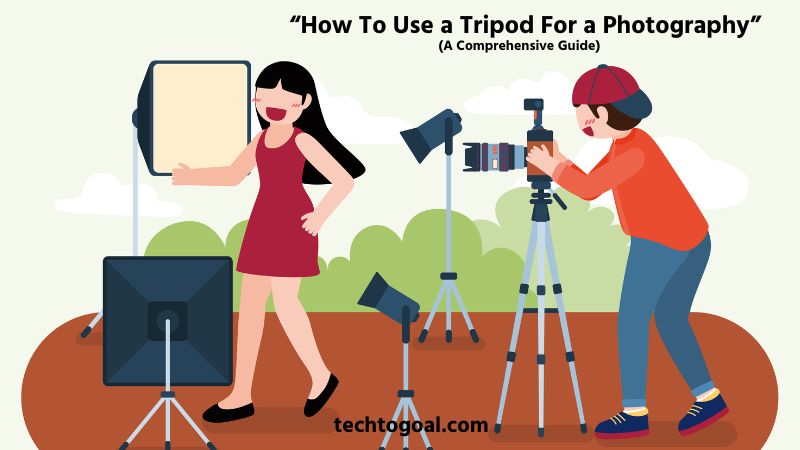

How To Use a Tripod For a Photography: Every photographer, whether a hobbyist or a seasoned professional, eventually reaches a point where handheld shooting just isn’t enough. Perhaps you are trying to capture the milky texture of a waterfall, the glittering stars of the night sky, or a razor-sharp landscape at sunset. In these moments, your best friend isn’t a faster lens or a high-end sensor; it’s a sturdy tripod.
However, using a tripod effectively involves much more than simply unfolding its legs and mounting your camera. If set up incorrectly, a tripod can become a liability, leading to shaky images or, worse, a gear-shattering tip-over. Mastering tripod technique is a fundamental skill that separates amateur snapshots from professional-grade gallery prints.
In this comprehensive guide, you’ll learn how to use a tripod for photography, from setting it up correctly to positioning your camera for maximum stability and creative freedom. If you want sharper images, better composition, and more consistent results, this guide will help you master tripod use like a professional.
What Is a Tripod?
A tripod is a three-legged support stand designed to hold a camera or other imaging device steady during photography and videography. Its main purpose is to provide stability, reduce camera shake, and help photographers capture sharp, clear images, especially in low-light conditions, long-exposure shots, or when using heavy lenses.
By keeping the camera perfectly still, a tripod allows for greater control over composition and camera settings that would be difficult to manage when shooting handheld.
In photography, tripods are widely used for landscapes, portraits, night photography, time-lapse shots, and macro work where precision is critical. Most tripods feature adjustable legs, a central column, and a mounting head that lets you tilt, pan, or rotate the camera smoothly. This flexibility helps photographers frame their shots accurately while maintaining balance and stability on different surfaces.
How To Use A Tripod: A Complete Guide
Using a tripod may seem intuitive, but there is a significant difference between simply standing a camera up and setting up a rock-solid foundation for professional photography. To get the sharpest images possible, you need to follow a disciplined setup routine.
📌Read More👉How To Use Disposable Camera?
Here is the professional, step-by-step guide to mastering your tripod.
Step 1: Determine the Ideal Height for Your Tripod
Before you even touch the leg locks, visualize your shot. The “ideal” height isn’t always at eye level; it depends entirely on your subject. For a sweeping landscape, you might want to go low to include interesting foreground details. For portraits, eye level is usually best. Determining your height first prevents you from having to readjust all three legs multiple times later, saving you time and ensuring your perspective is intentional rather than accidental.
Step 2: Choose Your Shooting Spot
Look for the most stable ground available. Avoid soft mud, loose sand, or vibrating platforms like wooden bridges if possible. If you are shooting outdoors, try to find a flat rock or firm soil. A key professional tip: once you’ve chosen your spot, clear away any loose leaves or twigs that might cause the tripod feet to slip during a long exposure.
Step 3: Position the Tripod Legs
The way you orient the legs matters for both stability and safety. Always position the tripod so that one leg is pointing directly toward your subject. This creates a “”V”-shaped space for you to stand in, allowing you to get close to the viewfinder without kicking the tripod. More importantly, it provides a counterbalance for heavy lenses, preventing the camera from tipping forward.
Step 4: Extend and Stabilize the Legs
When extending the legs, there is a golden rule: always start with the thickest sections first. The top sections of the tripod legs are the sturdiest; the bottommost sections are the thinnest and most prone to vibration. Only extend the thinner sections if you absolutely need the extra height. Make sure each leg lock is tightened firmly to prevent “leg creep” under the weight of your gear.
Step 5: Ensure the Tripod is Level
A level tripod base is essential, especially if you plan to capture panoramas or follow moving subjects. Most modern tripods come with a built-in bubble level. Instead of adjusting the camera head to fix a crooked horizon, adjust the length of the tripod legs until the bubble is centered. This ensures that when you pan the camera left or right, the horizon stays perfectly flat across the entire movement.
Step 6: Attach the Camera to the Tripod
Most tripods use a quick-release plate system. Unscrew the plate from the tripod head and thread it into the mounting hole on the bottom of your camera. Use a coin or the built-in D-ring to ensure it is tight; a loose plate is a common cause of blurry photos. Once secure, slide the plate back into the tripod head until you hear a “click,” then engage the locking lever or knob to ensure the camera cannot slide out.
Step 7: Do Not Extend the Center Column Unless Necessary
One of the most common mistakes beginners make is using the center column to reach eye level. Think of the center column as a monopod sitting on top of a tripod; it is significantly less stable than the three legs. Extending it introduces a high center of gravity and increases the risk of wind-induced camera shake. Always exhaust the height of the legs first, and only use the center column as a last resort for a few extra inches.
Pro-Tip for Maximum Sharpness
Pressing the shutter button might produce a slight vibration, even when using a tripod. To ensure “tack-sharp” results, use a remote shutter release or set your camera’s self-timer to 2 seconds. This allows the camera to settle into a perfectly still state before the image is captured.
How to Use a Tripod with an iPhone
Smartphone photography has evolved significantly, making it possible to capture professional-grade landscapes, long exposures, and stable videos. However, since iPhones lack a built-in tripod thread, the setup process requires a few specific steps to ensure your device is safe and your shots are steady.
Here is the professional, step-by-step guide to using a tripod with your iPhone.
Step 1: Secure a Smartphone Tripod Mount
Unlike traditional cameras, an iPhone cannot be screwed directly onto a tripod. You must first obtain a smartphone tripod mount. This is typically a spring-loaded or screw-tightened clamp that features a standard 1/4-inch screw hole at the bottom.
When choosing a mount, look for one with rubber padding to prevent scratching your phone and a strong grip to ensure the device doesn’t slip out during vertical or high-angle shots.
Step 2: Attach the Mount to the Tripod Head
Most tripods use a quick-release plate. Remove this plate from the tripod head and screw it into the bottom of your smartphone mount. Ensure it is tightened firmly so the mount doesn’t spin. Once attached, slide the plate back into the tripod head and lock the lever.
If you are using a “GorillaPod” or a mini-tripod, you may be able to screw the mount directly onto the fixed screw at the top of the stand.
Step 3: Insert Your iPhone Into the Clamp
Carefully pull open the spring-loaded clamp and place your iPhone inside. It is vital to center the phone within the mount to maintain a balanced center of gravity; if the phone is too far to one side, it may cause the tripod to tip or put unnecessary strain on the tripod head.
Be careful to position the clamp so that it does not press against the side buttons (volume or power), as this can accidentally trigger Siri, take unwanted bursts of photos, or turn off the screen.
Step 4: Choose Between Portrait and Landscape
Depending on your subject, you will need to adjust the orientation. Most tripod mounts allow you to rotate the phone. If your mount is fixed, you will need to tilt the tripod head 90 degrees into the side notch to switch to portrait mode. For traditional cinematic video or wide landscapes, keep the phone in landscape mode. Ensure the locking knob on the tripod head is tightened once you have chosen the angle.
Step 5: Level the Tripod and Set the Legs
Position your tripod on a stable surface. If you are outdoors, ensure the legs are securely locked and the tripod is level. Use the built-in bubble level on the tripod if available, or use the Level feature inside the iPhone Camera app (enabled by turning on “Grid” in Settings). Having a level base is essential for capturing professional horizons and prevents the “leaning” effect often seen in amateur mobile photography.
Step 6: Use a Remote Shutter or Self-Timer
Even when on a tripod, touching the iPhone screen to snap a photo can cause a tiny vibration, resulting in a blurry image, especially in low-light “Night Mode” shots. To prevent this, use a Bluetooth remote shutter or the built-in self-timer (set to 3 or 10 seconds). This allows the phone to settle and become perfectly still before the shutter opens, ensuring the sharpest possible result.
Pro-Tip: Enhance Your Stability
If you are shooting in windy conditions, avoid extending the center column of your tripod. Keeping the iPhone closer to the leg junction provides maximum stability. Additionally, if you have a heavy case on your iPhone, you might consider removing it for a more secure fit within the tripod clamp.
Common Tripod Mistakes To Avoid
Even with the best gear, a tripod is only as effective as the person setting it up. Many photographers carry a tripod to improve their shots but inadvertently commit errors that lead to blurry images or, worse, damaged equipment.
To ensure your setup is truly rock-solid, here are the most common tripod mistakes you should avoid.
- Extending the Center Column Too Much: One of the most common tripod mistakes is raising the center column to gain extra height. While it may seem convenient, extending the center column reduces overall stability and increases vibrations. For sharper and more professional results, always adjust the tripod legs first and keep the center column lowered whenever possible.
- Not Tightening the Leg Locks Properly: Failing to secure the leg locks can cause the tripod to slowly collapse during shooting. This not only ruins your shot but also risks damaging your camera. Always double-check that all leg locks are fully tightened before mounting your camera.
- Setting Up on an Unstable Surface: Placing a tripod on soft, slippery, or uneven ground without proper adjustment can lead to unwanted movement. Take a moment to position each leg securely and adjust their lengths to ensure the tripod is balanced and firmly planted.
- Using a Lightweight Tripod with Heavy Gear: A lightweight tripod may not be suitable for heavy cameras or long lenses. Using an underrated tripod can cause wobbling and reduce image sharpness. Always match your tripod’s load capacity with your camera setup for safe and stable shooting.
- Ignoring the Tripod Level: Skipping the leveling step can result in crooked horizons and poorly framed images. Many tripods include a built-in bubble level, and most cameras offer an electronic level. Using these tools ensures straight and professional-looking compositions.
- Touching the Camera While Taking the Shot: Pressing the shutter button directly can introduce vibrations, especially during long exposures. Instead, use a remote shutter release, smartphone app, or the camera’s self-timer to capture sharp, blur-free images.
- Spreading the Legs Unevenly: Uneven leg placement reduces stability and increases the chance of tipping over. Always spread the tripod legs evenly and ensure they form a strong, wide base to support your camera securely.
- Forgetting to Add Extra Weight in Windy Conditions: In windy environments, a tripod can easily shake if it’s too light. Forgetting to add weight, such as hanging a camera bag from the center hook, can result in blurred images. Extra weight helps keep the tripod grounded and stable.
- Not Checking Stability Before Mounting the Camera: Many photographers mount their camera without testing the tripod’s balance first. Gently pushing the tripod before attaching your camera helps identify loose locks or unstable legs and prevents accidental falls.
- Neglecting Tripod Maintenance: Ignoring regular cleaning and maintenance can cause dirt or sand to affect the leg locks and joints. Over time, this reduces performance and stability. Clean your tripod after outdoor shoots to keep it working smoothly and safely.
Benefits of using a tripod for photography
A tripod is arguably the most important accessory a photographer can own. While it may seem like a simple piece of equipment, its impact on the quality of your work is profound. From technical precision to creative freedom, the advantages of using a stable base are endless.
Here is a detailed look at the core benefits of using a tripod for your photography.
Better Stability
The most immediate benefit of a tripod is the elimination of physical movement. Even the steadiest hands have micro-tremors that can introduce blur into an image. A tripod provides a rigid, mechanical foundation that anchors your camera to the ground. This stability is essential when using heavy telephoto lenses, which amplify every tiny vibration, ensuring your gear stays perfectly still regardless of the environment.
Maximum Sharpness
In photography, sharpness is often the line between an amateur snapshot and a professional masterpiece. By removing human error and camera shake, a tripod allows your lens to perform at its maximum optical potential. This is especially critical for high-resolution sensors, where even the slightest movement can be seen when zooming in or printing large-scale photos. With a tripod, you can achieve “tack-sharp” details from corner to corner.
Mastering Long Exposures
Without a tripod, long-exposure photography is virtually impossible. Whether you want to turn a crashing waterfall into a silky smooth mist or capture light trails from passing cars at night, you need the shutter to stay open for several seconds. A tripod holds the camera perfectly stationary during these long intervals, allowing moving elements to blur beautifully while the stationary landscape remains crisp and clear.
Superior Low-Light Photography
When light is scarce, such as during blue hour, indoors, or in deep forests, your camera needs more time to “collect” light. Normally, you would have to increase your ISO or open your aperture wide. A tripod allows you to keep your ISO low for the cleanest image quality by using a slower shutter speed. This results in bright, vibrant, and noise-free photos even in near-darkness.
Compositional Consistency
A tripod forces you to slow down and be intentional. When shooting handheld, it is easy to slightly shift your framing between shots. A tripod locks your composition in place. This is vital for product photography, architecture, and real estate, where you might need to take multiple shots from the exact same angle to compare lighting or to create a composite image in post-processing.
Creative Control and Advanced Techniques
Many advanced photographic techniques require a tripod as a prerequisite. HDR (High Dynamic Range), focus stacking, and panoramic stitching all require a series of images taken from the exact same vantage point. Furthermore, using a tripod allows you to use a “Neutral Density” (ND) filter during the day to create cinematic motion blur, giving you creative tools that handheld photographers simply cannot access.
Hands-Free Shooting
Using a tripod frees up your hands to interact with your environment. This is incredibly helpful for macro photography, where you may need to hold a reflector or move a leaf out of the way, or for food photography, where you need to style the plate while looking through the viewfinder. It allows you to set the frame and then step away to manage other aspects of the production without losing your shot.
Self-Portraits and Group Photos
Whether you are a solo traveler wanting a high-quality photo of yourself in a landscape or a family photographer who wants to be included in the group shot, a tripod is essential. By using a tripod with a self-timer or a remote shutter release, you can move away from behind the lens and become part of the memory, ensuring everyone is in the frame and the composition remains professional.
Maintaining Your Tripod: Essential Care Tips
- Clean Your Tripod After Every Outdoor Shoot: Dust, sand, mud, and moisture can easily get into your tripod’s leg locks and joints, especially after outdoor photography sessions. Wipe the tripod with a soft, dry cloth after each use, and gently clean the legs and feet to prevent dirt buildup that can affect smooth operation.
- Remove Sand and Debris from Leg Sections: Sand and small particles can damage leg locks over time if left untreated. Occasionally extend the tripod legs fully and clean each section carefully. For stubborn dirt, use a soft brush or compressed air to remove debris without scratching the surface.
- Dry the Tripod Completely After Wet Use: If your tripod gets wet from rain, snow, or shooting near water, always dry it thoroughly before storage. Moisture can cause corrosion in metal parts and weaken internal components. Leaving the tripod open to air-dry helps prevent rust and long-term damage.
- Check and Tighten Screws Regularly: Over time, screws and mounting plates can loosen due to frequent use and vibrations. Regularly inspect and tighten any loose parts to maintain stability and prevent accidents. A secure tripod ensures better performance and protects your camera gear.
- Lubricate Moving Parts When Needed: Some tripod joints and leg locks may benefit from occasional light lubrication. Apply lubricants sparingly and only as directed by the manufacturer. Proper lubrication keeps movements smooth and prevents parts from sticking or wearing out prematurely.
- Protect the Tripod During Transport: Always collapse and lock the tripod legs before transporting it. Use a padded tripod bag to protect it from impacts, dust, and scratches. Proper transport care helps extend the lifespan of your tripod and keeps it in good working condition.
- Avoid Overloading the Tripod: Using camera equipment that exceeds the tripod’s load capacity can strain the legs and head. Always check the maximum weight rating and avoid overloading. This prevents long-term damage and ensures safe, stable support during shooting.
- Store the Tripod in a Dry, Cool Place: Proper storage plays a big role in tripod longevity. Store your tripod in a dry, cool environment away from direct sunlight or humidity. Good storage conditions prevent material degradation and keep your tripod ready for use.
10 tips to improve your tripod use
To take your photography from “good” to “professional,” you must treat your tripod as an active tool rather than a passive stand. Mastering these subtle techniques will help you achieve maximum sharpness and ensure your gear stays safe in any environment.
Here are 10 expert tips to improve your tripod use.
- Position One Leg Toward the Subject: One of the most effective ways to improve stability is to point one tripod leg directly toward your subject. This creates a “V” shape for you to stand in, giving you room to move without accidentally kicking the legs. More importantly, it acts as a kickstand for your camera, preventing it from tipping forward if you are using a heavy lens.
- Tighten from the Top Down: When setting up, always extend the thickest leg sections first and work your way down. Conversely, when it’s time to pack up, collapse the thinnest sections first. This habit ensures that you are always using the sturdiest parts of the tripod for support, reducing the risk of leg flex or vibration in your images.
- Use the “Weight Hook” in Windy Conditions: Most professional tripods feature a hook at the bottom of the center column. In windy weather, hang your camera bag or a sandbag from this hook. This extra ballast lowers the center of gravity and anchors the tripod firmly to the ground, significantly reducing micro-shakes during long exposures.
- Turn Off Image Stabilization (IS/VR): When your camera is on a rock-solid tripod, the internal stabilization system can actually become a problem. Since there is no movement to correct, the system might create a “feedback loop” as it searches for vibration, resulting in blur. Unless your lens has a specific “Tripod Mode,” make it a habit to switch IS or VR off.
- Level the Base, Not Just the Head: Don’t just rely on the camera’s internal level; look at the bubble level on the tripod’s “spider” (the part where the legs meet). If the base isn’t level, your horizons will tilt as you pan left or right. Leveling the base is essential for panoramic photography and for tracking moving subjects smoothly.
- Use a Remote Shutter or Self-Timer: Even the gentlest press of the shutter button causes a vibration that can ruin a sharp image. To improve your results, use a Bluetooth remote or a cable release. If you don’t have one, set your camera’s built-in self-timer to a 2-second delay to allow the camera to settle after you touch it.
- Avoid Extending the Center Column: The center column is the least stable part of any tripod. Think of it as a monopod sitting on top of your stand. Whenever possible, get your height from the tripod legs instead. Only use the center column as a last resort, as raising it makes your camera much more susceptible to wind and vibration.
- Remove Your Camera Strap in High Wind: A dangling camera strap can act like a sail in the wind. The flapping motion of the strap can transfer vibrations directly into the camera body, causing “motion blur” even on a sturdy tripod. If it’s a windy day, tuck the strap away or use a quick-release strap system to remove it entirely.
- Check the Feet for the Terrain: Make sure you are using the right “shoes” for the ground. Use rubber feet for smooth surfaces like rocks or pavement to prevent sliding. If you are on grass, dirt, or ice, use spiked feet to dig into the surface for a deeper anchor. A secure connection to the ground is the foundation of a sharp photo.
- Clean the Legs After Outdoor Shoots: Sand, salt, and grit are the enemies of tripod locks. After shooting at the beach or in the mud, wipe down the legs with a damp cloth before you collapse them. This prevents debris from entering the internal mechanisms, ensuring your tripod legs continue to slide smoothly for years to come.
FAQs
Why should I use a tripod for photography?
Using a tripod helps keep your camera stable, reduces camera shake, and allows you to capture sharper images. It is especially useful for low-light photography, long exposures, landscapes, and situations where precise composition is important.
When should I avoid using the center column of a tripod?
You should avoid using the center column whenever possible because extending it reduces stability. For the best results, adjust the tripod legs for height and keep the center column lowered to minimize vibrations.
How high should a tripod be set for photography?
A tripod should be set at a height that allows you to comfortably view the camera without bending or stretching. Proper height improves comfort and helps maintain stability during longer shooting sessions.
Can I use a tripod on uneven ground?
Yes, tripods can be used on uneven ground by adjusting each leg individually. Spreading the legs wider and using the built-in level helps keep the tripod balanced and stable on rough or sloped surfaces.
What is the best way to avoid camera shake when using a tripod?
To avoid camera shake, use a remote shutter, camera timer, or smartphone app instead of pressing the shutter button directly. This ensures the camera remains completely still during the shot.
Conclusion
Using a tripod properly can make a noticeable difference in the quality of your photography. From improving stability and sharpness to enabling long exposures and low-light shots, a tripod gives you greater control over your camera and composition.
By setting up the tripod correctly, avoiding common mistakes, and maintaining it regularly, you can achieve more consistent and professional-looking results. Whether you are a beginner or an experienced photographer, mastering tripod use is a simple yet powerful step toward capturing better photos every time.