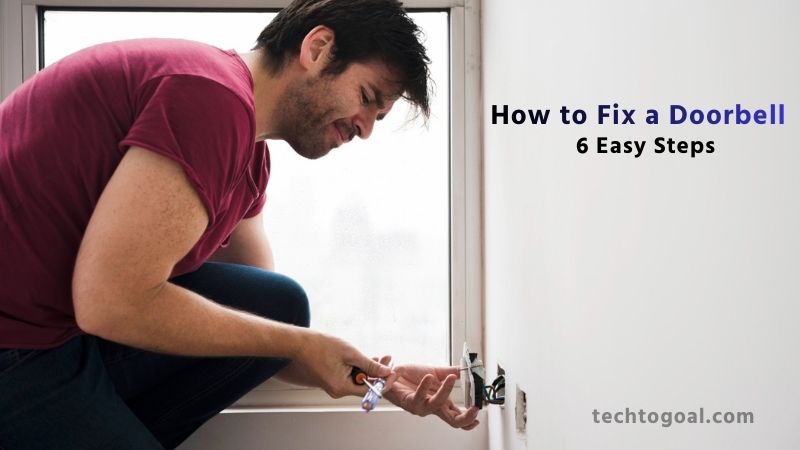

How to Fix a Doorbell: There are few home maintenance issues more frustrating than a faulty doorbell. Whether it’s an absolute silence when guests push the button or a persistent, annoying buzzing sound, a non-working doorbell doesn’t just inconvenience your visitors; it can be a minor security concern, signaling neglect. If your front door has fallen quiet, don’t panic, and certainly don’t call an expensive electrician yet!
The good news is that most doorbell issues, whether you have a traditional wired system or a modern wireless setup, are simple, low-voltage problems that you can easily diagnose and fix yourself. You don’t need specialized tools or electrical expertise; you just need a methodical approach and a little confidence.
This comprehensive guide is designed specifically for beginners. We will walk you through step-by-step diagnostics, from checking the simplest culprit to troubleshooting the more complex components Get ready to silence the frustration and bring the cheerful chime back to your front door!
Why Is My Doorbell Not Working?
A non-functioning doorbell can be frustrating, especially when you’re expecting guests or deliveries. Doorbells may stop working for several reasons, some simple, others more technical. Here are the most common issues and how they affect your doorbell system:
Power Outage: A sudden power outage can temporarily disable wired and wireless doorbells. Wired systems rely on continuous electricity to function, while wireless models may lose connection when the power goes out.
If your home recently experienced a blackout or voltage fluctuation, your doorbell might just need time to reset. Once power is restored, check the chime and button again to see if the issue resolves itself.
Loose Wires: Loose or disconnected wires are one of the most frequent causes of doorbell failure. Over time, vibrations, weather changes, or poor installation can cause wiring to detach from the button, chime box, or transformer.
When this happens, the electrical signal cannot travel through the circuit. Inspect the connections at the doorbell button and the chime box to see if any wires need tightening or reattachment.
Faulty Transformer: A doorbell transformer reduces your home’s high-voltage power to a safe, low-voltage level for the doorbell system. If the transformer fails, the entire doorbell stops working. Signs of a faulty transformer include no sound from the chime, low voltage output, or a buzzing noise. Replacing a transformer is a common fix, but it requires caution or professional assistance if you’re not familiar with electrical work.
Broken Chime Box: If the doorbell button lights up or clicks but you don’t hear a sound, the problem may lie in the chime box. Over time, internal components such as coils, contacts, or speakers may wear out. In mechanical chimes, dust buildup can block the striker. In electronic chime boxes, burned-out circuits or speakers can cause silence. Cleaning, repairing, or replacing the chime box often solves the issue.
Stuck Button: A stuck or jammed doorbell button can prevent the system from functioning properly. Dirt, moisture, or worn-out parts can cause the button to stay pressed or fail to make contact when pushed. This may either stop the doorbell from ringing or cause it to ring continuously. Inspect the button for debris, corrosion, or physical damage, and replace it if necessary.
Fried Circuit Board: Modern smart or wireless doorbells often contain sensitive electronic components. Power surges, water exposure, or internal failures can damage the circuit board, causing the doorbell to stop responding. In many cases, the LED indicator may stop working, or the device may fail to connect to Wi-Fi. Once the circuit board is fried, replacement is usually the only practical solution.
How to Fix a Doorbell: 6 Easy Steps
If your doorbell has suddenly stopped working, the solution is often simpler than you think. With a few basic tools and some patient troubleshooting, you can restore your doorbell without calling a technician. Here’s a complete step-by-step guide to help you identify the problem and fix it quickly.
📌Read More👉 How to Remove Camera Lens Protector
1. Gather Necessary Tools
Before you begin, assemble the essential tools you may need during troubleshooting. Common tools include a screwdriver, voltage tester, wire stripper, microfiber cloth, replacement batteries, and electrical tape. Having everything ready helps you work efficiently and ensures you can check each component safely and accurately. A clean workspace and proper lighting also make the process smoother.
2. Inspect for Loose Wires
Loose or disconnected wires are among the most common reasons doorbells stop functioning. Begin by removing the doorbell button cover and checking the wiring behind it. Inspect the connections at the chime box and transformer as well. If you notice any loose screws or detached wires, tighten or reattach them carefully. Restoring these connections often brings the doorbell back to life instantly.
3. Check the Transformer
The transformer reduces your home’s high voltage to the low voltage required by the doorbell. If it fails, the entire doorbell system becomes inactive. Use a voltage tester to check whether the transformer is producing the correct output, typically 16V for most doorbells. If no voltage is detected or the transformer is buzzing or overheating, it may need replacement. If you’re not confident handling electrical components, seek help from a professional.
4. Test the Chime Box
If you press the doorbell button and nothing rings, the chime box might be the problem. Mechanical chimes sometimes fail due to dust buildup, jammed plungers, or worn components. Remove the cover and inspect the inside for dirt or obstructions. Clean any debris and gently reposition any out-of-place parts. For electronic or wireless chimes, faulty speakers or circuits may require replacement.
5. Clean and Reseat the Button
Doorbell buttons can collect dirt, moisture, or corrosion over time, causing them to stick or fail to register a press. Remove the button housing and clean the inside with a dry cloth or small brush. Ensure the spring and contacts are functioning correctly. If the button feels loose, damaged, or worn out, replacing it is usually an inexpensive and quick fix.
6. Replace Batteries
Wireless doorbells often stop working simply because the batteries are dead or weak. Replace the batteries in both the doorbell button and the chime unit. Ensure you use fresh, high-quality batteries for optimal connection strength and performance. After replacing them, test the doorbell again to check if the issue is resolved.
7. Attempt a Reset
Smart or wireless doorbells may require a reset to resolve connectivity or software issues. Look for the reset button on the device or refer to the manufacturer’s instructions. A full reset can resolve problems such as Wi-Fi disconnection, frozen signals, or unresponsive buttons. After resetting, pair or configure the device again and test the doorbell to confirm it’s working.
Wired Doorbell Repair
Power Source Problems:
- Look for a blown fuse or a tripped circuit breaker in your electrical panel. If you discover one, test your doorbell after replacing the fuse or resetting the breaker.
- In the panel that connects to the doorbell circuit, tighten any loose screws.
Button Wear and Tear:
- Check for little wear on the button. Check for a clear click by pressing it; if it feels strange or unresponsive, there may be an issue.
- You can do a bypass test by detaching the button and touching the two wires together directly if there isn’t any visible physical damage. If the doorbell rings, the button is broken and needs to be replaced.
- After disconnecting the old button, connect the wires to the new one and fasten it firmly. Make sure the connections are secure.
Chime Issues Troubleshooting:
- Examine the chime box visually for any loose or broken parts.
- Reattach any loose wires to their terminals after gently testing them.
- The springs or striker may need to be replaced if they are broken, worn out, or misaligned. If there is significant wear or damage, it can be more economical to replace the complete chime box rather than just certain parts.
Transformer Troubles:
- Test the output of the transformer with a multimeter. A reading that deviates significantly from the voltage required for your doorbell, typically between 10 and 24 volts for the majority of models, indicates a problem and prevents the doorbell from receiving power.
- Because replacing a malfunctioning transformer requires handling high-voltage wires and knowledge of your home’s electrical system, a qualified electrician is usually needed.
Wiring Issues:
- Check for breakage, corrosion, or loose connections from the button to the transformer and chime box by following the wiring path.
- Replace any clearly damaged pieces and reattach any loose wires. Consult an expert if you’re not sure how to handle wiring.
Fixing a Wireless Doorbell
Battery Replacement: Check the batteries first if the doorbell isn’t working. Replace outdated batteries with fresh ones. Verify that they are completely charged and inserted appropriately.
Electronic Interference: Turn off suspected devices for a short while to see if the doorbell works better. As an alternative, relocate the doorbell receiver to see if the signal gets better. Try relocating the doorbell receiver or a specific gadget if it is found to be the source of interference.
Smart Doorbell Software Issues: Many little software problems can be resolved with a simple reset. This typically entails utilizing a feature in the device’s app or hitting a reset button on the device.
To address errors and improve the doorbell’s performance, make sure the app on your smartphone is up to date and look for firmware updates within the app.
You should be able to resolve the majority of problems with your wired doorbell by following these steps. However, if these solutions don’t work for you, it could be time to upgrade to a more sophisticated doorbell system.
Our eufy Video Doorbell E340 is a perfect example. It has cutting-edge features like color night vision, 2K full HD clarity, twin camera viewing, interactive two-way audio, and simple app control. and more that greatly improve the security of your house and make it easier for you to manage it.
Fixing a wireless doorbell is usually straightforward once you identify the underlying issue. Whether it’s a simple battery replacement, reducing electronic interference, or updating your smart doorbell’s software, these solutions can restore your device’s performance quickly. Regular maintenance like checking batteries, ensuring strong Wi-Fi, and keeping software updated helps ensure your wireless doorbell stays reliable round the clock.
Maintaining Your Doorbell System
Keeping your doorbell system in good working condition doesn’t require much effort, but regular maintenance can prevent unexpected failures and extend the life of both wired and wireless setups.

📌Read More👉 How To Reset Ring Doorbell
Whether you’re using a traditional chime box, a simple push-button, or an advanced smart doorbell, proper upkeep ensures clear signals, reliable alerts, and better home security. Below are the essential maintenance practices every homeowner should follow.
1. Clean the Doorbell Button Regularly
Dust, dirt, and moisture can build up around the doorbell button and affect its responsiveness.
How to maintain it:
- Wipe the button with a microfiber cloth every few weeks.
- Use a small brush to remove debris from crevices.
- Check for cracks or loose parts that might allow moisture inside.
- A clean button ensures a smooth press and prevents sticking or electrical issues.
2. Inspect Wiring or Battery Connections
Both wired and wireless doorbells can stop working if connections are weak.
For Wired Doorbells:
- Check for worn-out insulation or frayed wires.
- Ensure wires are tightly secured at the transformer, chime box, and button.
- Replace old or damaged wiring immediately to avoid short circuits.
For Wireless Doorbells:
- Make sure battery terminals are clean and corrosion-free.
- Replace batteries proactively every 6–12 months.
- Keep the transmitter and receiver firmly attached to their mounting spots.
- Strong connections mean consistent performance with fewer interruptions.
3. Test Your Doorbell System Once a Month
A quick monthly test helps identify early signs of malfunction.
What to check:
- Does the button respond instantly?
- Does the chime sound clear and at normal volume?
- Does the smart doorbell send alerts without delay?
- Testing helps you catch issues like weak batteries, failing chimes, or connectivity problems before they become bigger inconveniences.
4. Keep the Chime Box Dust-Free
The indoor chime box or receiver should also be maintained.
Maintenance tips:
- To get rid of dust, use compressed air or a gentle cloth.
- Avoid placing the chime box behind large furniture that blocks signal or airflow.
- Listen for unusual buzzing or weak sound output, which may indicate internal wear.
- A clean chime box ensures a louder, more reliable alert.
5. Protect Your Doorbell from Weather Damage
Outdoor doorbell buttons and smart devices are exposed to harsh weather.
Keep them safe by:
- Installing a small weather shield or cover.
- Ensuring the housing is tightly sealed to prevent moisture inside.
- Avoid direct sunlight exposure, which can cause fading or overheating.
- Better protection equals longer life for your doorbell system.
6. Update Smart Doorbell Software Regularly
If you use a smart doorbell like Ring, Nest, Eufy, or Blink, software updates are essential.
Fix app bugs
- Improve performance and video quality
- Enhance Wi-Fi connectivity
- Add new security features
- Make a habit of checking the app for updates every few weeks.
7. Monitor Wi-Fi Signal Strength
Poor Wi-Fi can cause delays, missed notifications, or offline errors.
Maintenance tips:
- Keep your router within a reasonable distance.
- Use a Wi-Fi extender if needed.
- Restart your router monthly to maintain stable performance.
- Reliable connectivity ensures your smart doorbell stays responsive at all times.
Maintaining your doorbell system doesn’t require special skills, just consistent care. By cleaning the button, checking connections, testing performance, and keeping smart devices updated, you can ensure your doorbell works flawlessly year-round. These simple habits enhance reliability, extend the life of your equipment, and help keep your home safe and convenient.
How to Fix a Doorbell That Doesn’t Ring
There are a few components to check if your doorbell button receives power but doesn’t produce sound when pressed. To fix a doorbell that doesn’t ring, follow these steps:
- First, make sure the doorbell button assembly is properly connected and wired. Contact may be prevented by corroded wires or loose wire nuts.
- Check to see whether the chime box is the problem. Touch the two chime wires together after disconnecting it. As you listen for a buzzing sound, have someone press the button. The box is probably broken if it buzzes. Change it out for a new chime box.
- Try swapping out the button itself. The doorbell may stop ringing as internal parts deteriorate or come free over time. The issue is frequently resolved by installing a new button, which is also reasonably priced.
- If the button doesn’t ring, the transformer might be the problem. To measure the voltage, use a multimeter. If the voltage is less than 12-24 volts, replace the damaged transformer.
- Lastly, check the button housing for loose connections or damaged solder. If necessary, make solder repairs or refasten wires.
How to Fix Doorbell Chime Box
Your doorbell’s sound is amplified by the chime box, allowing you to hear it ring throughout your house. Here’s how to fix a doorbell chime if it isn’t working:
📌Read More👉 How To Reset Wi-Fi On Ring Doorbell
- First, turn off the doorbell’s electricity. Check for any loose wire connections by opening the chime box casing. Any wires that have fallen loose from terminals should be secured.
- Use a multimeter to check the output voltage of the transformer. Replace the transformer if the reading is too low.
- Look at the box’s chime bar. Install a replacement bar that matches the remainder of the device if it is missing or damaged.
- Keep an eye out for indications of burned wiring, dirt accumulation, or corrosion. Replace any damaged wires and clean off any rust.
- After removing the chime box from the wall, carefully straighten any loose or bent prongs that attach to the wires.
- After everything is clean and connected correctly, reinstall the box and turn on the power. When the doorbell button is pressed, listen for the well-known “ding-dong” sound.
- You will need to replace the complete chime box with a new device that is compatible with your doorbell system if the chime is still not working.
FAQs
Why is my doorbell not ringing at all?
A doorbell may stop ringing due to dead batteries, loose wiring, a faulty chime box, a damaged button, or issues with the transformer. Inspect each component step-by-step to identify where the failure is happening.
How do I know if my doorbell transformer is bad?
If your wired doorbell has no power, no chime sound, or a burning smell near the transformer, it may be failing. Using a multimeter to check the voltage output is the most accurate way to confirm if the transformer is faulty.
Why does my wireless doorbell ring randomly?
Random ringing usually occurs due to electronic interference from Wi-Fi routers, cordless phones, or baby monitors. Changing the doorbell’s frequency, relocating the receiver, or reducing interference can solve the problem.
How do I fix a doorbell chime that sounds weak?
A weak chime could be caused by low voltage, loose connections, a worn-out chime unit, or dead receiver batteries. Tighten the wiring, replace batteries, or test the transformer to fix the problem.
How often should I replace doorbell batteries?
Most wireless doorbell batteries should be replaced every 6–12 months, depending on usage and weather conditions. Smart doorbell batteries may last several months per charge.
When should I call a professional to fix my doorbell?
Call a professional if you notice burnt smells, exposed wiring, a damaged transformer, or if you aren’t comfortable handling electrical repairs. Complex wiring and transformer issues are best left to experts.
Conclusion
Fixing a doorbell doesn’t have to be difficult, even for beginners. Most problems stem from simple issues like loose wires, weak batteries, stuck buttons, or minor connectivity failures. With a little patience and the right troubleshooting steps, you can diagnose the problem, perform basic repairs, and restore your doorbell to full working order without needing professional help.
Whether you’re dealing with a traditional wired setup or a modern smart doorbell, regular maintenance, proper cleaning, and timely battery replacements can prevent many future issues. And when something more complex arises, like a faulty transformer or internal wiring failure, don’t hesitate to call a professional for a safe and reliable fix.
By understanding how your doorbell system works and following this guide, you’ll keep your home secure, responsive, and convenient for years to come. If you ever face new doorbell troubles, you’ll now have the confidence and knowledge to handle them effectively.