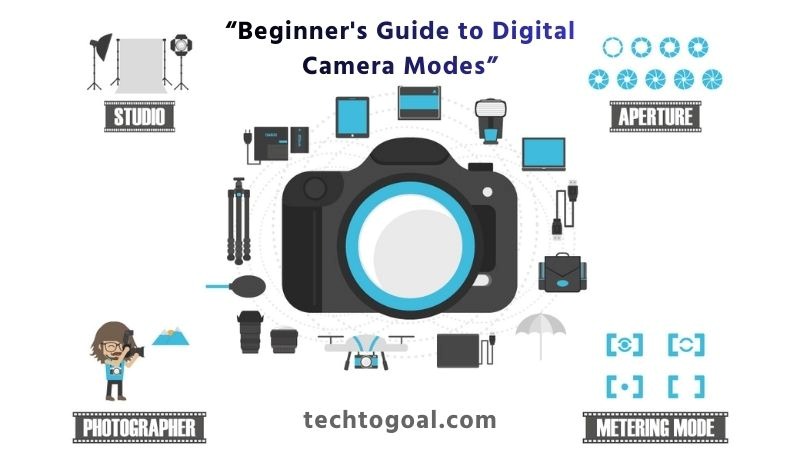

Digital Camera Modes: Understanding digital camera modes is one of the first steps toward taking full control of your photography. Whether you’re switching from a smartphone to a dedicated camera or just starting your photography journey, learning what each mode does can instantly improve your images.
Modern digital cameras come with a variety of shooting modes—Auto, Manual, Aperture Priority, Shutter Priority, Program Mode, and more—designed to help you capture the perfect shot in different situations.
This beginner-friendly guide breaks down each camera mode in simple language, explains how they work, and shows you when to use them. By the end of this article, you’ll feel more confident behind the camera and ready to move beyond basic “Auto” settings. If you’ve ever wondered which mode to choose for portraits, landscapes, or action photography, this guide will help you make the right decision every time.
An Introduction to Camera Modes
Before the advent of digital technology, cameras were far more basic devices. Film cameras of the era typically required the photographer to manually set dials to modify the aperture and shutter speed for each shot, rather than an LCD screen with a plethora of menus, options, and settings. Based on data from a stand-alone light meter, these were modified.
📌Read More👉 What is A Rangefinder Camera and Its Benefits
As technology developed, light meters were integrated into camera bodies, enabling the cameras to help set some of these parameters. Shooting modes, which provide pre-programmed settings that regulate specific areas of the exposure triangle and enable the photographer to swiftly set up the camera for shooting in particular scenarios, started to appear in cameras.
In addition to strengthening your comprehension of how appropriate exposures are produced, learning the functions of these modes and being proficient in their use can better equip you for a greater variety of shooting situations. We will now examine each mode, describe the exposure factors it regulates, and talk about the circumstances in which it would be most appropriate.
The majority of DSLR cameras include shooting modes on their top dials, which are indicated by different abbreviations depending on the manufacturer.
Types of Camera Modes
The majority of modern digital cameras come with the following four primary camera modes:
- Auto Mode (Green Box/AUTO)
- Program Mode (P)
- Aperture Priority Mode (Av or A)
- Shutter Priority Mode (Tv or S)
- Manual Mode (M)
- Additional Modes
- Setting a Shooting Mode
- Master Camera Modes to Grow
1. Auto Mode (Green Box/AUTO)
Auto Mode is the most beginner-friendly setting on any digital camera. In this mode, the camera takes full control of exposure, including shutter speed, aperture, ISO, white balance, and focus. It’s designed to give you quick, hassle-free results without needing to understand technical settings. Auto Mode is ideal for casual snapshots, travel photos, or situations where you want to capture a moment instantly. However, it limits your creative control, making it less suitable for advanced photography techniques.
Key Features:
- Perfect for quick shots with minimal adjustments
- The camera analyzes the scene and applies optimal settings
- Ideal for beginners and spontaneous shooting
- Flash may fire automatically depending on lighting conditions
Best For: Everyday snapshots, family events, or moments where speed matters more than creative control.
2. Program Mode (P)
Program Mode offers more freedom than Auto Mode while still assisting with exposure. The camera chooses the aperture and shutter speed automatically, but you can manually adjust ISO, white balance, metering, and exposure compensation.
This mode is perfect for photographers who want more creative influence without needing to manage every technical detail. Program Mode gives you a balance between convenience and control, making it a great stepping stone toward more advanced modes.
What Makes It Useful:
- More creative freedom than AUTO
- Ability to override some automatic settings
- Great for low-light situations where ISO adjustments matter
Why Photographers Use It: It’s ideal for learning exposure basics without jumping fully into manual control.
3. Aperture Priority Mode (Av or A)
Aperture Priority Mode allows you to control the aperture while the camera selects the appropriate shutter speed. This mode directly affects the depth of field, which determines how blurry or sharp the background appears.
📌Read More👉 Benefits of Flock Cameras
Use a wide aperture (f/1.8–f/2.8) for portraits to create a creamy background blur and a narrow aperture (f/8–f/16) for landscapes to keep everything in focus. Aperture Priority helps you achieve professional-looking photos while maintaining consistent exposure.
How It Works:
- A low f-number (f/1.8, f/2.8) → blurred background & shallow depth of field
- A high f-number (f/8, f/11, f/16) → sharp background & larger depth of field
Perfect For:
- Portrait photography
- Landscape photography
- Macro shots
- Low-light shooting with bokeh effects
4. Shutter Priority Mode (Tv or S)
Shutter Priority Mode lets you control the shutter speed, while the camera automatically sets the aperture. This mode is essential for capturing movement. A fast shutter speed (1/500s or faster) freezes action, perfect for sports, wildlife, or fast-moving subjects.
A slow shutter speed (1/30 s or slower) creates motion blur effects like silky waterfalls or light trails. Shutter Priority gives you creative control over motion while keeping exposure properly balanced.
Creative Possibilities:
- Fast shutter speeds (1/1000 s or faster): freeze action sports, wildlife, moving vehicles
- Slow shutter speeds (1/30 s – several seconds): motion blur waterfalls, light trails, long exposure
Best For: Sports, street photography, action scenes, or creative long-exposure photography.
5. Manual Mode (M)
Manual mode gives you full control over every setting: shutter speed, aperture, and ISO. It’s the most advanced mode and allows you to shape the exact look of your image. Manual Mode is ideal for night photography, studio lighting, long exposure shots, product photography, or any situation requiring precision. Although it requires practice, mastering manual mode helps you understand the fundamentals of exposure and unlocks your camera’s full creative potential.
Why Manual Mode Is Essential:
- Ensures consistent exposure across multiple shots
- Perfect for studio photography with static lighting
- Best for night photography, astrophotography, and long exposures
Skill Level: Intermediate to advanced, but essential for full creative mastery.
6. Additional Modes
Modern cameras come with various scene-based modes tailored for specific shooting scenarios. These automated presets adjust exposure, color, and focus settings. Most digital cameras include extra modes designed for specific situations. These may include:
- Portrait Mode: Enhances skin tones and blurs the background.
- Landscape Mode: Boosts colors and sharpens details for outdoor scenes.
- Sports Mode: Uses fast shutter speeds to freeze motion.
- Macro Mode: Allows close-up focusing for small subjects.
- Night Mode: Uses longer exposures for low-light scenes.
These preset modes are helpful for beginners who want better results without adjusting settings manually.
Why They’re Useful: Scene modes help beginners quickly achieve optimized results without technical knowledge.
7. Setting a Shooting Mode
Switching between modes is simple. Most cameras have a mode dial on top; rotate it to the symbol or letter that represents the mode you want. Some mirrorless cameras or advanced models use digital menus instead. Choosing the right mode depends on your shooting environment, subject, and creative goal. A landscape might need aperture priority, while a fast-moving subject is best captured using shutter priority.
How to Select the Correct Mode:
- Identify your subject: moving subject → Shutter Priority; static subject → Aperture Priority.
- Consider the environment: low light → Manual or Aperture Priority.
- Think about your creative vision: background blur, sharp scenery, or motion effects.
- Evaluate your comfort level: beginners may prefer Auto/Program; advanced users prefer Manual.
8. Master Camera Modes to Grow
Understanding and practicing different camera modes is essential for becoming a more confident photographer. Start with Auto or Program Mode, then gradually experiment with Aperture Priority and Shutter Priority.
Once you gain confidence, move to Manual Mode to fully control your creative vision. Mastering these modes allows you to adapt to any lighting condition, capture professional-quality images, and grow your photography skills over time.
How to Select the Correct Mode:
- Identify your subject: moving subject → Shutter Priority; static subject → Aperture Priority.
- Consider the environment: low light → Manual or Aperture Priority.
- Think about your creative vision: background blur, sharp scenery, or motion effects.
- Evaluate your comfort level: beginners may prefer Auto/Program; advanced users prefer Manual.
Mirrorless Camera Modes Guide
Modern mirrorless cameras are packed with intelligent shooting modes designed to help photographers capture stunning images in any situation.
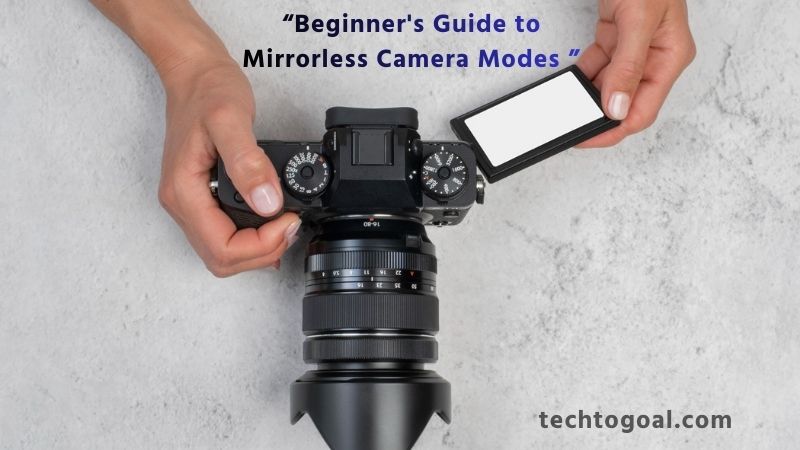
Whether you’re a beginner or an advanced shooter, understanding these modes will dramatically improve your control, creativity, and overall image quality. Here’s a detailed breakdown of eight essential mirrorless camera modes and how they can elevate your photography.
📌Read More👉Types of Digital Cameras
1. Auto Mode (A / Auto / Green Mode)
Auto Mode is perfect for beginners who want the camera to handle every technical decision. In this mode, the camera automatically selects shutter speed, aperture, ISO, white balance, metering, and even focus settings. It evaluates the scene and chooses the safest combination for a correctly exposed photo.
Best Use Cases
- Casual everyday snapshots
- Travel photography
- Learning composition before diving into manual settings
Advantages
- No technical knowledge required
- Fast and consistent results
- Limitations
- Limited creative control
- The camera might choose settings that don’t match your artistic vision
2. Program Mode (P Mode)
Program Mode is a step up from Auto, allowing the camera to choose aperture and shutter speed, while you control other settings like ISO, white balance, exposure compensation, and metering.
Why It’s Useful: It offers a balanced mix of automation and creative freedom. You can also “shift” the program pair to adjust the exposure creatively.
Best Use Cases
- Street photography
- Quick-moving environments where you need flexibility
3. Aperture Priority Mode (A/Av Mode)
Aperture Priority Mode gives you control over the aperture (f-stop) while the camera selects the correct shutter speed. This mode is essential for controlling depth of field—how much of the scene appears in focus.
Best Use Cases
- Portraits (blurred background using wide aperture like f/1.8)
- Landscapes (deep focus using narrow aperture like f/11–f/16)
- Low-light shooting
Benefits
- Creative control over background blur (bokeh)
- Perfect exposure with minimal effort
4. Shutter Priority Mode (S/Tv Mode)
This mode lets you choose the shutter speed, while the camera selects a suitable aperture. Ideal for freezing or intentionally blurring motion.
Best Use Cases
- Sports and action photography (fast shutter like 1/1000s)
- Long exposures (slow shutter like 1/10 s or several seconds)
- Water motion blur, light trails, night scenes
Advantages
- Ensures motion control
- Excellent for fast-paced environments
5. Manual Mode (M Mode)
You have complete control over ISO, shutter speed, and aperture when using manual mode. Nothing is automatic, allowing advanced photographers to fine-tune exposure to their exact vision.
Best Use Cases
- Studio photography
- Long-exposure landscapes
- Night photography and astrophotography
- When lighting is consistent and predictable
Benefits
- Maximum creative freedom
- Ideal for professionals and enthusiasts
6. Scene Modes (SCN Mode)
Scene modes are preset settings optimized for specific shooting scenarios such as portrait, landscape, sports, night, macro, sunset, and more. These presets adjust exposure, color, focus, and processing for effortless results.
Best Use Cases
- Beginners needing specialized help
- Quick photography without changing multiple settings
Advantages
- Tailored settings for specific environments
- Reliable for tricky lighting situations
7. Movie (Video) Mode
Mirrorless cameras offer dedicated video modes that unlock features like frame rate, resolution, shutter angle, autofocus behavior, and picture profiles (e.g., S-Log, V-Log, HLG).
Best Use Cases
- Vlogging and YouTube content
- Cinematic video production
- Interviews or documentary shooting
Benefits
- Full control over video settings
- Access to advanced stabilization and autofocus tools
8. Custom Modes (C1, C2, C3, etc.)
Custom modes allow photographers to save specific settings for quick recall. For example, you can save separate configurations for portraits, sports, landscapes, or night photography.
Best Use Cases
- Professionals needing speed and consistency
- Weddings and events
- Wildlife and action photography
Advantages
- Saves time
- Guarantees consistent results across shoots
Understanding these eight mirrorless camera modes empowers you to take full advantage of your camera’s capabilities. From Auto Mode to full Manual and advanced custom presets, each mode serves a purpose. Mastering them will help you adapt to any shooting situation, boost creativity, and produce high-quality images with confidence.
FAQs
Which camera mode is best for beginners?
Auto Mode is best for beginners because the camera handles all exposure settings automatically. It’s ideal for users who want to take good photos without technical adjustments.
What is the difference between Auto Mode and Program Mode?
Auto Mode controls everything, including ISO and flash, while Program Mode still automates aperture and shutter speed but gives you control over ISO, white balance, and exposure compensation.
When should I use Aperture Priority Mode (A/Av)?
Use Aperture Priority when you want to control depth of field—such as achieving background blur (bokeh) in portraits or keeping the entire scene sharp in landscapes.
When is Shutter Priority Mode (S/Tv) useful?
Shutter Priority is perfect for action shots where you need to freeze fast motion or capture creative motion blur, such as sports, waterfalls, or night light trails.
Why do photographers use Manual Mode (M)?
Manual Mode offers full control over aperture, shutter speed, and ISO, making it ideal for professional work, studio photography, night photography, and situations requiring consistent exposure.
What are scene modes on a digital camera?
Scene modes are preprogrammed settings designed for specific shooting situations such as Portrait, Landscape, Sports, Macro, and Night Mode. They simplify the process for beginners by optimizing the camera automatically.
Can camera modes affect image quality?
Yes, camera modes can influence image quality by adjusting exposure, ISO sensitivity, shutter speed, aperture, and color settings. Using the right mode can significantly improve sharpness, brightness, and detail.
Which mode should I use for low-light photography?
For low-light scenes, Manual or Aperture Priority Mode works best. These modes allow you to use wider apertures, lower shutter speeds, and controlled ISO to get cleaner, brighter images.
Do professional photographers use Auto Mode?
Professionals rarely use Auto Mode, but they may use Program, Aperture Priority, or Manual depending on the shooting condition. Auto Mode is avoided because it limits creative control and may misinterpret the lighting.
Conclusion: Digital Camera Modes
Understanding digital camera modes is the first step toward taking control of your photography. From the simplicity of Auto Mode to the creative freedom of Manual Mode, each setting offers unique advantages for different shooting situations. As a beginner, experimenting with Program, Aperture Priority, and Shutter Priority modes helps you gradually learn how aperture, shutter speed, and ISO work together to create perfectly exposed images.
By practicing with these modes, you’ll gain confidence, improve your technical skills, and unlock your creative potential. Remember, mastering camera modes is not about memorizing settings; it’s about understanding how your camera interprets light and motion and using that knowledge to capture the shots you envision.
In short, learning your digital camera’s modes is the key to transforming casual snapshots into stunning, professional-quality photographs.